Page 136 Job Editor Group 8
Release R1.06 JET3up
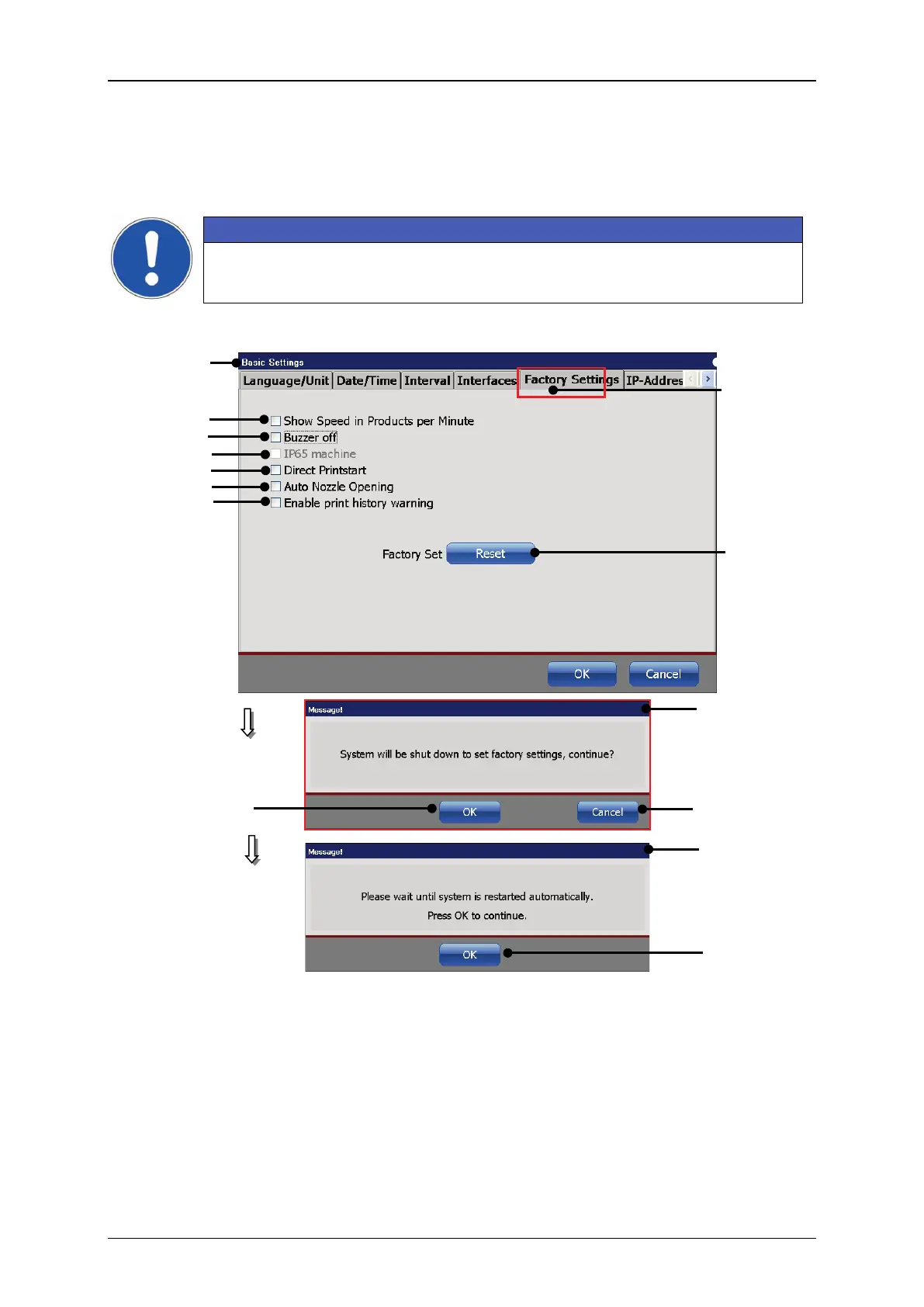
7.3.1.5 Factory Settings
Under the tab <Factory settings> you can reset the printer adjustments to the
standard settings.
The consequences of resetting to the factory settings should be
considered!
Figure 51 Reset device to factory settings
1 – Dialog box <Basic Settings>
8 – Option <Activate warning messages
for print history protocol>
2 –Tab <Factory Settings>
3 –Option <Products per minutes>
11 – Button <OK> for safety confirmation
5 – Option <IP65 Machine>
6 – Option <Direct Printstart>
7 – Option <Auto Nozzle Opening>
13 – Button <OK> for restart
8



 To Next Page