Page 96 Job Editor Group 8
Release R1.06 JET3up
7.2.3 Edit current job
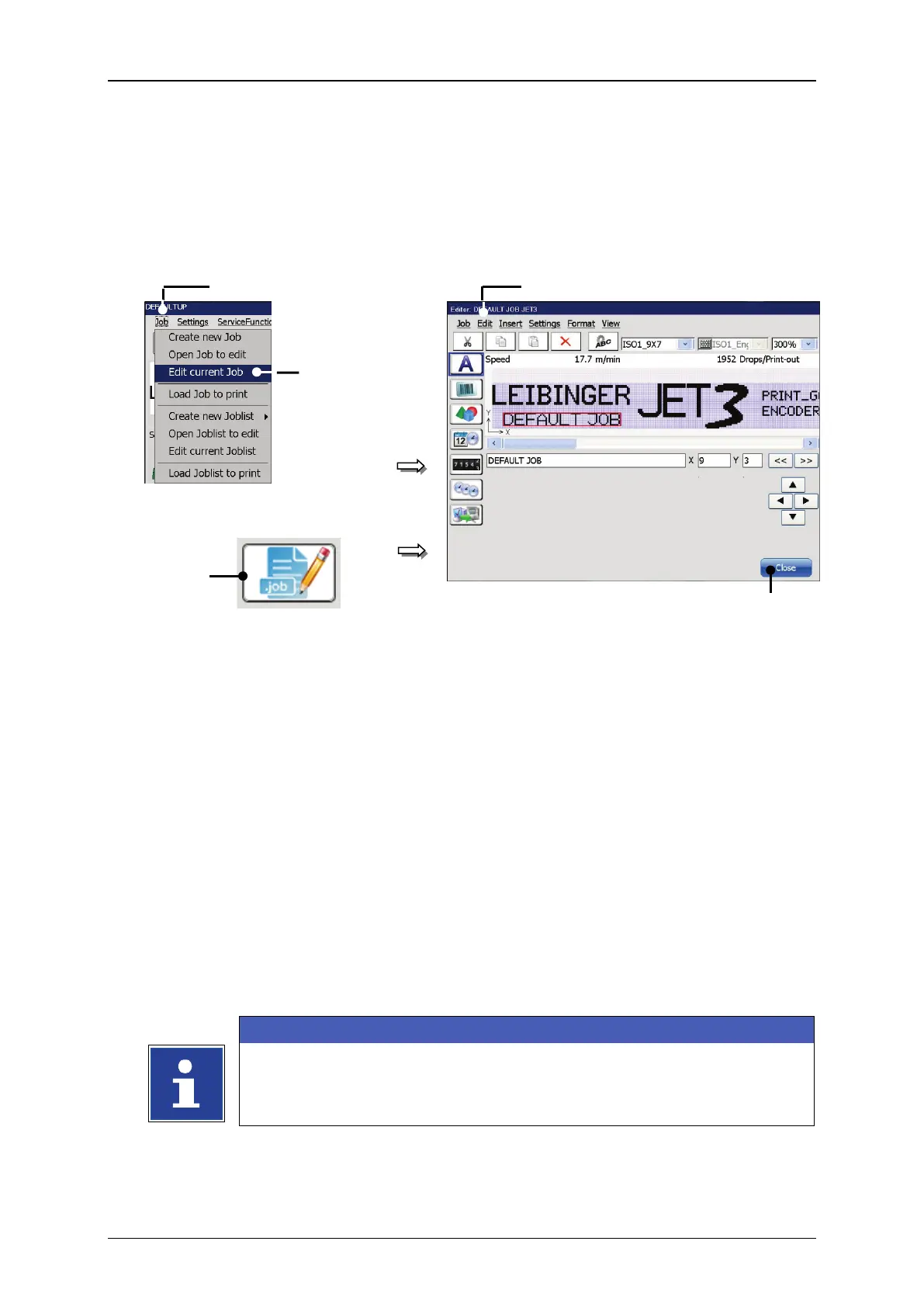
With the option <Edit current Job> or by pressing on the accordant direct button
(shortcut) you can edit the current job.
Figure 32 Edit current job
or:
2 – Option <Edit current Job>
3 – Direct button (Shortcut) <Edit current Job>
Press the button <Job> (1) and the option <Edit current Job> (2) or press the
accordant direct button [Shortcut] (3).
The <Jobeditor> (4) opens in order to edit the print job
opened job is displayed in the title bar of the editor.
Carry out the requested changes and save it.
Please see chapter 8.3.1 Save job/Save job as for further
information about saving a print job.
Please see chapter 8 Job editor for details about the job editor.



 To Next Page