Page 320 Job Editor Group 8
Release R1.06 JET3up
8.7.3.1 Counter parameter
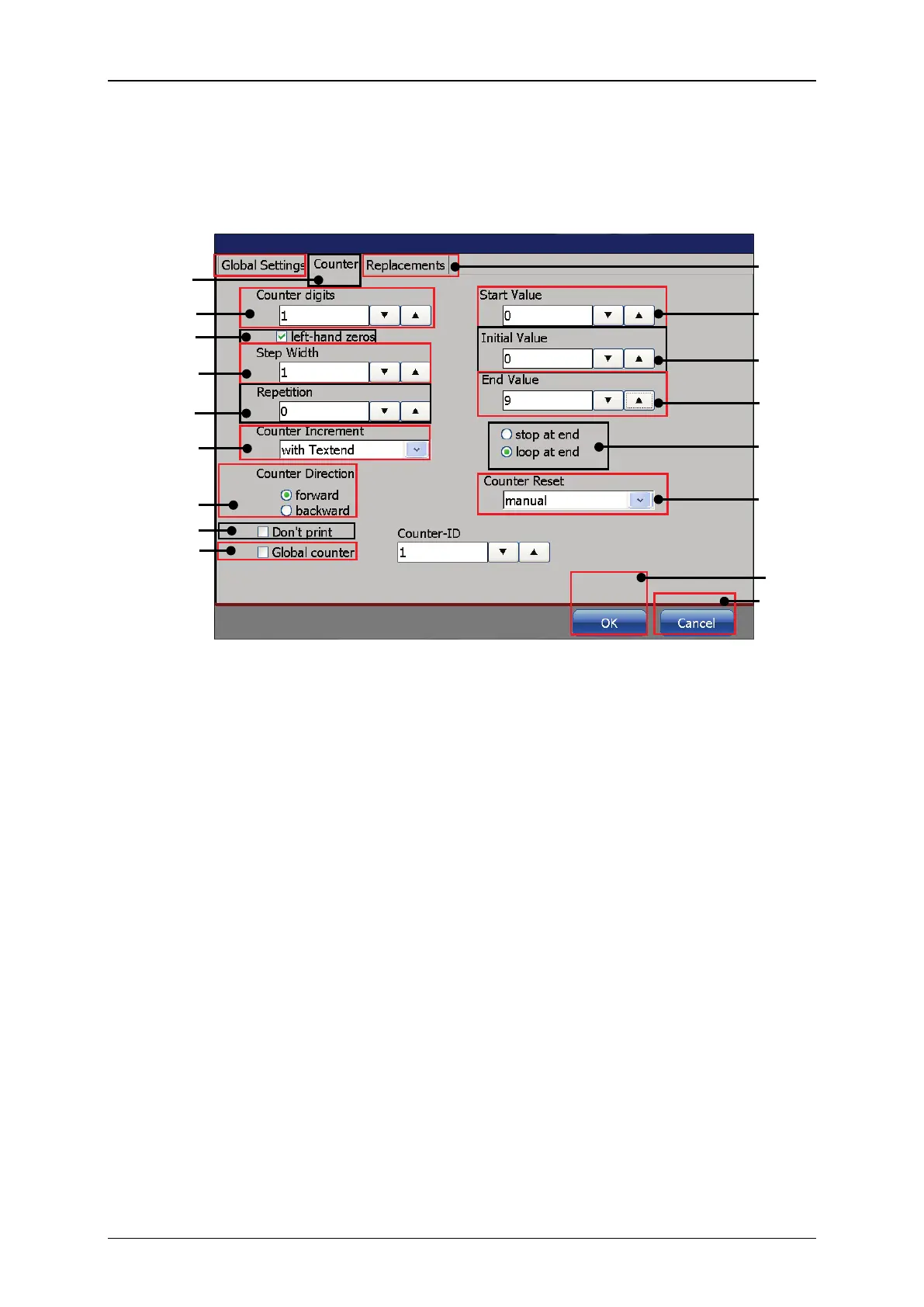
On the <Counter> tab the basic counter settings are defined.
Figure 168 Print elements: counter settings
10 – Tab bar <Object settings>
2 – Display field <Counter digits>
11 – Display field <Start value>
3 – Check box <Left hand zeros>
12 – Display field <Initial value>
4 – Display field <Step width>
13 – Display field <End value>
5 – Display field <Repetition>
14 – Selection <Counter (Loop/Stop)>
6 – Drop-down list <Count increment>
15 – Drop-down list <Counter reset>
7 – Selection <Counter direction>
8 – Check box <Don’t print>
9 – Check box <Global counter>



 To Next Page