Group 8 Job Editor Page 327
JET3up Release R1.06
8.7.4 Shift code
Provides the integration of a text element which is printed in predefined periods
(shift times) as well as a definition of the accordant parameters.
Note:
The changing text can be also combined with other printing elements which
will not change by the predefined periods (only the „shift-defined“ text).
8.7.4.1 „Shift Code“ tab
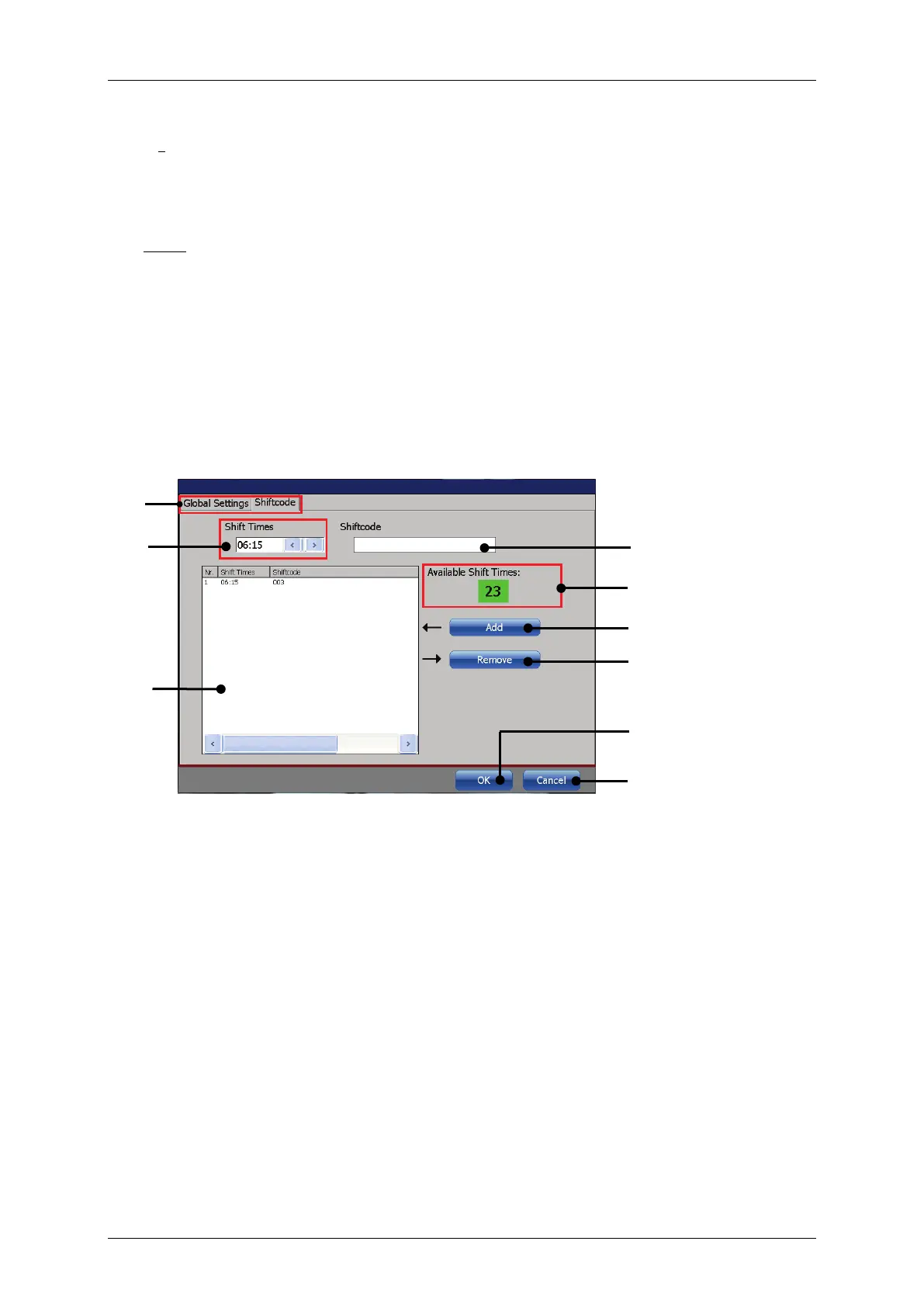
In the management window (5) all defined shift times with the corresponding shift
codes are listed. Up to 24 shift codes can be managed.
In the display field <Shift code management> (4) the number of shif
available; i.e. the shift times which can still be defined, is displayed.
Figure 172 Print elements (Shift code dialog box design)
2 – Settings field <Shift times>
3 – Settings field <Shiftcode>
4 – Display field <Shift code management>



 To Next Page