Group 8 Job Editor Page 93
JET3up Release R1.06
7.2.1 Create a new job
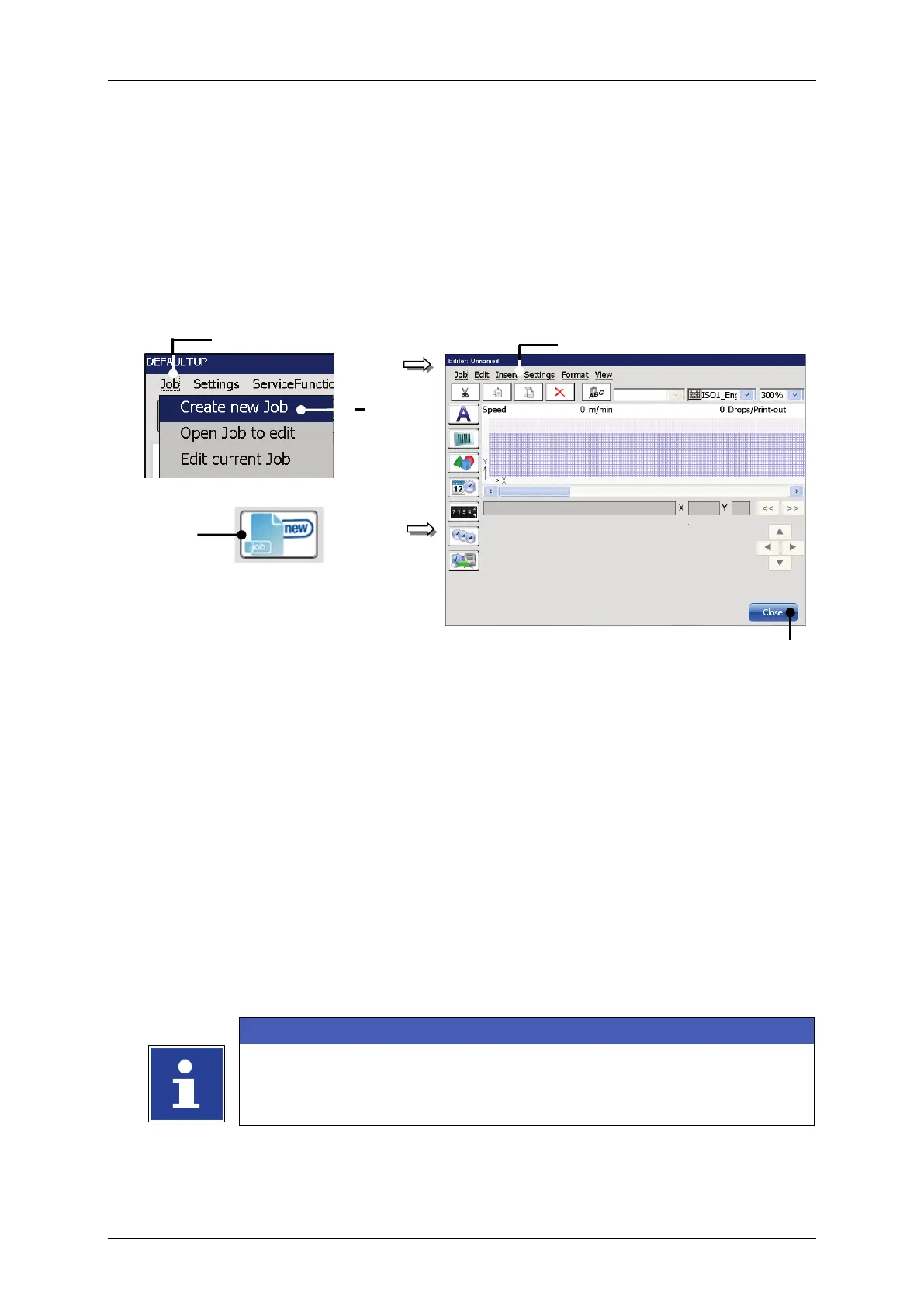
With the option <Create a new Job> or by pressing on the accordant direct button
(shortcut) you can create a new job. For creation the job editor opens where you can
create the printing data and save it as a job. A variety of Windows® similar tools
make the operation easier.
Figure 30 Create a new job
or
2 – Option <Create new Job>
3 – Direct button (shortcut)
<Job>
(1)
<Create new Job>
(2)
accordant direct button [icon] (3).
The menu <Jobeditor> (4) opens.
Create a new print job.
Save the print job.
Please see chapter 8.3.1 Save job/Save job as for further
information about saving a print job.
Please see chapter 8 Job editor for details about the job editor.
5



 To Next Page