Group 8 Job Editor Page 219
JET3up Release R1.06
7.5.7 Explorer
The explorer administrates the data of the LEIBINGER JET3up. As the explorer of
the PCs, the explorer in the JET3up allows the deletion of data as well as the free
saving and loading of data on different media (e.g. USB-stick, Network) or of the
internal memory. Selection window and filter functions allow a clear and easy to
operate data management.
7.5.7.1 Launch explorer
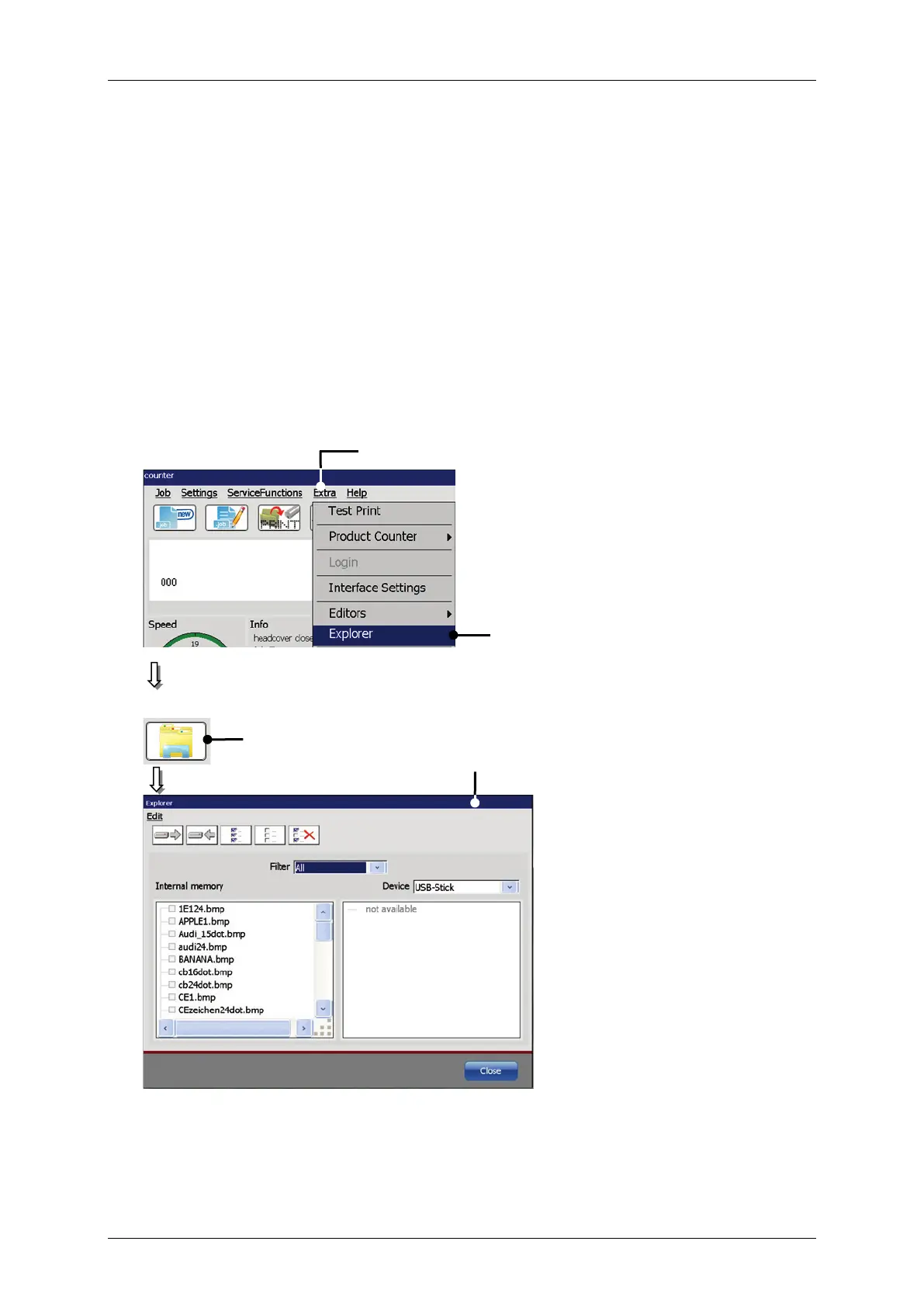
Press the button <Extra> (1) and the option <Explorer> (2)
direct button (shortcut) (3).
The dialog box <Explorer> (4) opens.
Figure 104 Launch explorer
3 – Direct button (shortcut)
4 – Dialog box <Explorer>


 To Next Page