Group 8 Job Editor Page 269
JET3up Release R1.06
8.5.2.5 PrintGo-source - Print start control
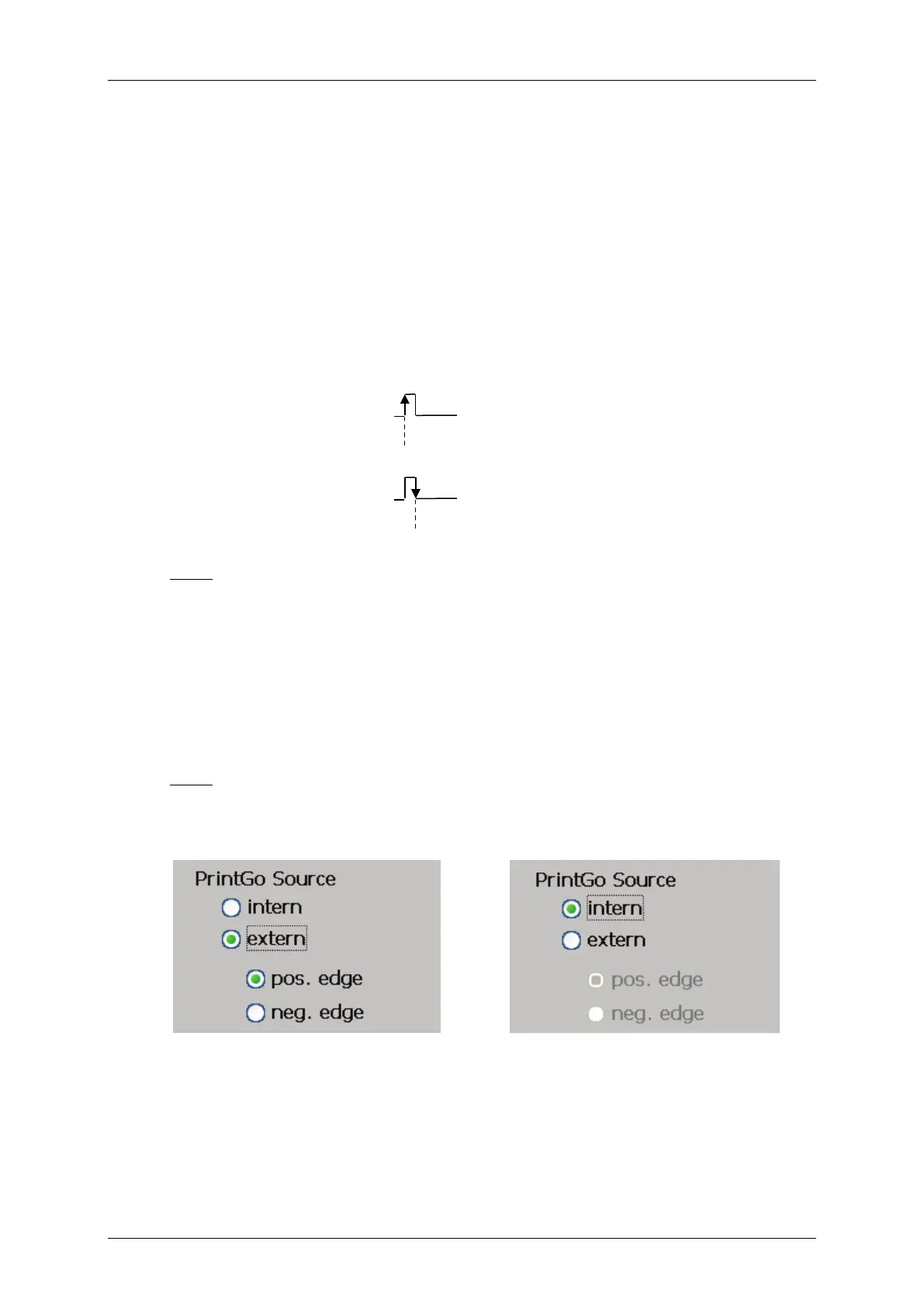
In order to control the start of the printout a so called <PrintGo> signal is
required. It can be generated internally, or by an extern sensor (e.g. light barrier,
product sensor etc.).This sensor is called Print-Go source.
If this function is activated an external sensor has to be connected to the
interface X5 of the LEIBINGER JET3up. The print start will happen either with
the positive or the negative signal edge. As long as the <PrintGo Repeat>
parameter is set to 0 and the <endless> option is not selected each
<PrintGo> signal will cause 1 printout.
Note:
The product sensor 24V can be NPN- or PNP-connected.
For details please see chapter 5.5.2 Interface X5 - PrintGo for details
If this function is activated the printout starts as soon as the green
<PrintStart> button on the main window of the printer is activated. With the
internal<PrintGo source> selected the settings for the signal edge is greyed
out.
Note: A connected sensor will not be monitored.
Figure 145 PrintGo-source settings



 To Next Page