Page 176 Job Editor Group 8
Release R1.06 JET3up
7.4.5 Data logging - Log files
Several printer parameters and all error messages are saved in a log file every
minute and for the last 72 hours. This log file offers a good support for diagnostic
and troubleshooting.
The current logfile can be exported either to a network
storage device or an USB stick.
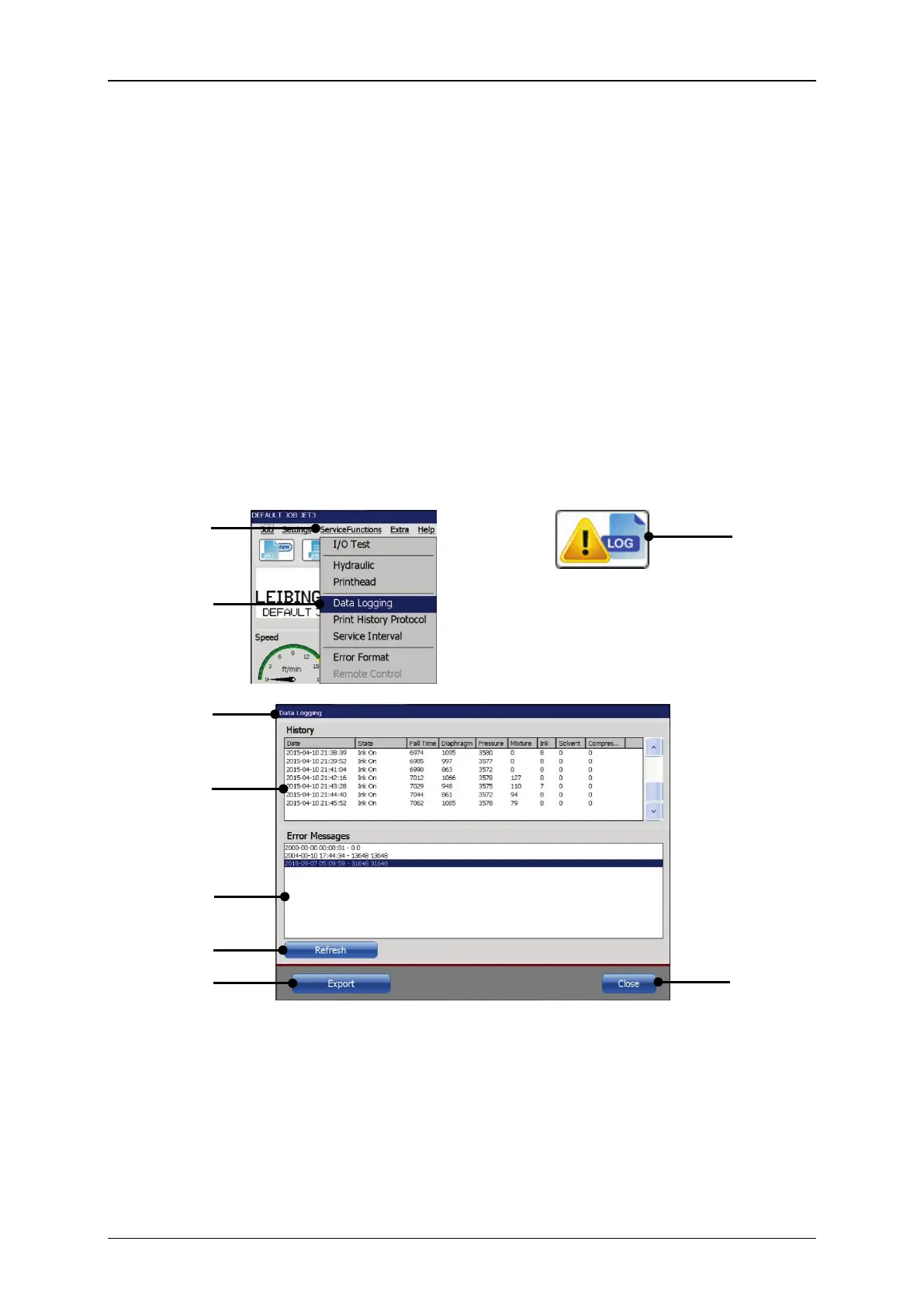
7.4.5.1 Data logging dialog box
<Data Logging>
(4)
can be accessed either through the <Data
Logging> option (2) on the <ServiceFunctions> drop-down list(1)
accordant direct button (shortcut) (3).
A click on the <Refresh> button (4) updates the data displa
<Export> button
the data is exported either to a network storage device or an
USB stick. For details about exporting data see next chapter.
The <Close button> closes the dialog box.
Figure 76 Data logging - Dialog box
1 – Drop-down menu <Service Functions>
..6 – <Error Messages> protocol
2 – Option <Data Logging>
3 – Direct button (Shortcut) <Data logging>
4 – <Data Logging> dialog box
5 – <Parameter History>protocol



 To Next Page