Page 220 Job Editor Group 8
Release R1.06 JET3up
7.5.7.2 Explorer layout
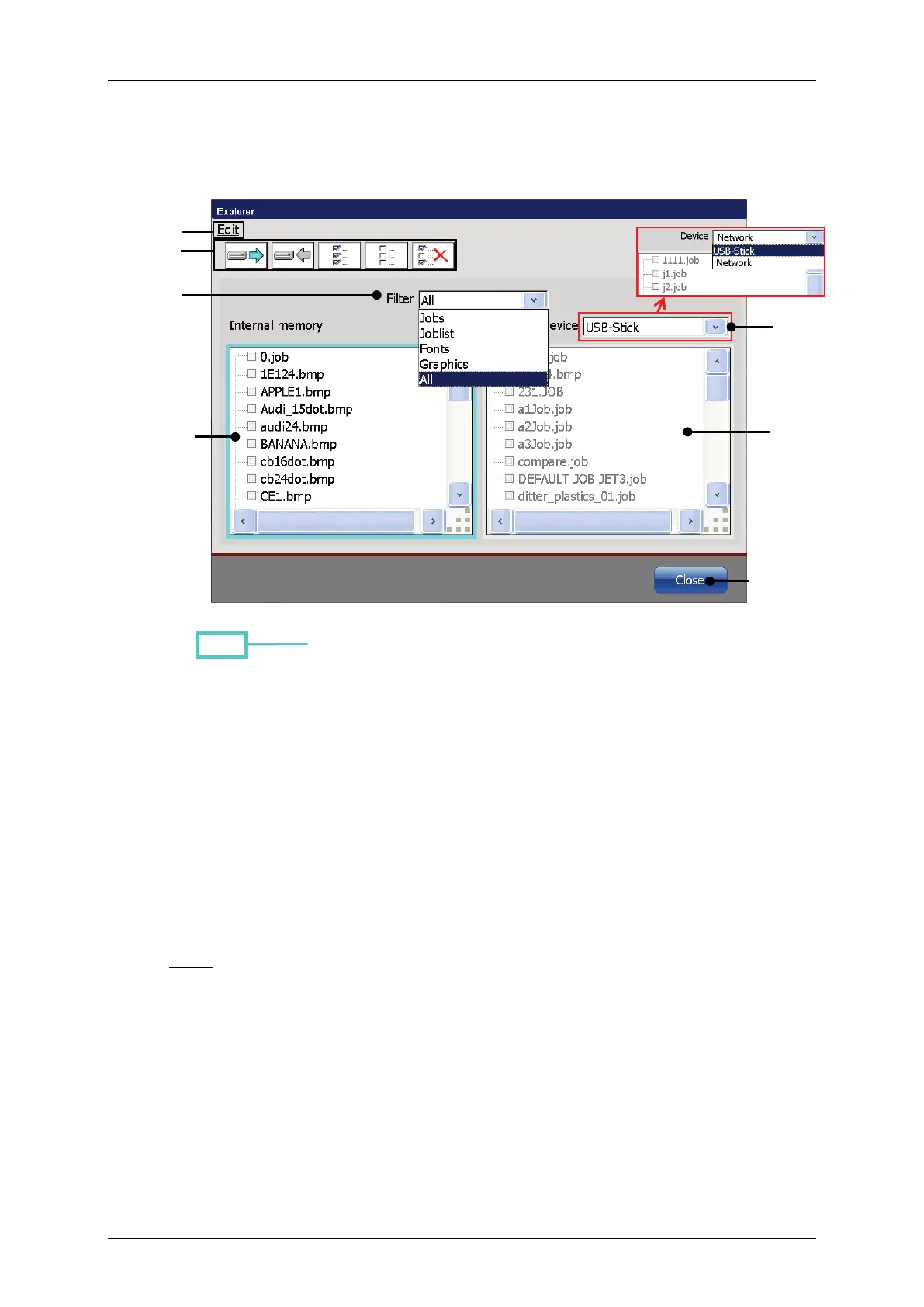
Figure 105 Explorer - Layout
1 – <Edit> drop-down menu
5 – Drop-down list <Filter>
2 – Direct buttons <Tools>
6 – Drop-down list <memory device>
3 – File list <Intern. memory>
4 – File list <Ext. memory>
<Edit> drop-down menu (1) and direct buttons [shortcuts] (2):
or with the icons you can select the tools of the explorer.
File list <Internal memory> (3): The file list displays the files or the filtered files
of the internal data storage device of the JET3up are displayed.
File list <External memory> (4): The file list displays the files
files of the external data storage device selected are displayed.
Note:
A preview window is activated by clicking on the display area of the window.
The selected window is marked by a turquoise border.



 To Next Page