Page 206 Job Editor Group 8
Release R1.06 JET3up
7.5.6 Graphic editor
With the graphic editor you can easily create and change complex logos, pattern or
writings. Functions as Copy&Paste, Zoom in/out and
tools for drawing circles, lines
and rectangles make the creation of graphics very easy.
provide the same ease of use as it is known from a computer workstation.
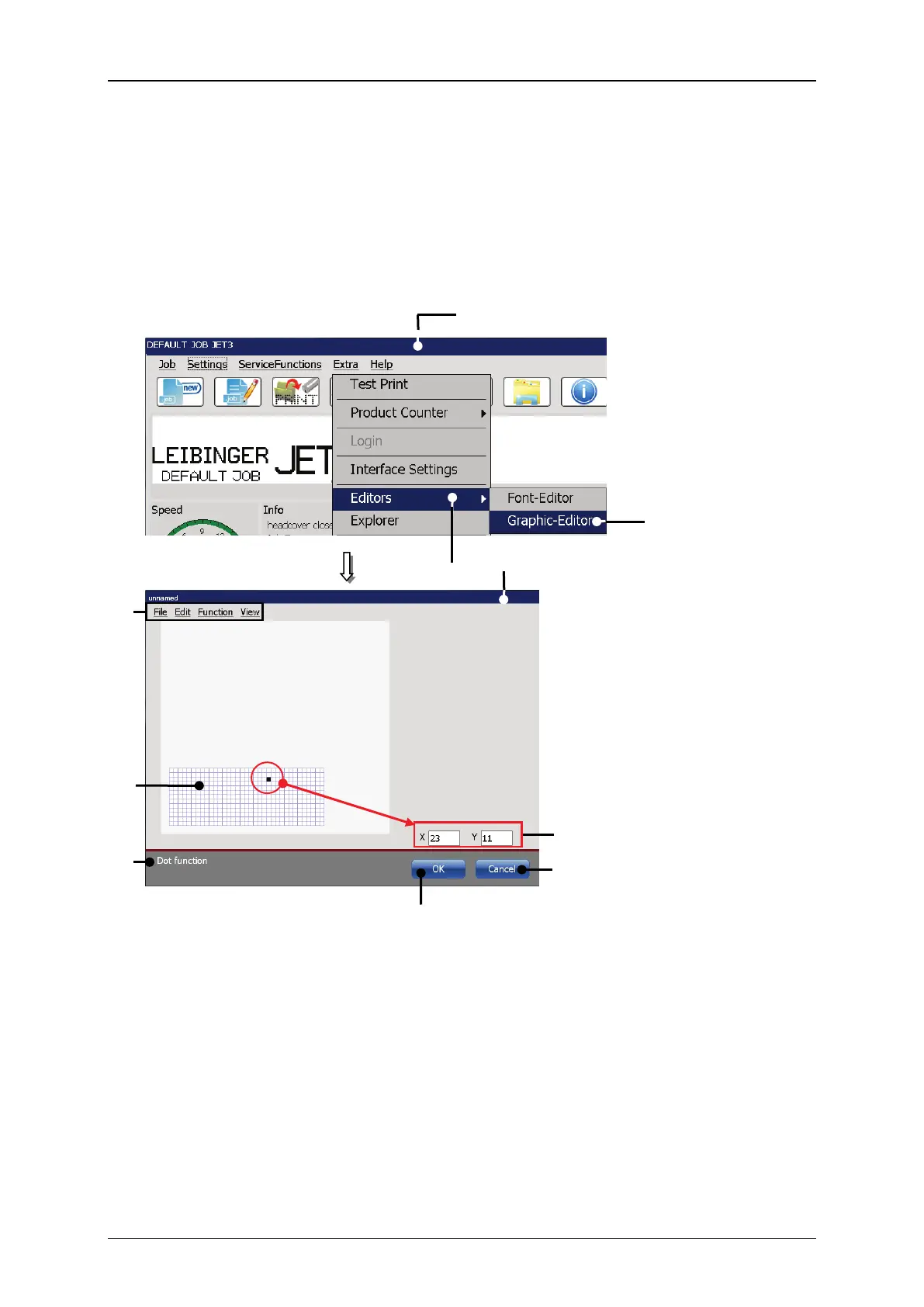
Figure 94 Graphic editor - Start editor / design of the user interface)
7 – Current <Coordinates>
3 – Option <Graphic-Editor>
8 – Status bar for current tool or command
4 – Dialog box <Graphic-Editor>



 To Next Page