Group 8 Job Editor Page 159
JET3up Release R1.06
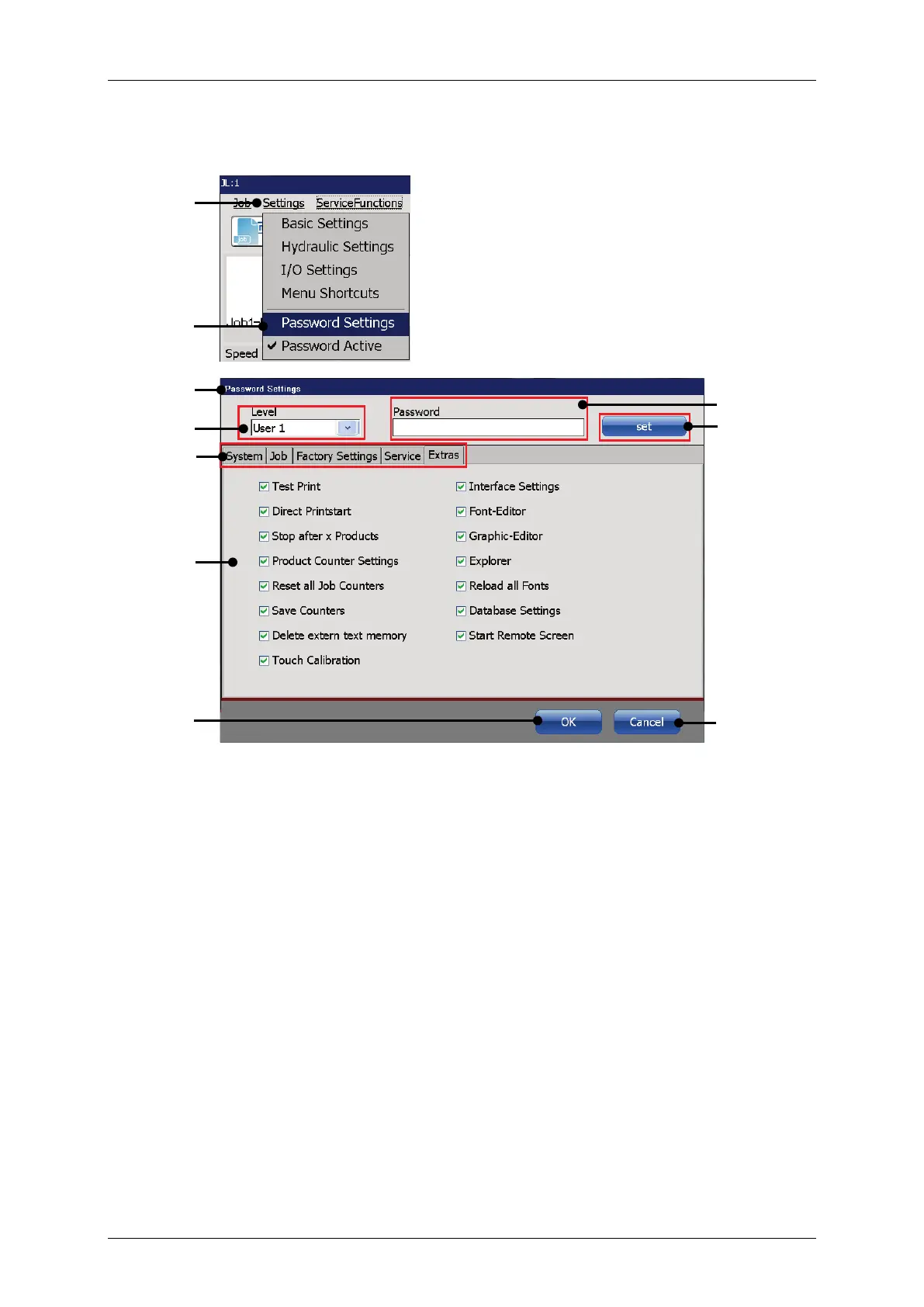
Figure 65 Dialog box password settings
1 – Drop-down list <Settings>
2 – Option <Password Settings>
3 – Dialog box <Password Settings>
8 – Settings – Options depend on the
selected tab
4 – Drop-down list <User>
5 – Input field for <Password>
Click on the menu entry <Settings> (1) and the select the option <Password
Settings> (2).
The <Password Settings> dialog box (3) pops up.



 To Next Page