Page 334 Job Editor Group 8
Release R1.06 JET3up
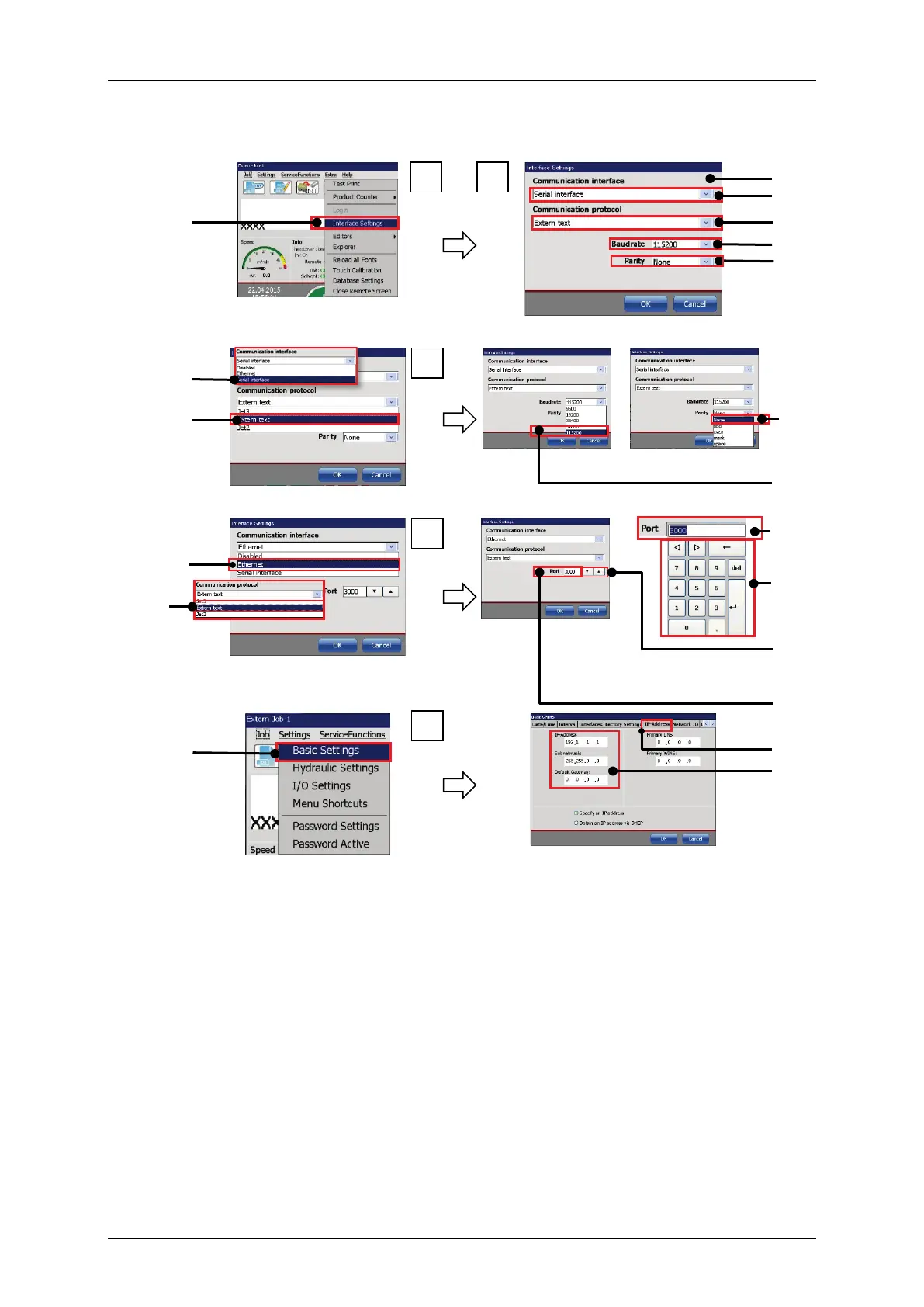
Figure 175 Extern Text – Interface settings
Extern Text for serial interface
Extern Text for Ethernet interface
1 – Menu item <Interface Settings> 10 – Selection <Baud rate>
2 – Dialog box <Interface Settings>
11 – Selected communication interface
<Ethernet interface>
3 – Drop-down list <Communication
Interface>
12 – Selected communication protocol
<Extern text>
4 – Drop-down list <Communication
Protocol>
13 – Input field <Port> number
5 – Drop-down list <Baud rate>
6 – Drop-down list <Parity>
15 – Arrow keys <Port> number
7 – Selected communication interface
<serial interface>
16 – Option<Basic settings>
8 – Selected communication protocol
<Extern text>
17 – Tab <IP-Address>
18 – <IP address settings>
1



 To Next Page