Page 308 Job Editor Group 8
Release R1.06 JET3up
8.7.1.4.3 Bar code settings: <Inverse> function
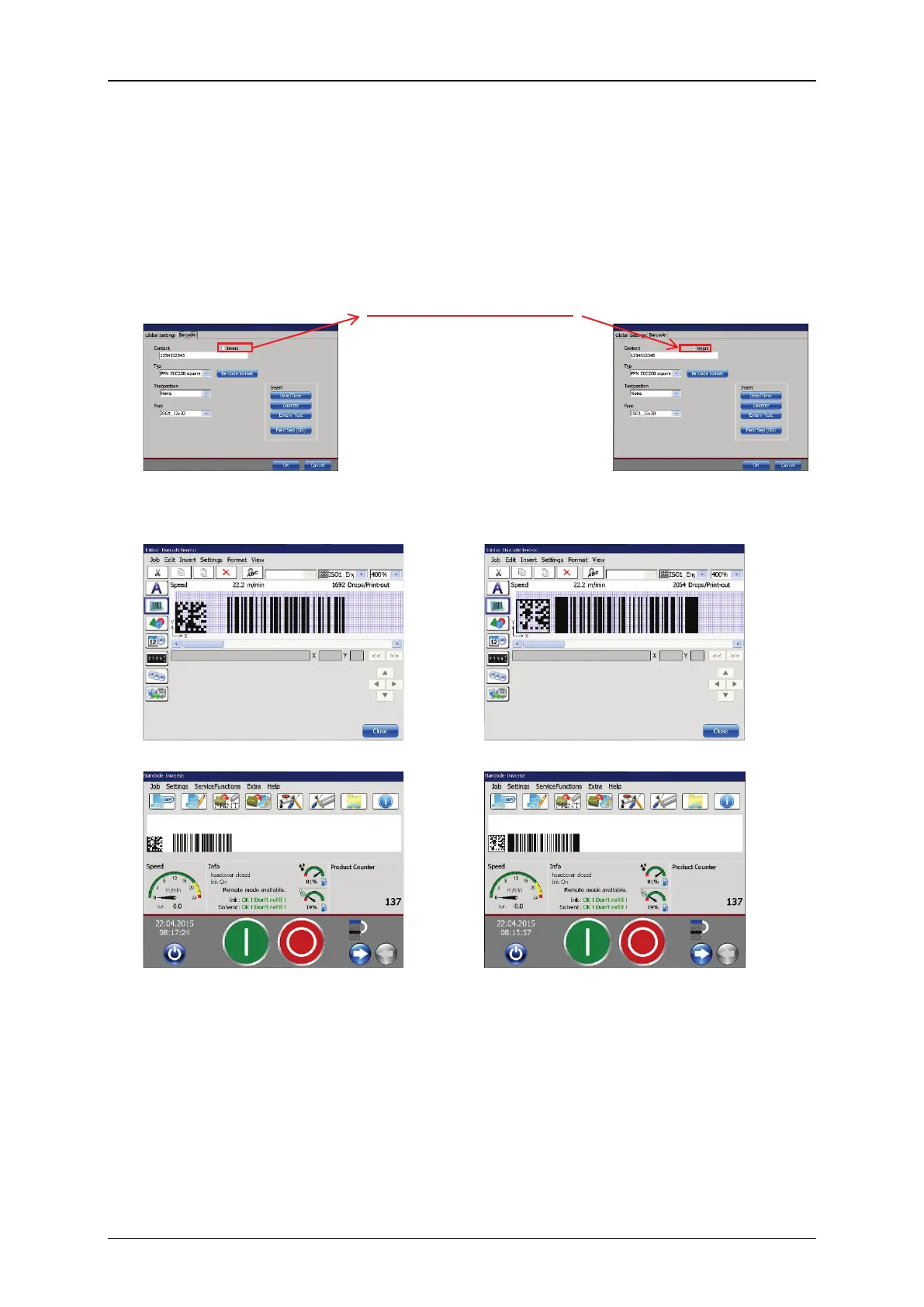
It is possible to print all kind of barcodes inverted. To change a barcode into an
inverted barcode you have to check the respective check box in the barcode menu.
Figure 164 Inverted bar codes
Differences between non-inverted and inverted barcode
Tick off for inverted bar codes
Barcode setting dialog box – “inverse”
check box not selected
Barcode setting dialog box – “inverse”
check box selected
Results with a matrix code and a bar code
Non-inverted barcode in the editor Inverted barcode in the editor
Non-inverted barcode in the
WYSIWYG window
Inverted barcode in the WYSIWYG
window
Additionally there is an <Inverse> function available on the <Global settings>
tab of the <Object settings> dialog box. Therefore there are 2 <Inverse>
functions with 4 possible options.



 To Next Page