Page 218 Job Editor Group 8
Release R1.06 JET3up
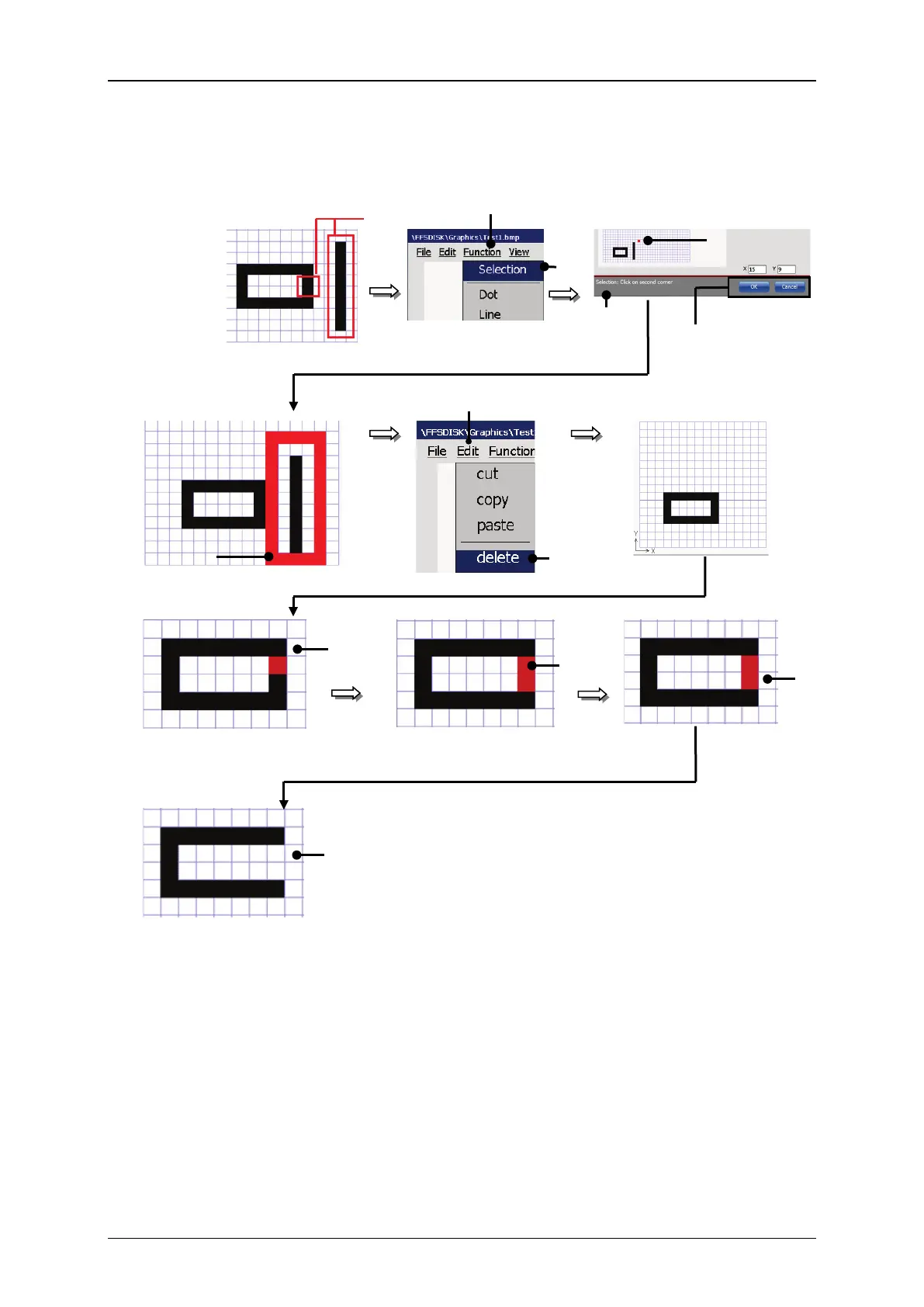
Figure 103 Graphic editor – Deletion of graphic elements
Elemets
to be deleted
1 – Drop-down menu <Function>
7 – Drop down menu <Edit>
3 – First corner of the selection frame
9 – First corner of the selection frame
4 – <Coordinates> indicator
10 – Second corner of the selection
frame
5 – <Status bar for the current tool>
11 – Selected section of the rectangle
6 – Second corner of the selection frame
12 – Rectangle with the deleted section



 To Next Page