Group 8 Job Editor Page 209
JET3up Release R1.06
7.5.6.3 Drawing tools
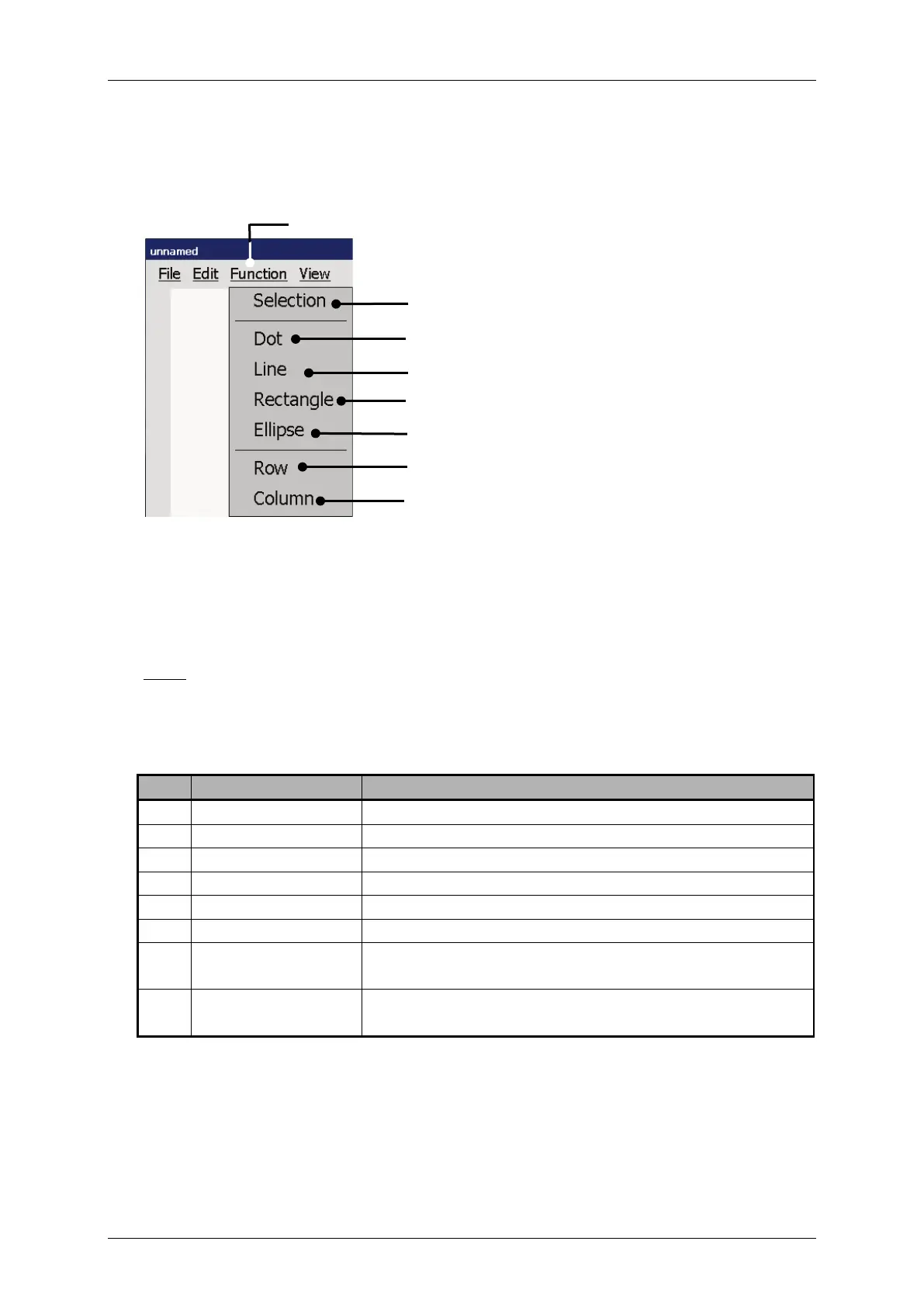
Figure 97 Graphic editor (Drawing tools)
1 – Drop-down menu <Function>
2 – <Selection> tool
3 – <Dot> tool
4 – <Line> tool
5 – <Rectangle> tool
6 – <Ellipse> tool
7 – <Row> tool
8 – <Column> tool
The drop-down menu<Function> offers several graphic tools for editing and the
selection of graphic elements.
Note:
The function of the tools refers to Windows™ standard drawing tools.
Regardless of the grid, points are always created with a 1x1 size.
Lines, circles and rectangles are created with a grid width of 1.
For the selection of graphic elements
Creates or deletes a single point on the drawing area.
Creates a line defined by two points.
Creates a rectangle by two corner points
Creates an ellipse by two points
Creates a horizontal line with the total length of the
selected row of the grid.
Creates a vertical line with the total length of the
selected column of the grid.



 To Next Page