Page 200 Job Editor Group 8
Release R1.06 JET3up
7.5.5 Font editor
With the font editor you can edit existing fonts and create new fonts. It is possible
to define customized characters and either include them in existing fonts or create
complete new fonts on the basis of custom characters. Edited o
r new fonts can
immediately be used for print jobs. The editor provides several functions and tools
that ensure a convenient operation.
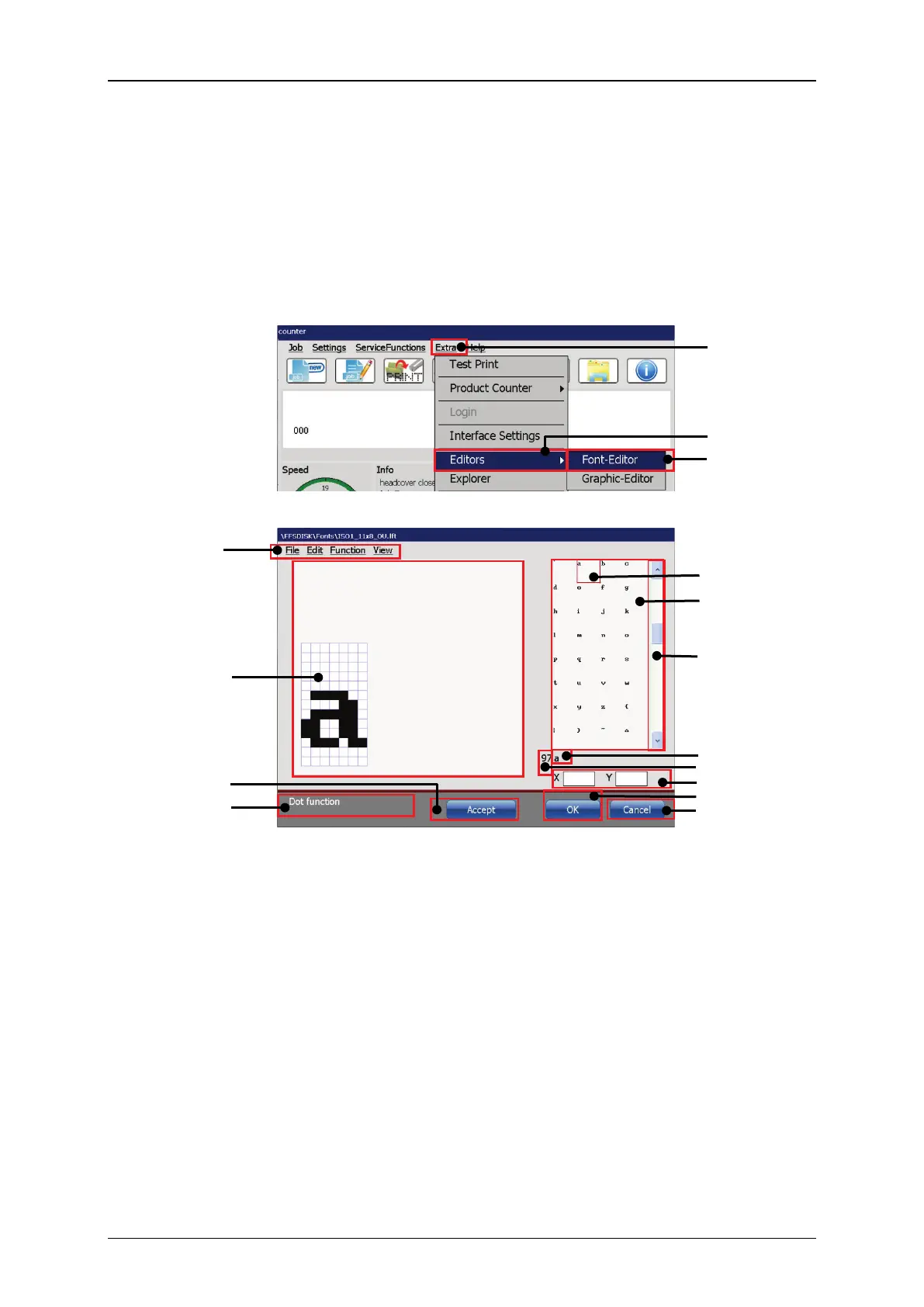
Figure 93 Font editor (Start, user interface, structure)
11 – Standard ASCII character of the
selected character
4 – Menu bar <Font editor>
12 – Decimal ASCII value of the selected
character
5 – Drawing area with grid
13 – x-y coordinates of the last click in
the drawing area
7 – Status bar for current tool or
command



 To Next Page