Page 262 Job Editor Group 8
Release R1.06 JET3up
8.5.1.2 Font width - Stroke distance
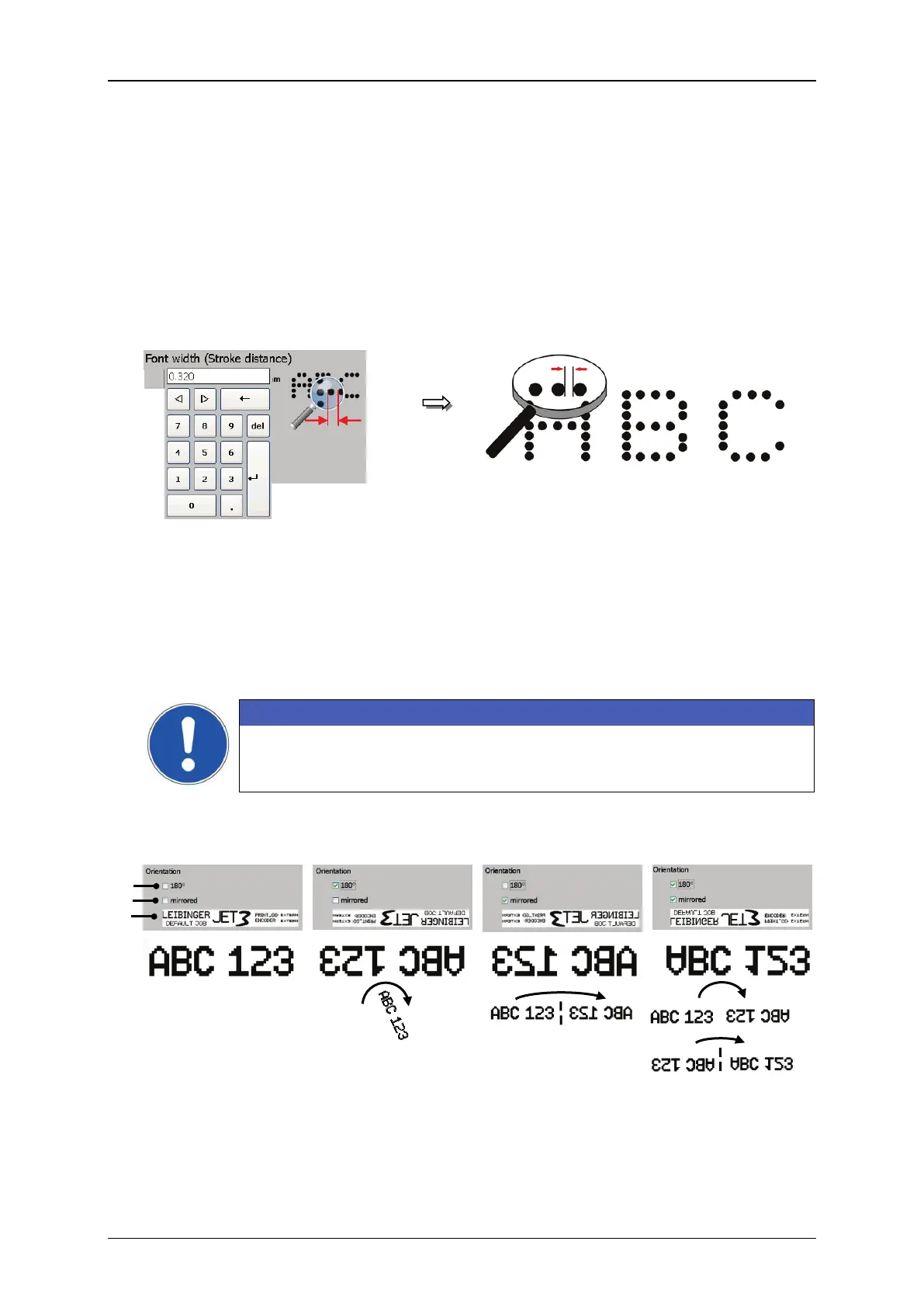
The setting determines the print width. The print width is determined by the
horizontal drop distance of the strokes. A stroke is one vertical movement of the
ink jet. The input dimensions corresponds with the dimensions selected in the
<Basic settings> menu e.g. mm.
The value set is displayed in the respective input field.
As higher the entered value, as larger the distance between each stroke.
Figure 137 Font parameters - Font width
8.5.1.3 Orientation
There are three options available to change the orientation of the printband.
The printband can be rotatetd by 180° → checkbox (1)
The printband can be vertically mirrored → checkbox (2)
The printband can be rotated and mirrored → checkbox (1) + (2)
There is a preview window below the checkboxes in order to check the results.
ATTENTION
The settings not only have an effect on single printing objects but on
the complete print-band!
Figure 138 Font parameters - Orientation of the print band
1 – Checkbox <Orientation>



 To Next Page