Group 8 Job Editor Page 247
JET3up Release R1.06
8.4 Object settings
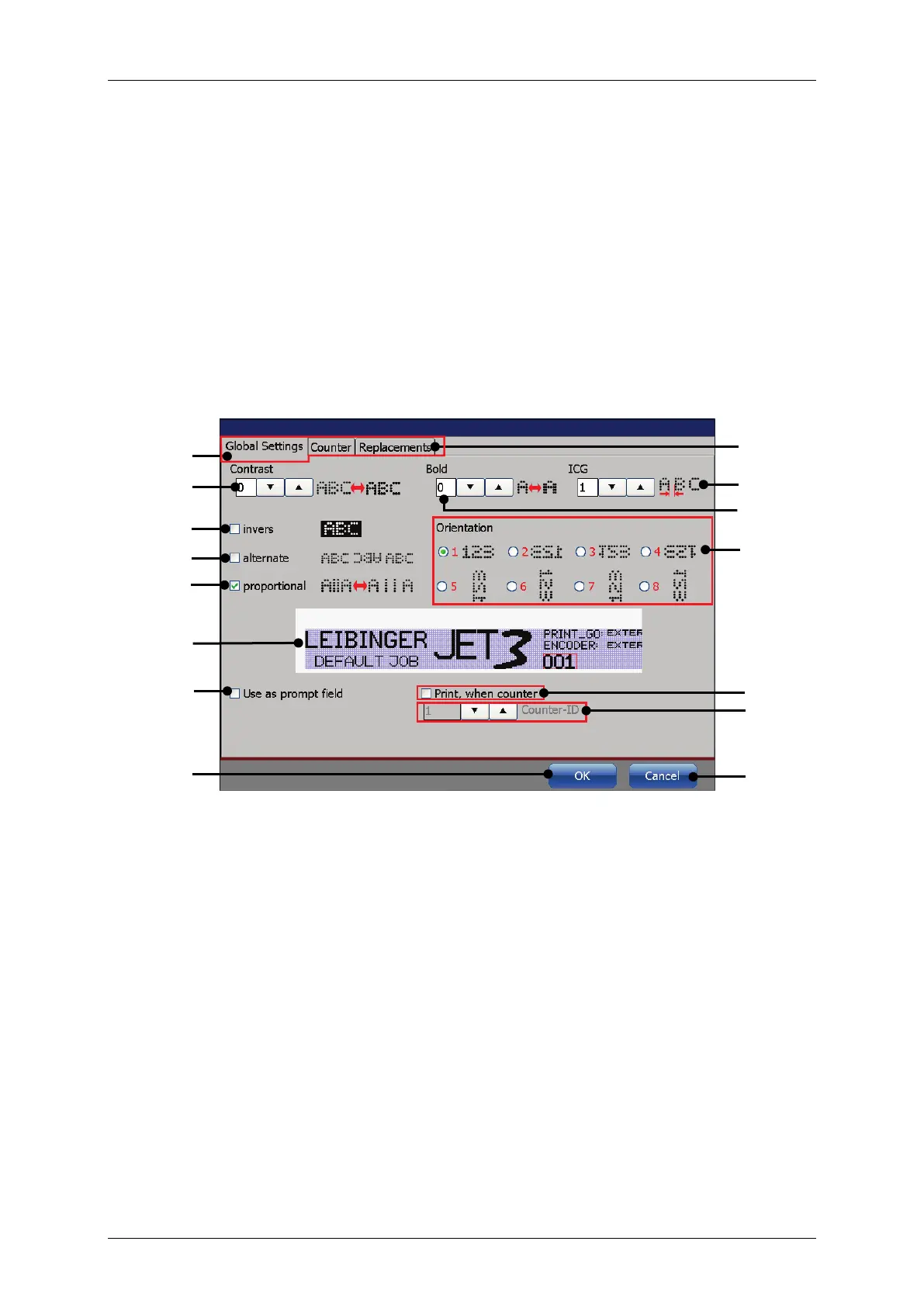
The <Object Settings> dialog box provides the seetings for the object properties
of the currently selected object. The available settings and parameters are grouped
tabs and depend on the kind of object selected.
Please see chapter 8.2.3 Object creation tools about the details of object creation.
If an new object is created with one of the object creation tools the
settings> dialog box opens automatically.
Most of the settings provide small icons that show
the outcome of the respective
setting. Additionally there is a preview area that shows the effects of the settings
on the object selected.
Figure 126 Object setting dialog box
1 – <Global settings> tab
9 – <Orientation> and <Mirroring>
2 – Tab bar <Object settings>
10 – Preview with selected counter object
3 – <Contrast> spin button
11 – <Prompt field> checkbox
13 – <Counter-ID> spin button
8 – <Proportional> checkbox



 To Next Page