Page 338 Job Editor Group 8
Release R1.06 JET3up
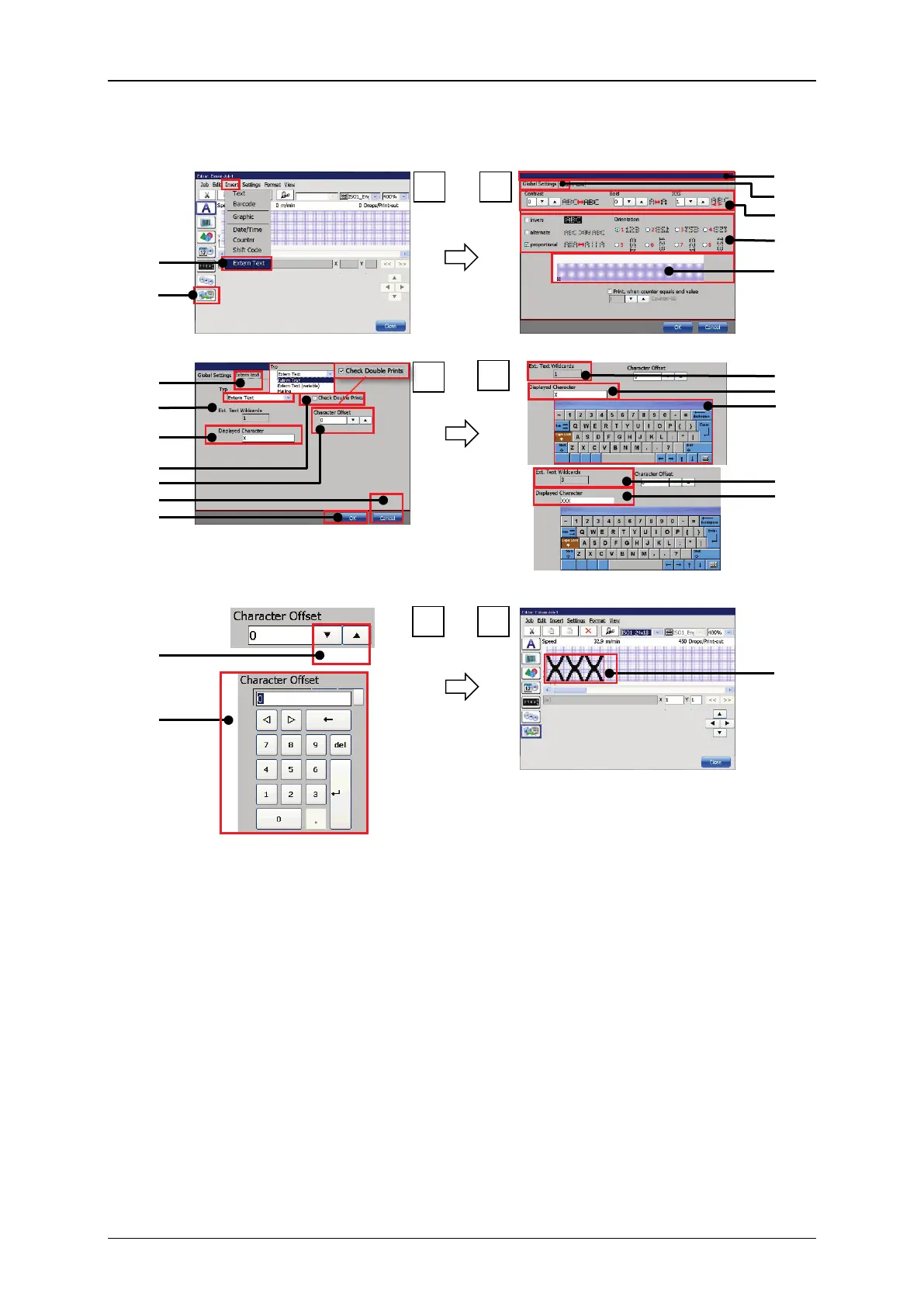
Figure 176 Extern Text fixed length – Object settings
1 – Menu item <Extern Text>
12 – Offset indicator/setting
2 – Direct button <Extern Text>
3 – Dialog box <Object settings>
4 – Tab <Global settings>
15 – Indicator <Wildcards> 1 Wildcard
16 – Input <Wildcards>3 Wildcards
18 – Indicator <Wildcards> 3 Wildcards
9 – Drop-down list <Type>
20 – Offset setting with arrow keys
10 – Settings <Wildcards>
21 – Offset setting with numeric keypad
11 – Check box <Double Prints>
22 – Extern Text object in the job editor


 To Next Page