Group 8 Job Editor Page 263
JET3up Release R1.06
8.5.1.4 Print mode
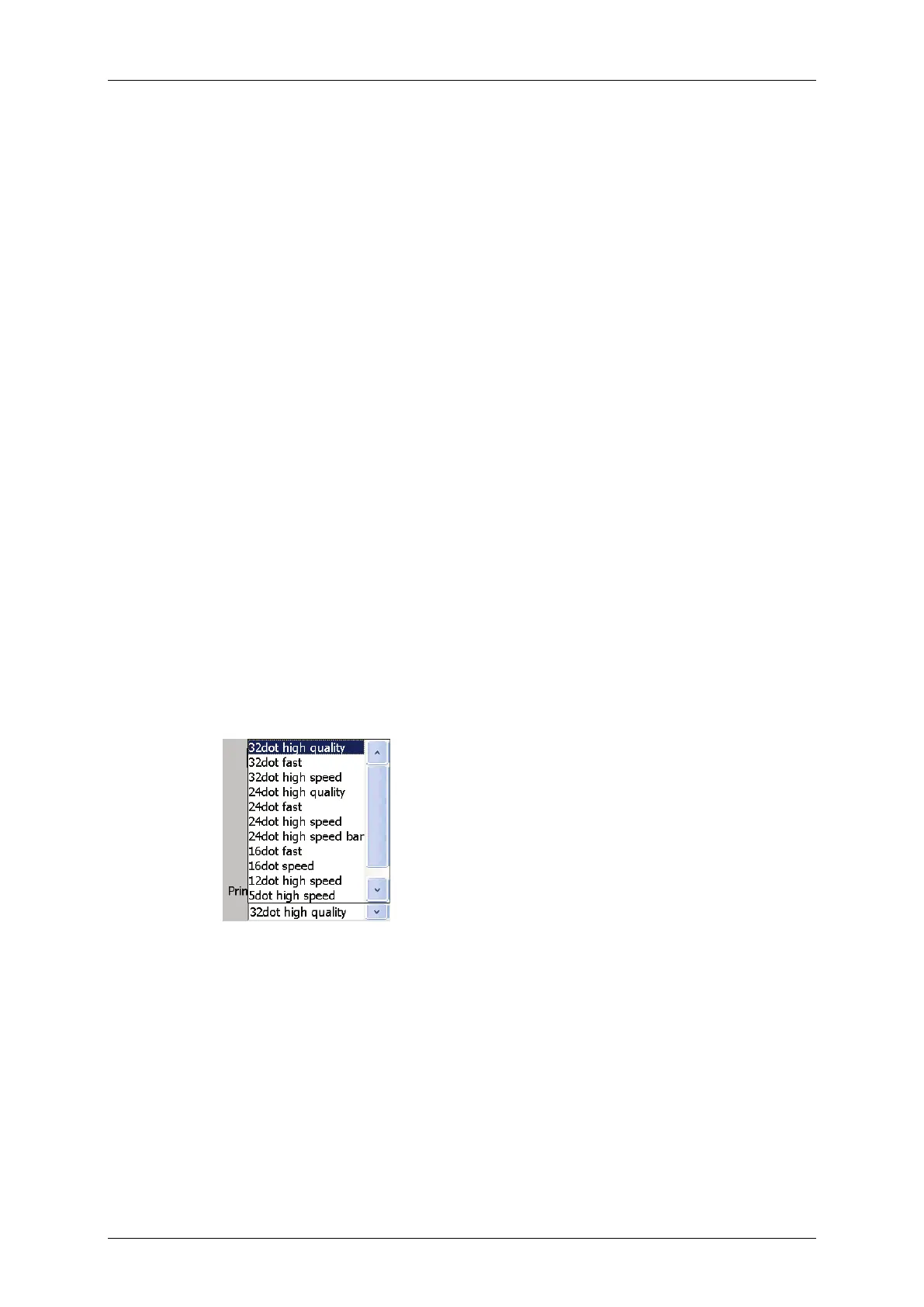
The print mode is selected from the <Print mode > drop-down list. There are 12
printing modes available.
The print modes are classified in three categories: the maximum number of vertical
dots per line, the print quality and the printing speed. You can either aim for high
print quality or high speed. There are five different values for the dots an
d three
modes for quality respective speed available whereby not all combinations of these
criteria are possible.
Available dot modes:
32, 24, 16, 12, 5 and 2-line 7x5
High quality mode:
This mode allows the best possible positioning of the
single dot
s and therefore the best possible print quality.
Change to fast mode if the required speed cannot be
reached in HQ-mode.
Fast mode:
This mode is a good compromise between quality and
speed. Change to high speed mode if the required speed
cannot be reached in HQ-mode.
Speed mode
The <Speed mode> is located between the <Fast
mode> and the <High speed mode>.
High speed mode:
This mode ensures the fastest possible print speed. The
quality of the printout is not optimal but acceptable.
Figure 139 Font parameters - Print mode



 To Next Page