Page 300 Job Editor Group 8
Release R1.06 JET3up
Due to integrated counters and replacements impermissible number of
digits or invalid constellations can be caused. These barcodes are
displayed as crossed out codes in the job editor and the preview.
Correct EAN13 code with 13 numbers
EAN13 code with only 5 numbers.
Recognized as wrong code and crossed out.
8.7.1.4.1 Bar code settings: Bar code format
To open the dialog box (3)
with the format options for the bar code type selected
push the <Barcode Format> button (2) on the <Barcode settings> tab (1).
1-D bar codes can either have a 2-width-symbology or a many-width-
(Symbology: rules about how bars and spaces are structured).
A bar code with a 2-width-symbology uses only two widths for bars and spaces:
wide and narrow. The width and spaces of barcodes with a many-width-symbology
are all multiples of a basic width called the module; most such codes use four
widths of 1, 2, 3 and 4 modules.
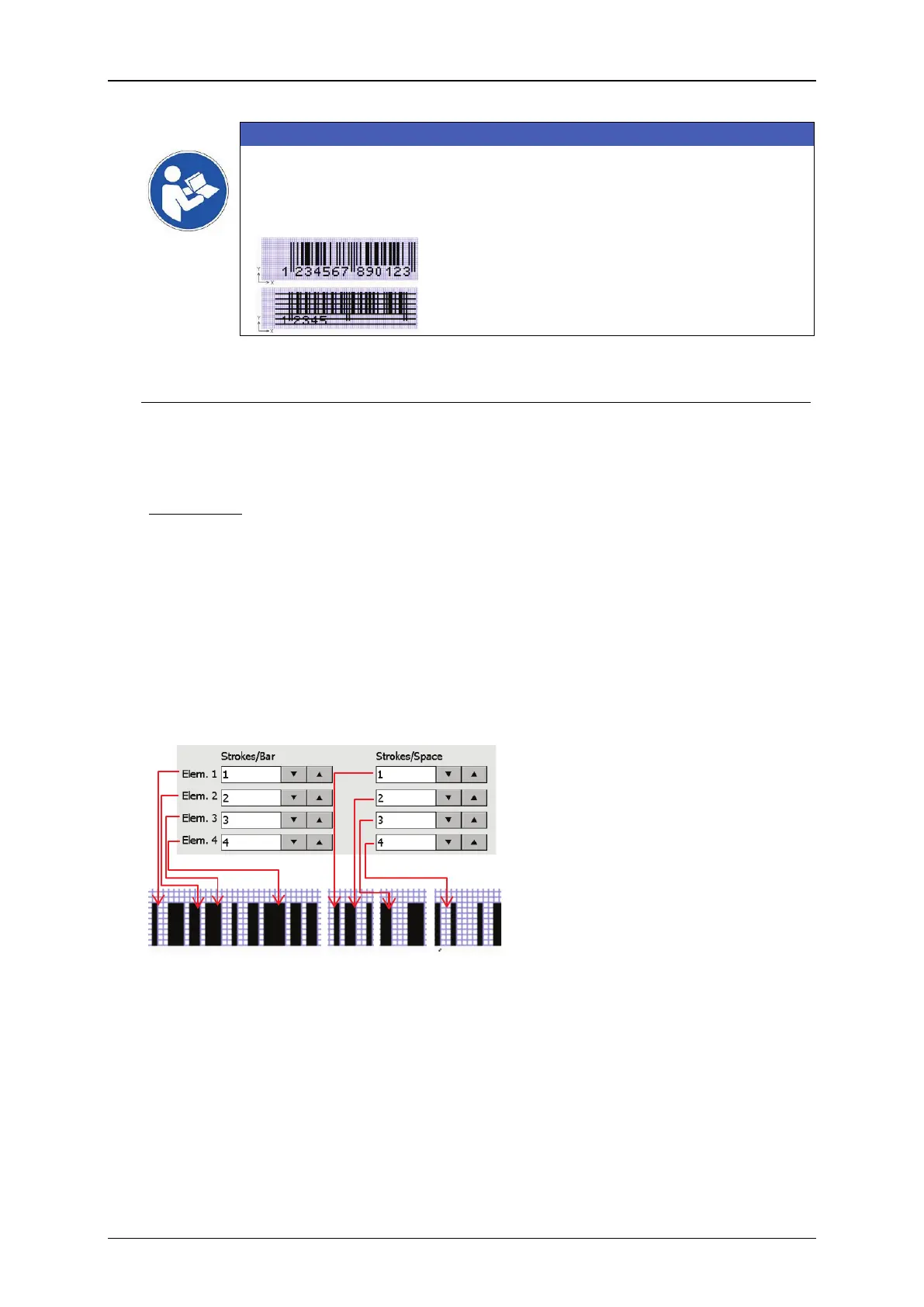
Within the <Barcode format> dialog box the bars (4) and spaces (5)
Elements (Elem.). The elements are defined by the number
space. A stroke is one vertical print movement.
The width of a bar or a space is
defined by the number of strokes.
For bar codes with a 2-width-
symbology only the element 1 and
element 2 will be used for the bar
code. Settings for element 3 and 4
will be ignored for that kind of bar
code.



 To Next Page