Page 194 Job Editor Group 8
Release R1.06 JET3up
7.5.2.4 Delete extern text memory
With this function the extern text memory will be reset. Please see chapter 8.7.5
Extern Text for details.
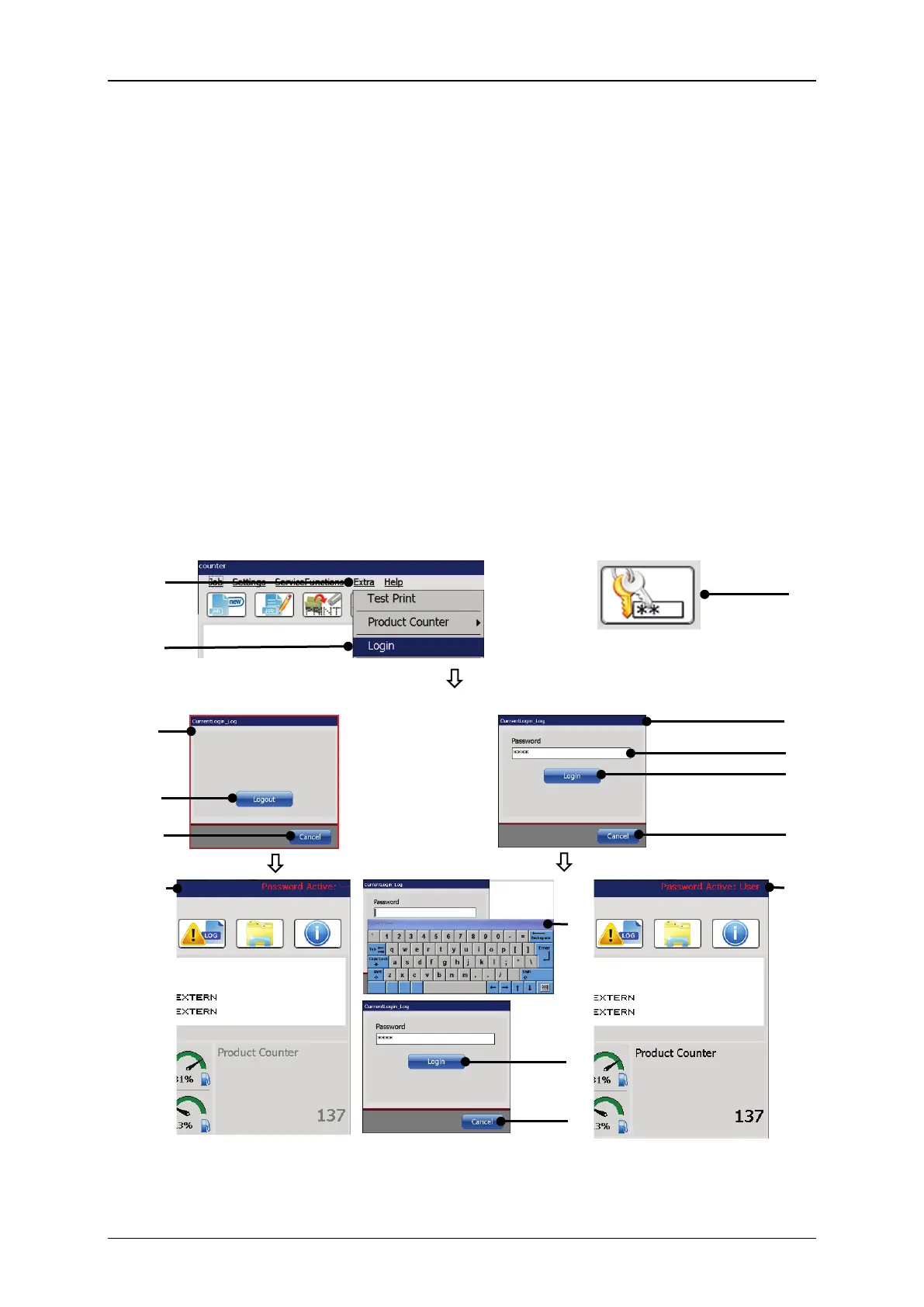
7.5.3 Login
With the <Password function> activated the <Login> option can be used in
order to change the current user.
Please see chapter 7.3.5 Password settings and user permissions
the <Password function>.
For the currently logged in user it is also possible to log out in order to
parameter changes by unauthorized staff.
The current state of the <Password function>
is indicated in the upper right
corner of the main window. When there is nothing indicated the password function
is disabled.
7.5.3.1 Log in / log out dialog box
Figure 89 Log in / log out dialog box
A user is already logged in



 To Next Page