Group 8 Job Editor Page 241
JET3up Release R1.06
8.2.6 View settings
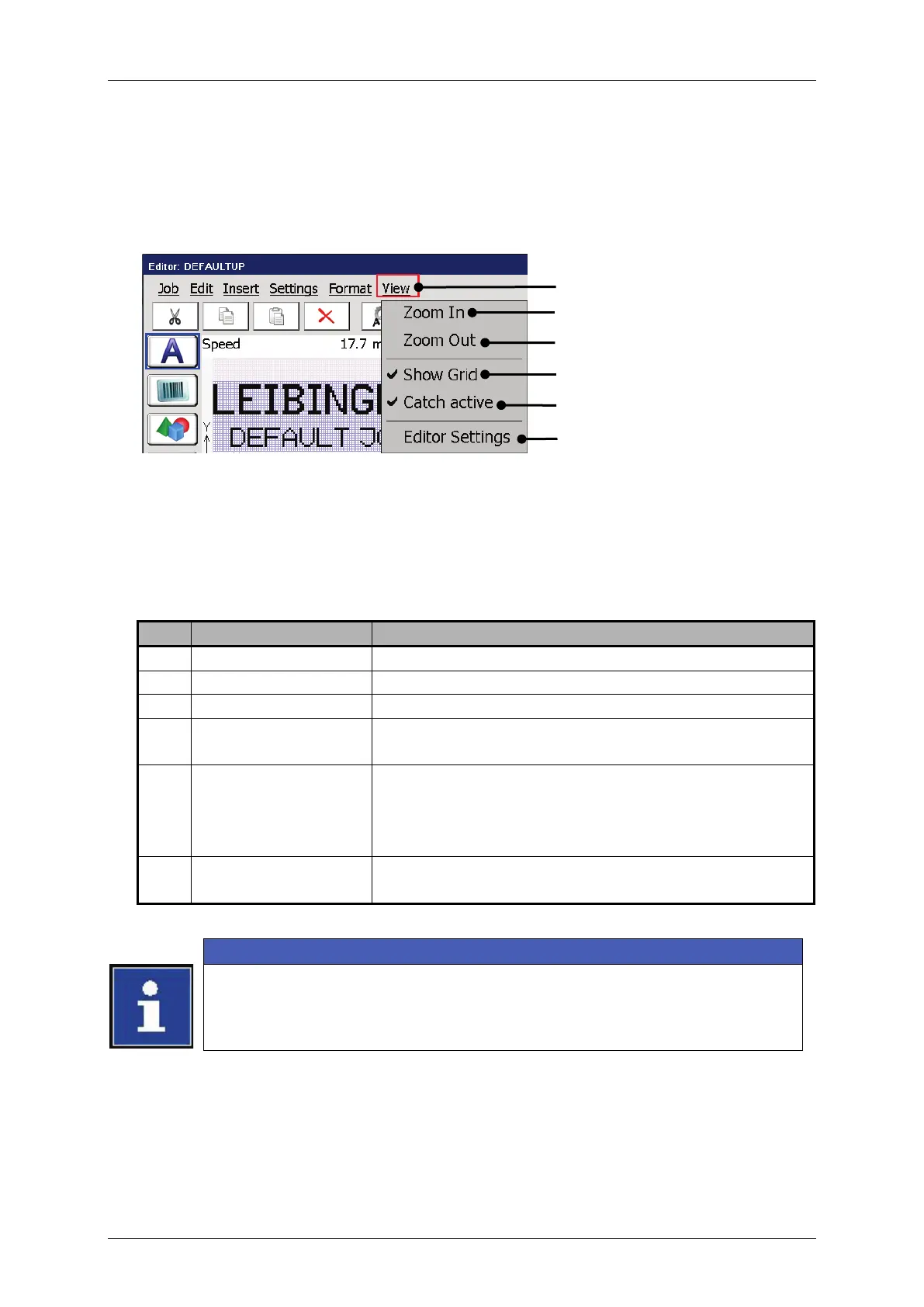
With the button <View> you can select the viewing tools of the job editor.
Figure 122 Job editor - Viewing tools
1 – Drop-down menu <View>
4 – Viewing tool <Show Grid>
2 – Viewing tool <Zoom In>
5 – Viewing tool <Catch active>
3 – Viewing tool <Zoom Out>
Zooms into the editing area.
Zoom out of the editing area
Turns on or off the grid. The activated grid is
indicated with a checkmark on the menu entry.
Turns on or off the snap to grid function. This
function enables easy and exact positioning of
elements. The activated function is indicated by a
checkmark in the menu entry.
Opens the dialog box for the settings of the editor
(size, grid).
Please see chapter 8.6 Job editor settings for details about the job editor
settings.



 To Next Page