Group 8 Job Editor Page 187
JET3up Release R1.06
Click on the menu item <Extra> (1) and select the option <Test Print> (2) o
click on the accordant direct buttons (shortcut) (3).
A confirmation prompt (4), pops up
Confirm by pressing the <OK> button (5)
or cancel the process with the
<Cancel>button (6).
A message (7), that the test print-job is loaded pops up.
Confirm the message with the <OK> button (5)
. The job is now loaded and
ready for to be printed.
7.5.2 Product counter
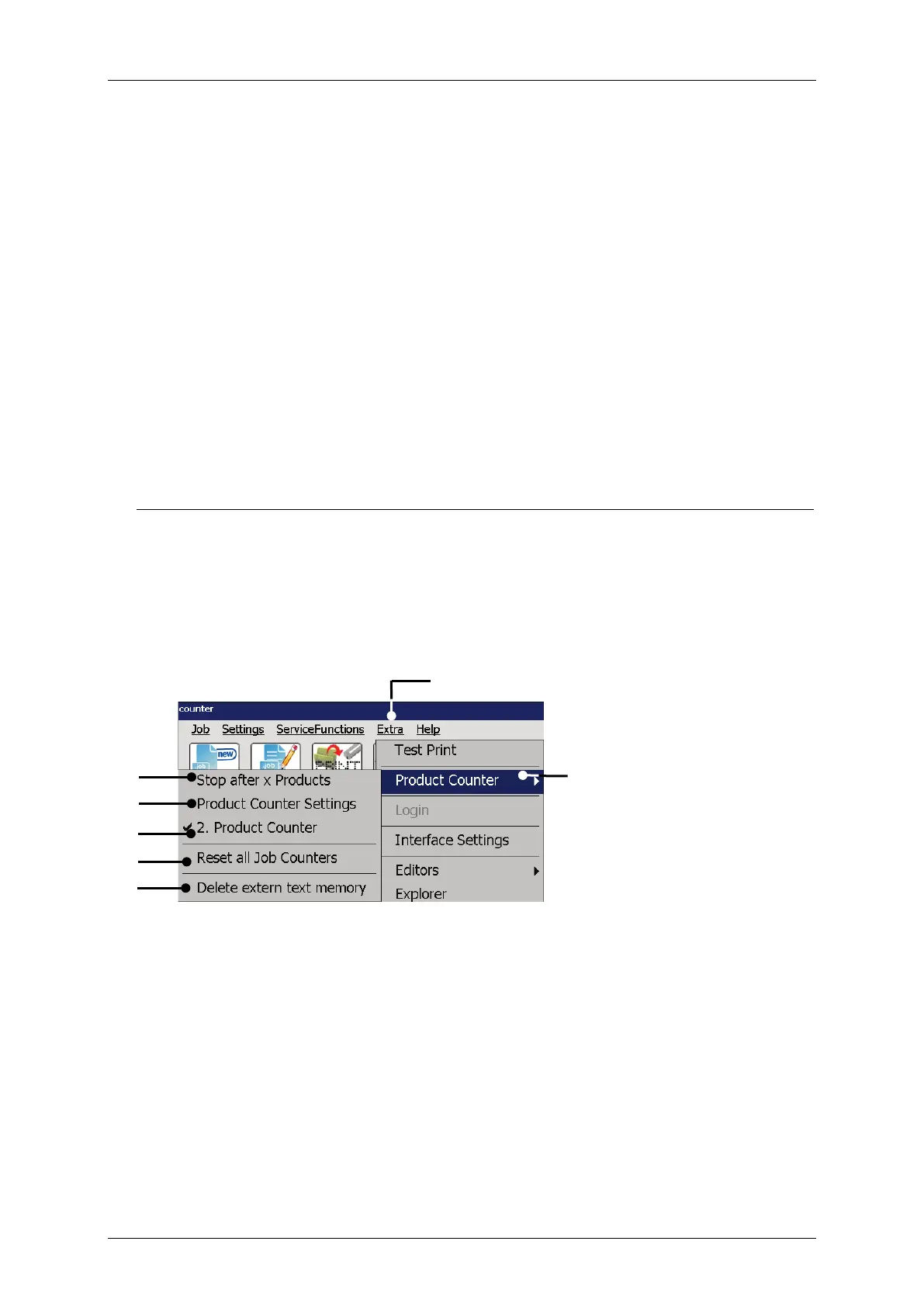
For the production counter options select the menu item <Product Counter> (2) in
the <Extra> drop down menu (1). Select an option from the submenu.
The following options are available:
Stop after x Products Product Counter Settings 2. Product Counter
Reset all Job counters Delete extern text memory
Figure 84 Open product counter dialog box
1 – Drop down menu <Extra>
5 – Option <2. product counter>
2 – Menu item <Product Counter>
6 – Option <Reset all Job counters>
3 – Option <Stop after x Products>
7 – Option <Delete ExternText
memory>
4 – Open <Product Counter Settings>



 To Next Page