Page 234 Job Editor Group 8
Release R1.06 JET3up
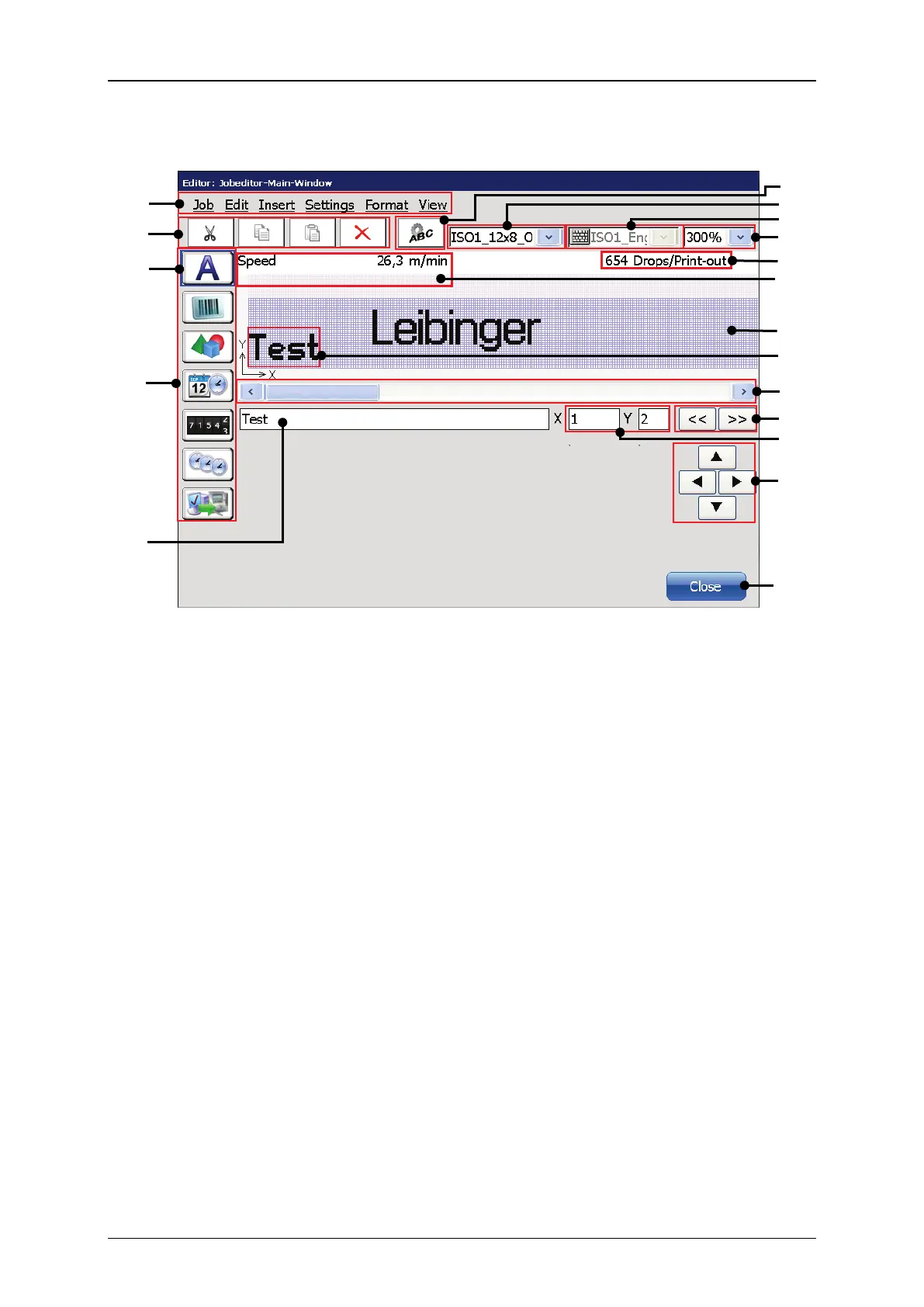
Figure 116 Job editor - Layout
10 – Drops per printout indicator
2 – Direct buttons <Editing tools>
11 – Indicator for maximum print speed
3 – Selected < Object creation tool>.
Example: Text object
12 – WYSIWYG Editing area
<Object creation tools>
13 – Selected text object with red
object frame
6 – Direct button <Object settings>
15 – Previous/Next Object selection
7 – Drop-down list <Font selection>
16– <Coordinates> indicator
<Keyboard language>
9 – Drop-down list <Zoom>
<Coordinates> indicator: The indicator shows the coordinates of the lower left
corner of the printing object selected. The coordinates refer to the object frame
not the object itself.
<Positioning buttons> (17): With the four positioning butto
elements can be moved pixel by pixel.
The <Close> button (18)
closes the editor window. As long as changes were
not saved already a confirmation prompt will pop up.



 To Next Page