Group 8 Job Editor Page 353
JET3up Release R1.06
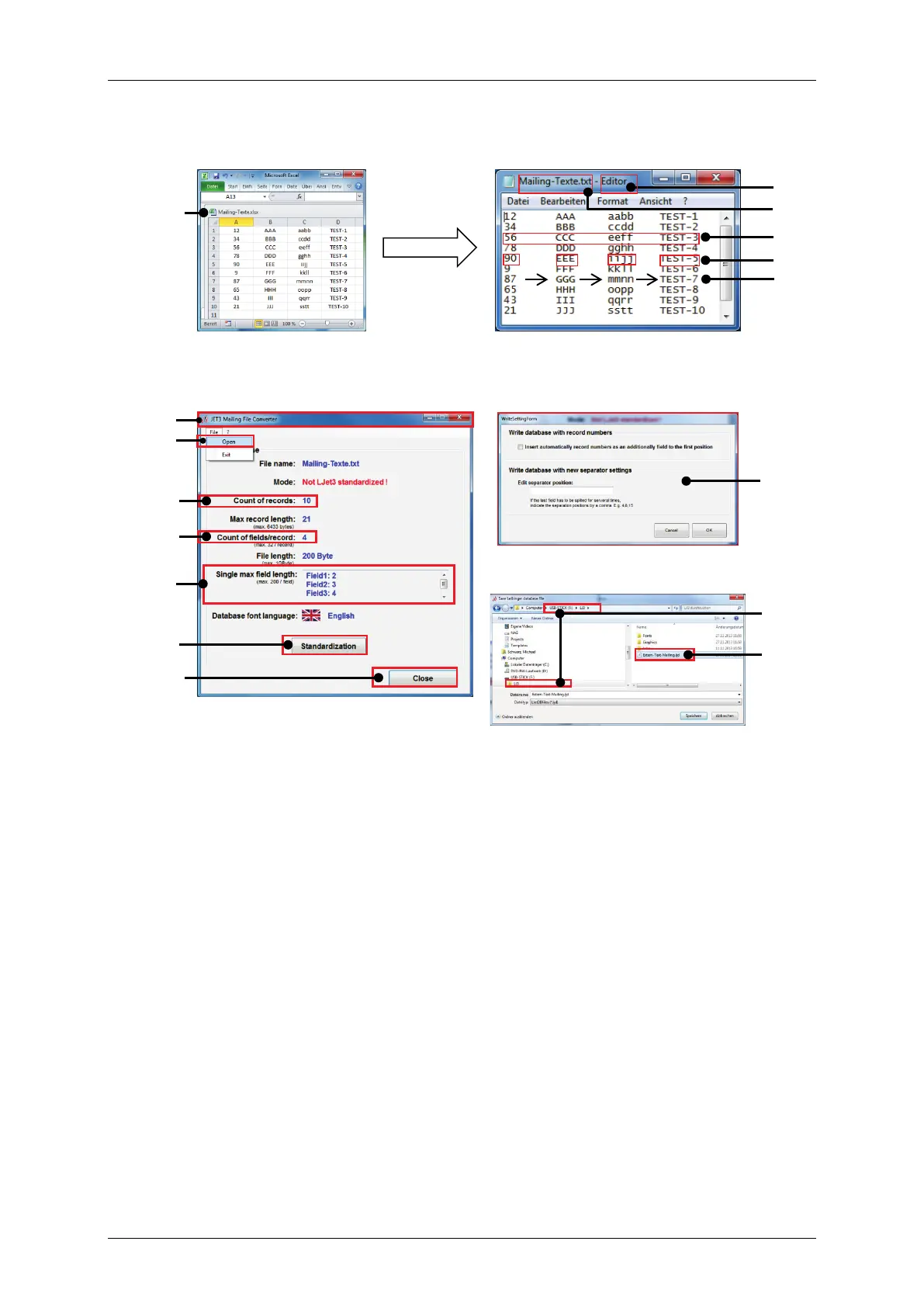
Figure 178 Extern Text Mailing – Creating a data file
Spreadsheet: export to tab
separated *.txt file
Text editor: create a tab
separated *.txt file
Available options during the
saving procedure.
JET3up Mailing File Converter
user interface. File loaded.
Save-as dialog box of the JET3up
Mailing File Converter.
10 – Number of fields per record
11 – Field length of each field
12 – <Standardization> button
7 – JET3up Mailing file converter
15 – JET3UP folder in root directory
8 – Option <Open> file open dialog



 To Next Page