Page 356 Job Editor Group 8
Release R1.06 JET3up
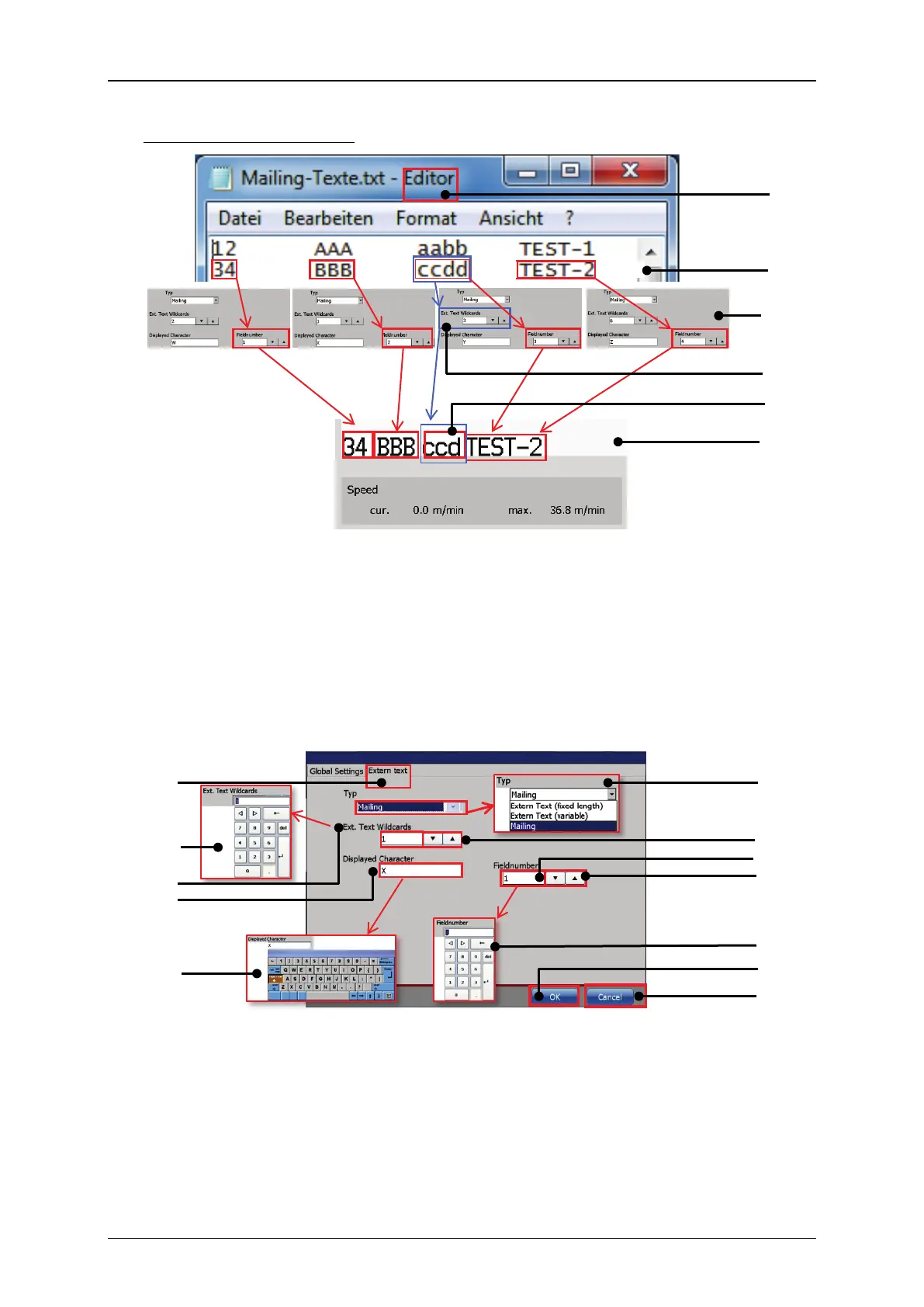
A – Text editor with *.txt file
D – Three wildcards for a field with four characters
B – Data set with four fields
E – Assigned <Mail> object shows only the first
three characters because of the set wildcards
C – Field assignment to <Mail> objects
F – JET3up print preview showing four <Mailing>
objects
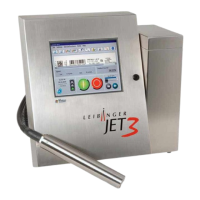
Figure 180 Extern Text Mailing – Mailing object settings
7 – Arrow keys <Wildcards>
2 – Number keypad <Wildcards>
8 – Display field <Field number>
3 – Display field < Wildcards>
9 – Arrow keys <Field number>
4 – Display field <Displayed Character>
10 – Number keypad <Field number>
5 – Keyboard <Displayed Character>



 To Next Page