Page 256 Job Editor Group 8
Release R1.06 JET3up
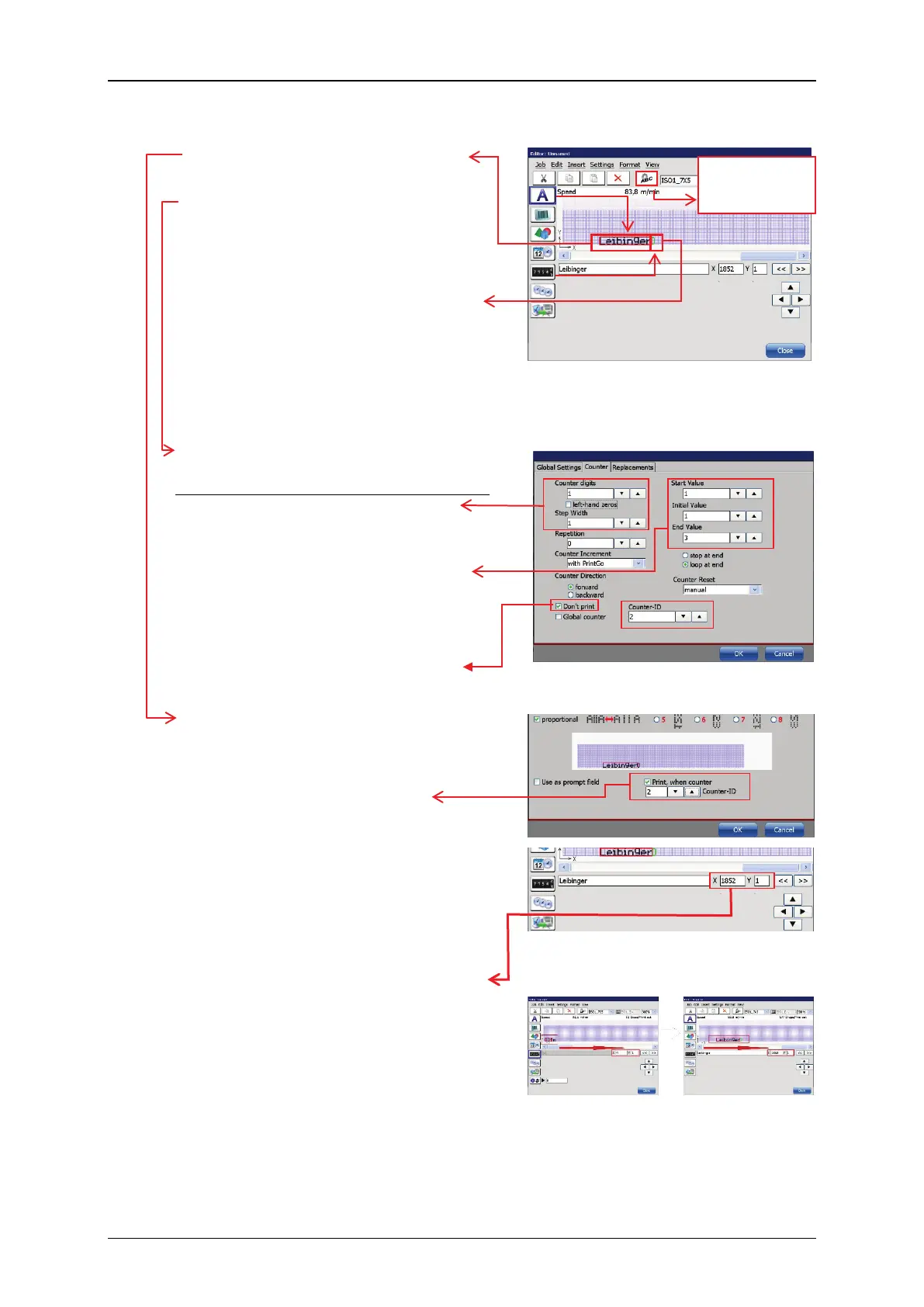
Text object for the Leibinger logo.
Picture 6 –
JET3up job editor: Objects for the
„Leibinger“ logo printout
Counter object for the printout control
of the Leibinger logo.
This counter is assigned to the text
object “Leibinger”.
It is displayed in green because it will
not be printed. When you select the
counter object you can see its ID in
the field below the x-y coordinates.
Printout control of Leibinger logo
Picture 7 – Counter settings for the
Leibinger text object
1. The counter works with 1 digit
and a step width of 1; left-hand
zeros are not relevant.
2.
The count will start at 1 and the
end value is 3. After reaching the
end value the counter will loop
back to 0.
3. The current counter value is not
printed.
1. In the global settings of the text
object you can assign the counter
for the Liebinger
sure to set the correct ID.
2. The Leibinger logo shall be prin-
ted between two length specifi-
cations. Therefore the distance
between the printout of the length
specifications and the Leibinger
logo has to be 500 mm. The
position of an object can be
exactly specified in the job editor.
The x value equals the number of
strokes. The mm value of one
stroke can be found in the font
parameter menu. In this example
the stroke width is set to 0,271
mm/Stroke. This equals in ~1852
strokes for 500 mm.
Picture 8 – Settings for the
"Leibinger" text object
Picture 9 –
Use the scroll bar for switching
between the 2 "object groups"
within the editor
settings” menu of
the selected object



 To Next Page