Movie Resolution
Playback Frame Rate
Motion Compensation
1
2
3
The options available during high resolution shooting (P.239) are HF, IF, JF, HF+RAW,
IF+RAW, JF+RAW.
When [Standard], [Dual Same5], or [Dual Same6], or [Auto Switch] is selected for [KSave
Settings] in [KCard Slot Settings] (P.388), the selected option applies to the cards in both slots
1 and 2.
HF and HF+RAW are unavailable when [Onu] is selected for High Res Shot (P.239).
Selecting High Res Shot (P.239) changes the image quality option selected; be sure to check the
image quality setting before shooting.
RAW files store raw image data in an unprocessed state. Choose this format (extension “.ORF”) for
pictures that will later be enhanced.
Cannot be viewed on other cameras
Can be viewed on computers using OM Workspace Digital Photo Managing software
Can be saved in JPEG format using the [RAW Data Edit] (P.320) retouch option in the camera
menus
Configuring nX
To change the settings of each image quality mode, press I while an image quality mode is
selected.
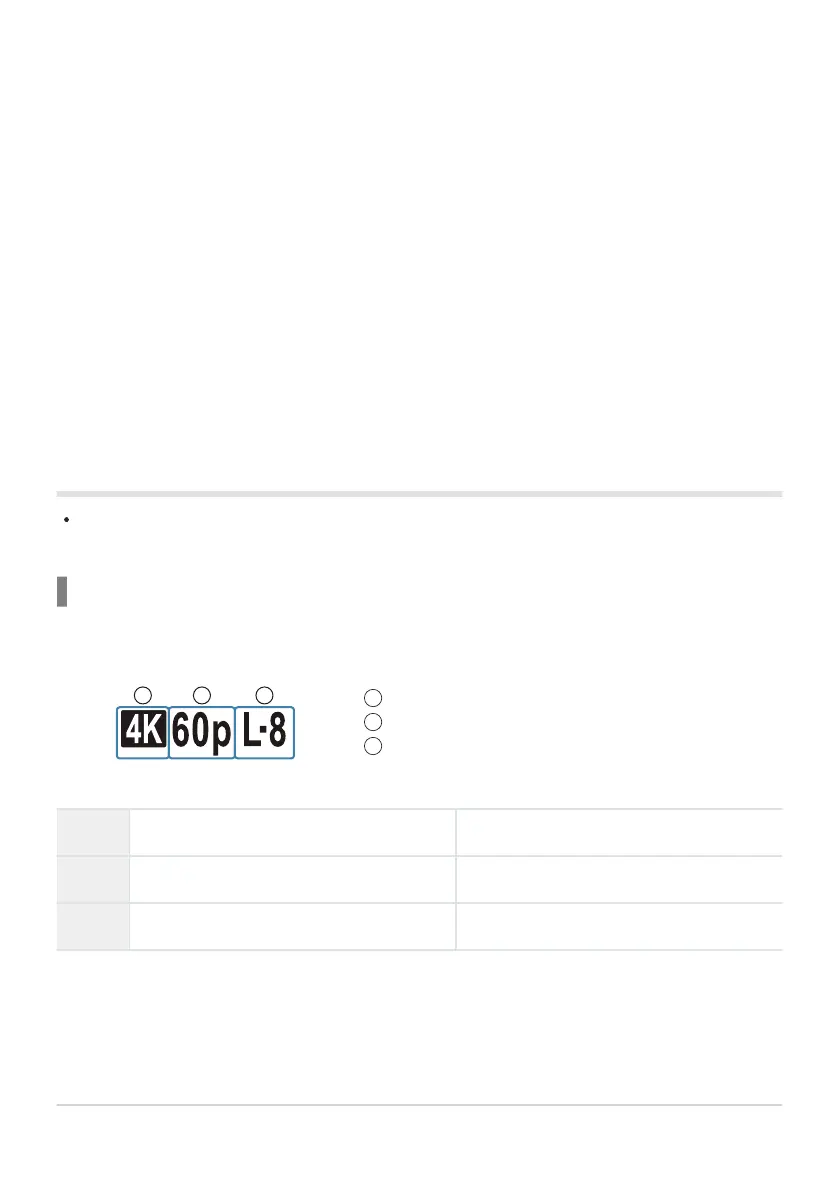
The Movie Quality Icon
Changes to settings are reflected in the n movie quality icon as shown. Up to three combinations can
be saved.
Movie Resolution
4
4K 3840× 2160
3
FHD (Full HD) 1920× 1080
5
C4K (4K Digital Cinema) 4096× 2160
212
Setting the Quality of Photos and Movies
(KX / nX)
B
C
C
C
B
-
-
-


 To Next Page
 Loading...



