16:30:43
4:3
±
0.0
1/100
16:30:43 101-0001
4:3
19/32
F3.5
ISO
200
±
0.0
1
N+RAW
L
100
%
100
%
1/100
101-0001 19/32
F3.5
ISO
200
N+RAW
2024/01/01
Still image
Viewing photographs and movies
Viewing photographs
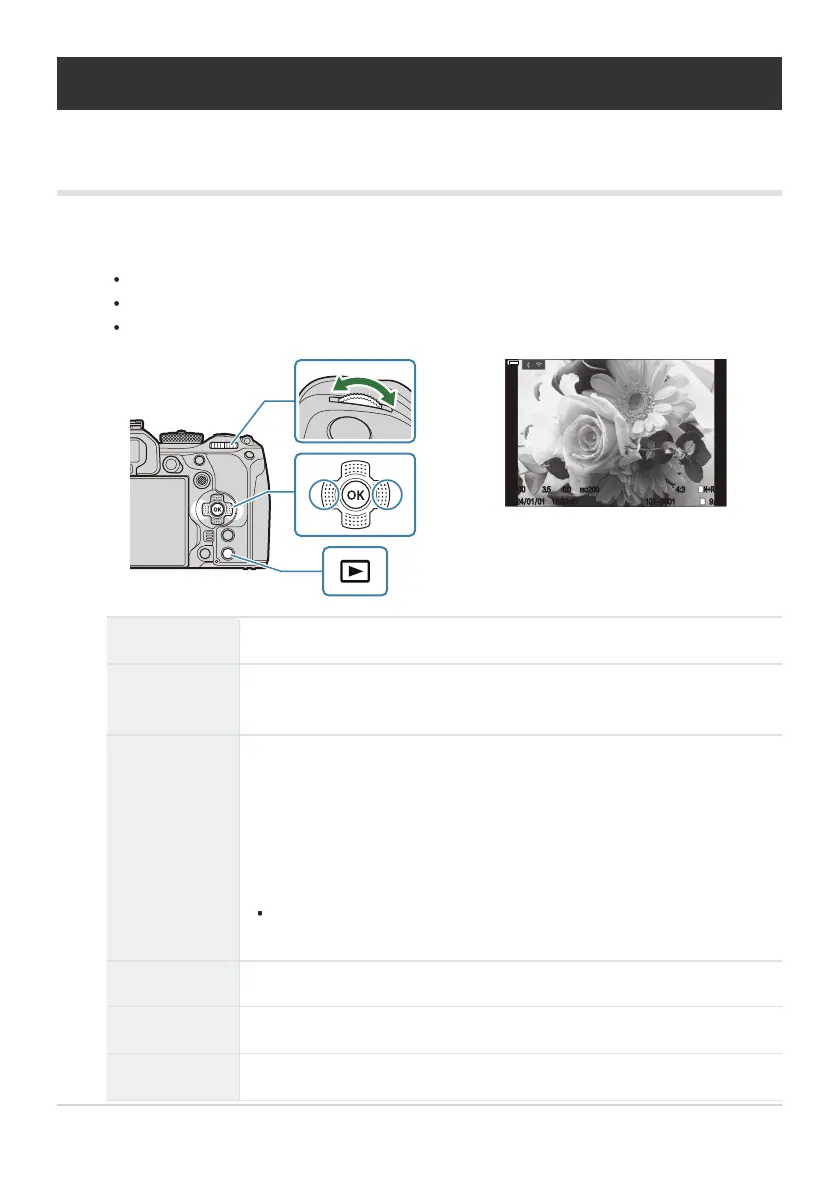
Press the q button.
The most recent picture will be displayed.
Select the desired photograph or movie using the front dial or arrow pad.
Press the shutter button halfway to return to shooting mode.
Rear dial (i) Zoom in (h)/Index (g)
Front dial (l)
Previous (j)/Next (k)
Operation also available during magnified playback.
Arrow pad
(FGHI)/
Multi selector
(U/T)
Single-frame playback: Next (I)/Previous (H)/Playback volume (FG)
Playback zoom: Press U to display a zoom frame. Press the button again
to zoom in on the zoom frame. You can scroll the image by pressing
FGHI during playback zoom.
Index/calendar playback: Highlight image
The operations performed using FGHI can also be performed by
pressing the multi selector up, down, left, or right.
INFO button View image info
4 button
Select picture (P.314)
E Button
Assign rating stars to pictures (P.313)
294
Viewing photographs and movies
1.


 To Next Page
 Loading...



