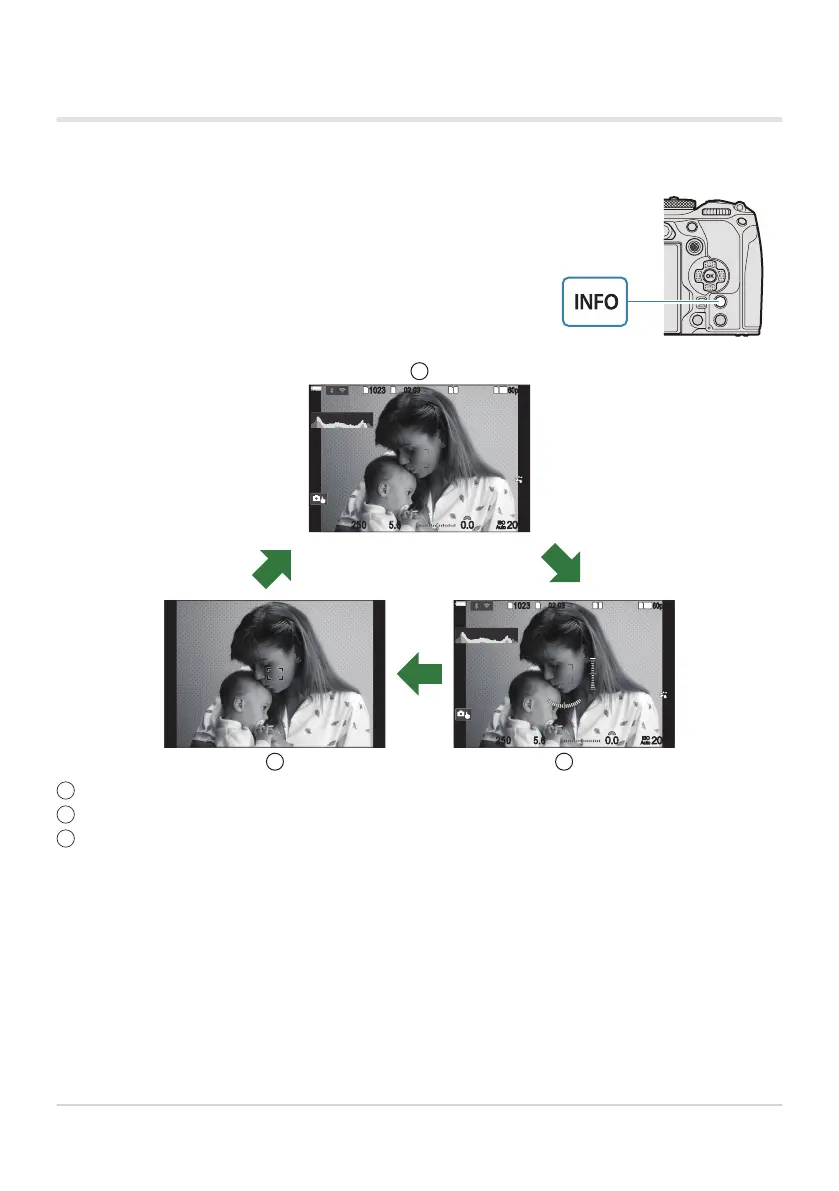
You can switch the information displayed in the monitor during
shooting using the INFO button.
Switching the information display
1
10231023
P
1
/
250
P
1
/
F
250 5.65.6
1
1
[
1
:
02
:
03
][
1
:
02
:
03
]
FF
60p60p L
-
8L
-
8
S
-
AFS
-
AF
33
200200
L
1
4K
ISO
Auto
ISO
Auto
F
00
+
-
0.00.0
100
%
100
%
INFO
INFOINFO
1
10231023
P
1
/
250
P
1
/
F
250 5.65.6
1
1
[
1
:
02
:
03
][
1
:
02
:
03
]
FF
60p60p L
-
8L
-
8
S
-
AFS
-
AF
33
200200
L
1
4K
ISO
Auto
ISO
Auto
F
00
+
-
0.00.0
100
%
100
%
1
3 2
Information 1
Information 2 (still photography mode only)
Image Only
The information display screens can be switched in either direction by rotating the dial while
pressing the INFO button.
The information shown in still photography mode and the information shown in movie mode can
be set individually. g“Shooting Indicators (KInfo Settings / nInfo Settings)” (P.370)
You can choose whether to display information when the shutter button is pressed halfway.
g“Configuring the display for when the shutter button is pressed halfway (Info by half-pressing
6)” (P.373)
49
Switching between displays
1
2
3
B
B
B


 To Next Page
 Loading...



