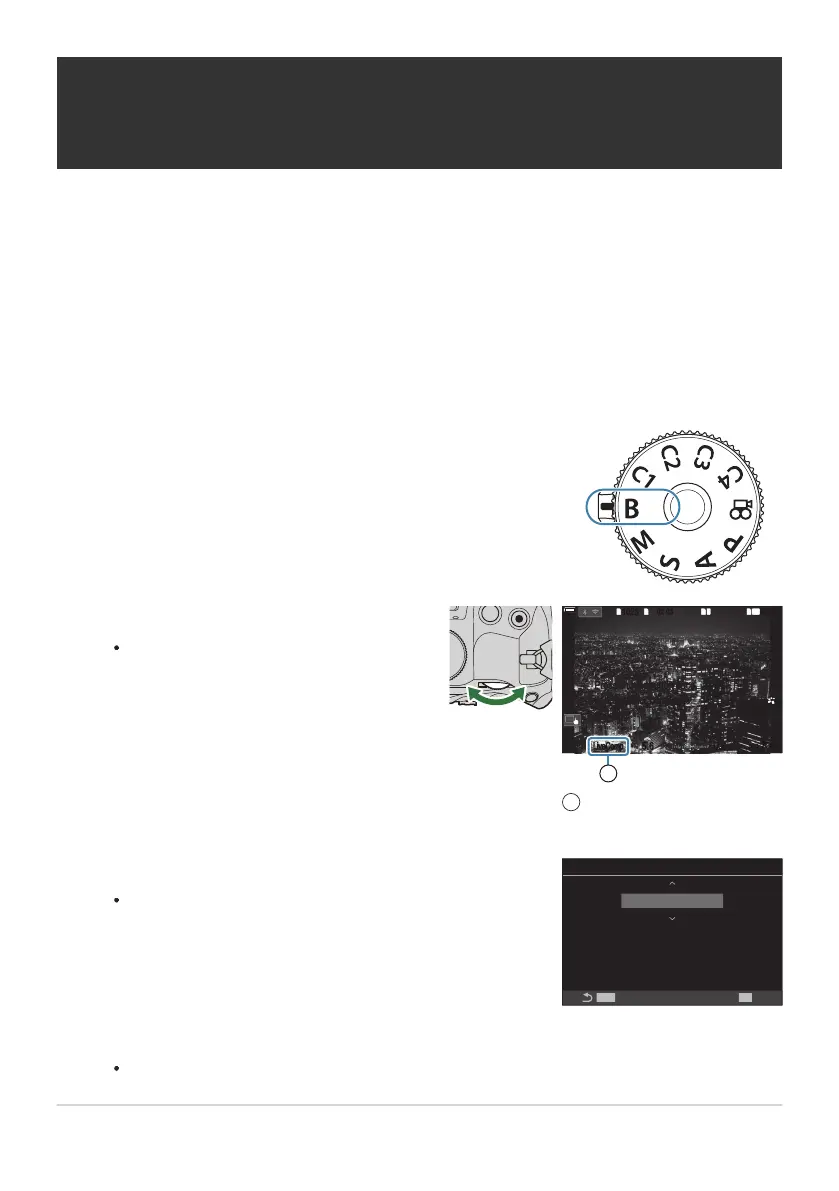
Rotate the mode dial to B.
Select [Live Comp].
At default settings, the selection is made
with the rear dial.
1
10231023
1
1
[
1
:
02
:
03
][
1
:
02
:
03
]
FF
60p60p L
-
8L
-
8
S
-
AFS
-
AF
33
L
1
4K
100
%
100
%
F
5.65.6
F
200200
ISOISO
BB
LiveCompLiveComp
00
+
-
0.00.0
Press shutter button once
to prepare for composite
shooting.
1
Live composite
photography
1
Press the MENU button.
The [Composite Settings] menu will be displayed.
Composite Settings
1/2sec
Exposure time per image.
Exposure time and aperture
will determine your base exposure.
MENU
OK
Lighten Blending (B: Live Composite
Photography)
Select this mode to leave the shutter open for a long exposure. You can view the light trails left
by fireworks or stars and photograph them without changing the exposure of the background. The
camera combines multiple shots and records them as a single photograph.
For live composite photography, it is recommended that you fix the camera securely on a tripod and
set [KImage Stabilizer] (P.204) to [S-IS Off].
Highlight an exposure time using FG.
Choose an exposure time of from 1/2 to 60s.
71
Lighten Blending (B: Live Composite
Photography)
C
1.
2.
3.
4.


 To Next Page
 Loading...




