Highlight an item for inclusion in “My Menu”.
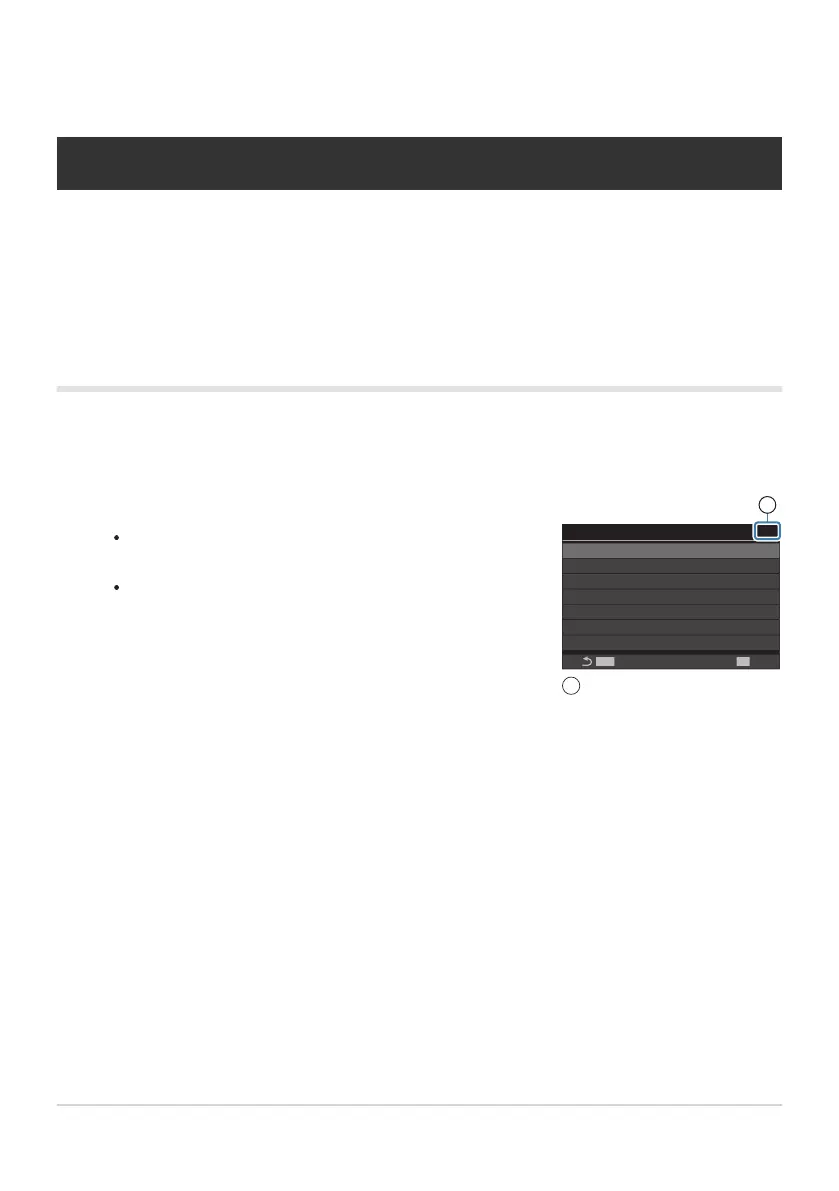
Any item in the menus a through e can be added to “My
Menu” if it appears on the screen with tabs displayed.
Some other menu items can also be added to “My Menu”.
If the menu item can be added, “My” is displayed at the top
right corner of the display.
My
BULB/TIME/COMP Settings
Bulb/Time Timer
Live Composite Timer
Bulb/Time Monitor
Live Bulb
Live Time
Composite Settings
Bulb/Time Focusing
8min
3h
-7
Off
0.5sec
1/2sec
On
MENU
OK
1
Item can be added to “My
Menu”
1
“My Menu” Settings
My Menu
You can use “My Menu” to create a personalized menu tab containing only items you select. “My
Menu” can contain up to 5 pages of 7 items each. You can delete items or change the page or item
order.
At purchase, “My Menu” contains no items.
Adding items to “My Menu”
Press the MENU button to view the menus.
384
My Menu
1.
2.


 To Next Page
 Loading...



