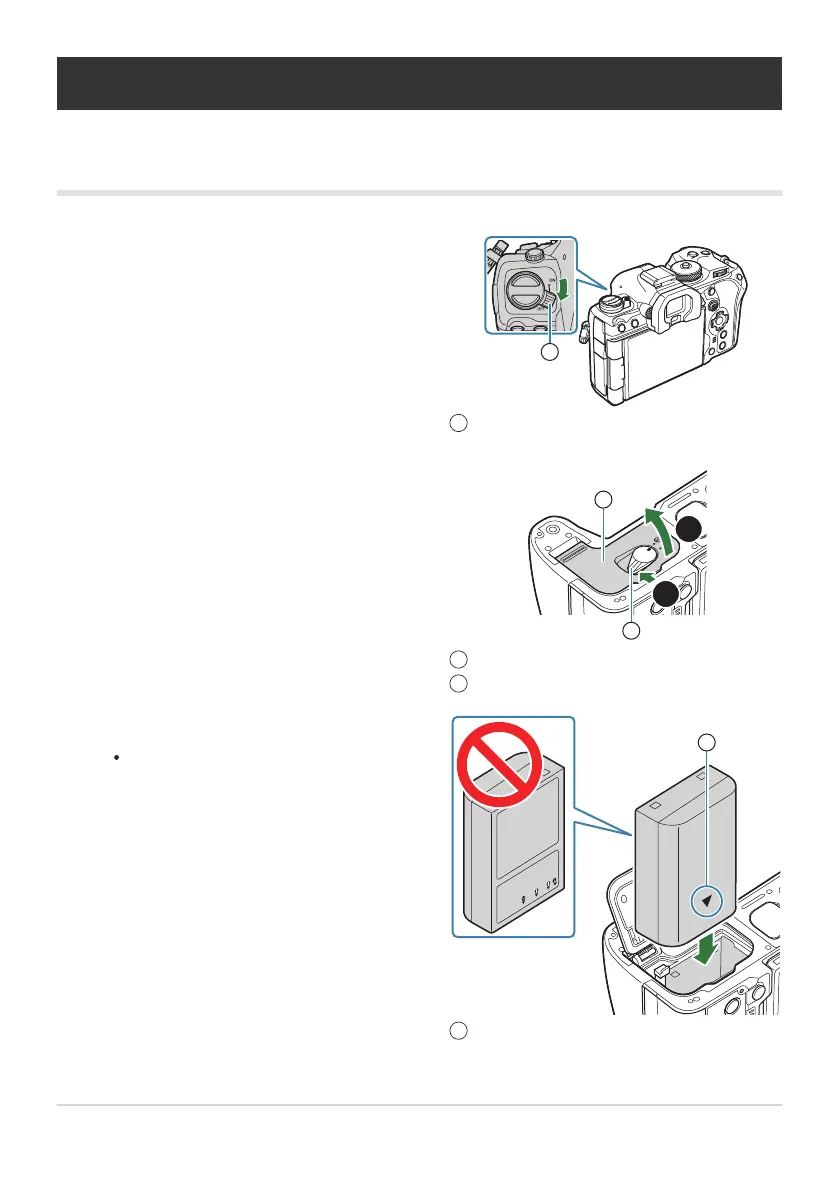
Confirm that the ON/OFF lever is in the OFF
position.
ON/OFF lever
1
Open the battery compartment cover.
Battery compartment cover
Battery compartment lock
1
2
Insert the battery.
Use only BLX‑1 batteries (P.26, P.508).
Direction indicating mark
1
Inserting and removing the battery
Inserting the battery
28
Inserting and removing the battery
1.
2.
3.


 To Next Page
 Loading...



