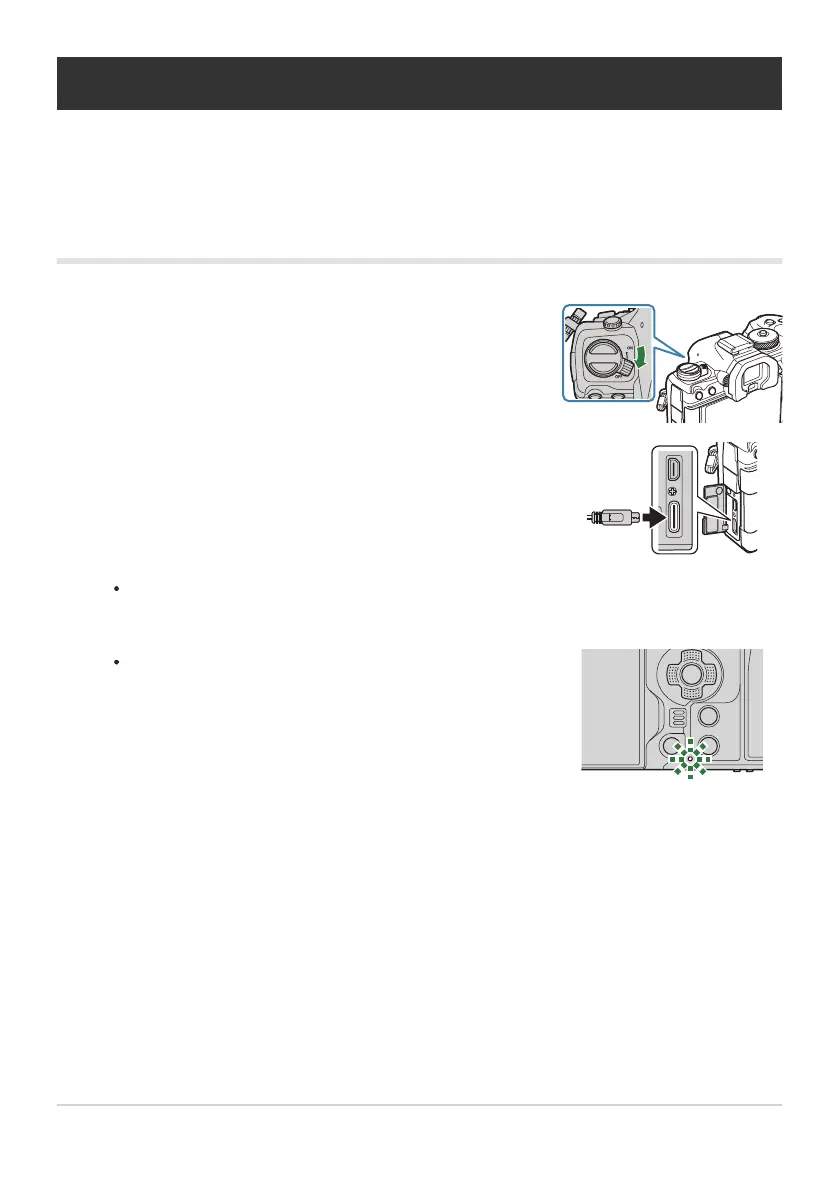
Confirm that the ON/OFF lever is in the OFF position.
Connect the camera to the USB device using a USB cable.
The battery charge lamp lights during charging. Charging
times vary with the output of the USB device. The lamp
goes out as the batteries reach full charge.
Charging the Battery using a USB Device
The battery inserted in the camera will charge when the camera is connected via a USB cable to a USB
PD-compliant USB device.
Charging via USB
When attaching the USB cable, use an optional cable protector and cable clip to prevent
damage to the connectors and disconnection. g“Cable Clip (CC-1) / Cable Protector
(CP-2)” (P.486)
If a charging error occurs, the battery charge lamp will blink. Disconnect and reconnect the USB
cable.
The supply of power ends when the battery is charged. Disconnect and reconnect the USB cable to
resume charging.
The camera can be powered using mobile batteries or similar devices connected via USB. For details,
see “Powering the Camera via USB (USB PD)” (P.468).
32
Charging the Battery using a USB Device
1.
2.
C
B
B


 To Next Page
 Loading...



