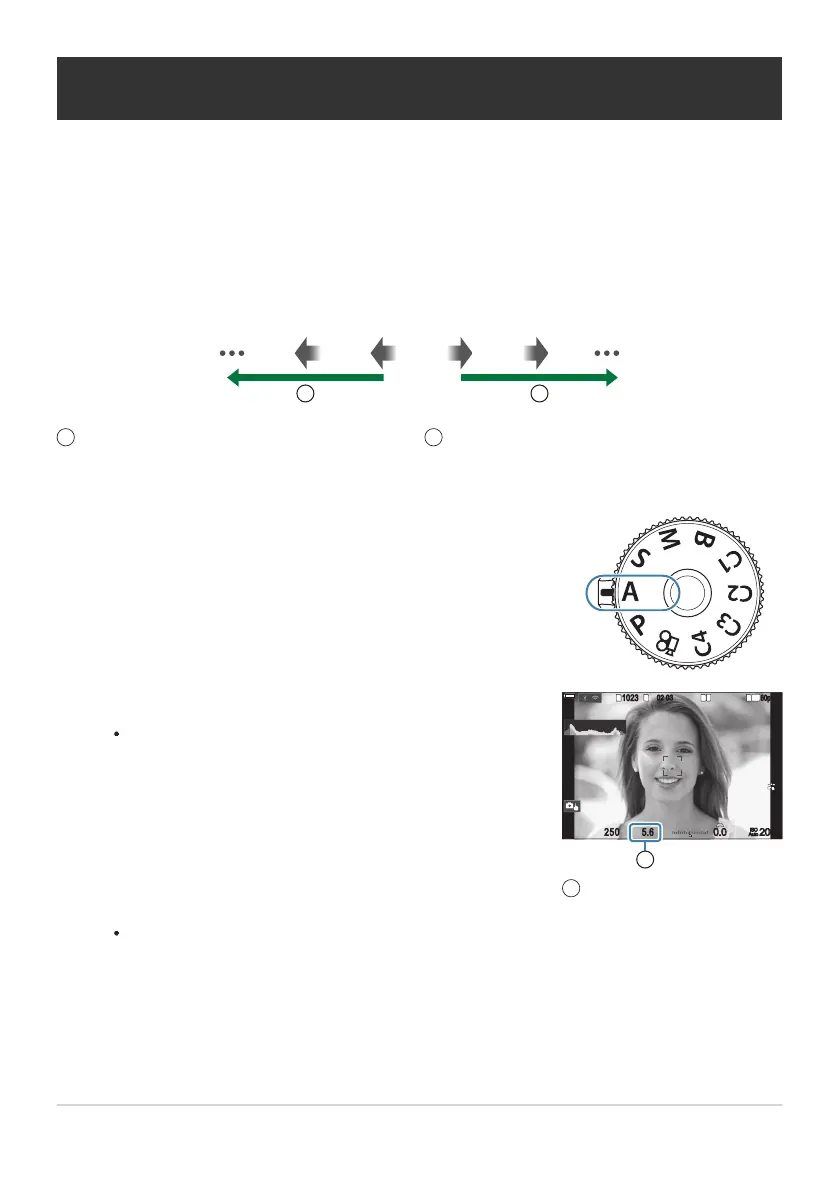
Lower aperture values…
…reduce depth of field and increase blur.
1
Higher aperture values…
…increase depth of field.
2
Rotate the mode dial to A.
Adjust aperture.
Use the front and rear dials to adjust the following settings.
Front dial: Exposure compensation (P.152)
Rear dial: Aperture
AA
1
10231023
1
/
2501
/
F
250 5.65.6
1
1
[
1
:
02
:
03
][
1
:
02
:
03
]
FF
60p60p L
-
8L
-
8
S
-
AFS
-
AF
33
200200
L
1
4K
ISO
Auto
ISO
Auto
F
00
+
-
0.00.0
100
%
100
%
1
Aperture
1
Choosing aperture (A: Aperture-Priority AE)
In this mode, you choose the aperture (f/-number) and the camera automatically sets the shutter
speed for optimal exposure according to subject brightness. Lower aperture values (larger apertures)
reduce the depth of the area that appears to be in focus (depth of field), blurring the background.
Higher aperture values (smaller apertures) increase the depth of the area that appears to be in focus in
front of and behind the subject.
F2.8 F4.0 F5.6 F8.0 F11
1 2
The shutter speed selected automatically by the camera will appear in the display.
Exposure compensation can also be adjusted using the F button. Press the F button and
then rotate the front or rear dial.
Release the shutter.
61
Choosing aperture (A: Aperture-Priority AE)
1.
2.
B
3.


 To Next Page
 Loading...



