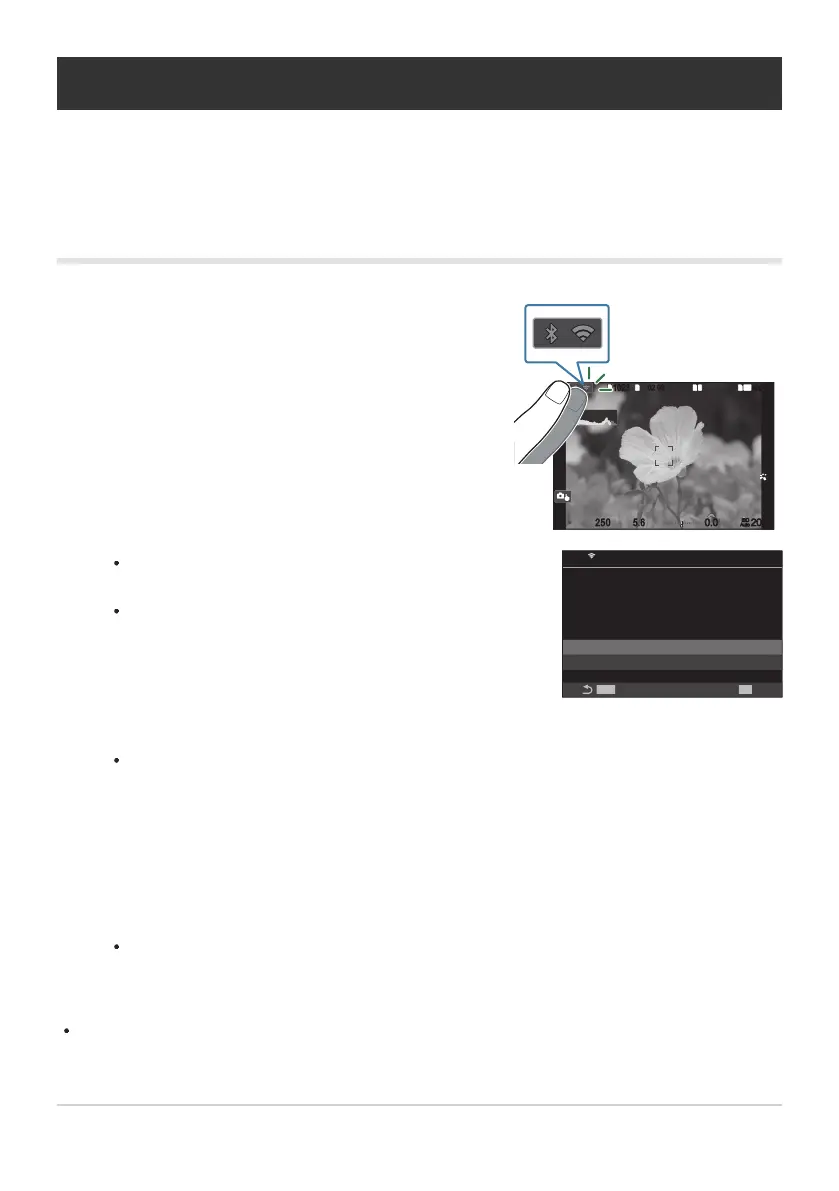
Tap J in the camera monitor.
1
10231023
P
1
/
250
P
1
/
F
250 5.65.6
1
1
[
1
:
02
:
03
][
1
:
02
:
03
]
FF
60p60p L
-
8L
-
8
S
-
AFS
-
AF
33
200200
L
1
4K
ISO
Auto
ISO
Auto
F
00
+
-
0.00.0
100
%
100
%
You will be prompted to confirm whether you wish to
disconnect.
The network SSID is shown in the display.
PC Connection
SSID:SSID_001
Wi-Fi is active
OK
Disconnect
Maintain
MENU
PC
Ending the Connection
End the Wi-Fi connection. The use of Wi-Fi may be prohibited in some countries or regions, in which
case Wi-Fi should be disabled.
Ending the Current Connection
Highlight [Disconnect] using FG and press the OK button.
The camera will terminate the connection and exit to the shooting display.
The Wi-Fi connection will be disconnected even if there is data that has yet to be transferred.
Any data that has not yet been uploaded will not be uploaded.
To reconnect, tap J or select [Wi-Fi Connection]> [PC Connection] and press the OK
button.
The camera will automatically reconnect to previously-selected networks.
To connect to a new network, highlight [Maintain] in Step 2 and press the OK button. Choose from
a list of available networks and adjust settings as described in “Choosing a Network from a List
(Connect from z List)” (P.447).
451
Ending the Connection
1.
2.
C
3.


 To Next Page
 Loading...



