Viewfinder
1
200200
ISO
Auto
ISO
Auto
WB AutoWB Auto
1
1
[
1
:
02
:
03
][
1
:
02
:
03
]
10231023
PP
100
%
100
%
0.00.0
00
+
-
1
/
250
1
/
F
250
5.65.6
F
U (LV) button
Monitor
1
2
L
F
1023 1:02:03
S-IS Auto
±
0.3
2024.01.01 16:30:43
0.0
5.6 200250P
Small
S-AF
4 : 3
1/ Auto
ISO
L
F
0
60p L
-
8
Off
3
0
+
-
100
%
100
%
±
F
WB Auto
1
10231023
P
1
/
250
P
1
/
F
250 5.65.6
1
1
[
1
:
02
:
03
][
1
:
02
:
03
]
FF
60p60p L
-
8L
-
8
S
-
AFS
-
AF
33
200200
L
1
4K
ISO
Auto
ISO
Auto
F
00
+
-
0.00.0
100
%
100
%
U (LV)
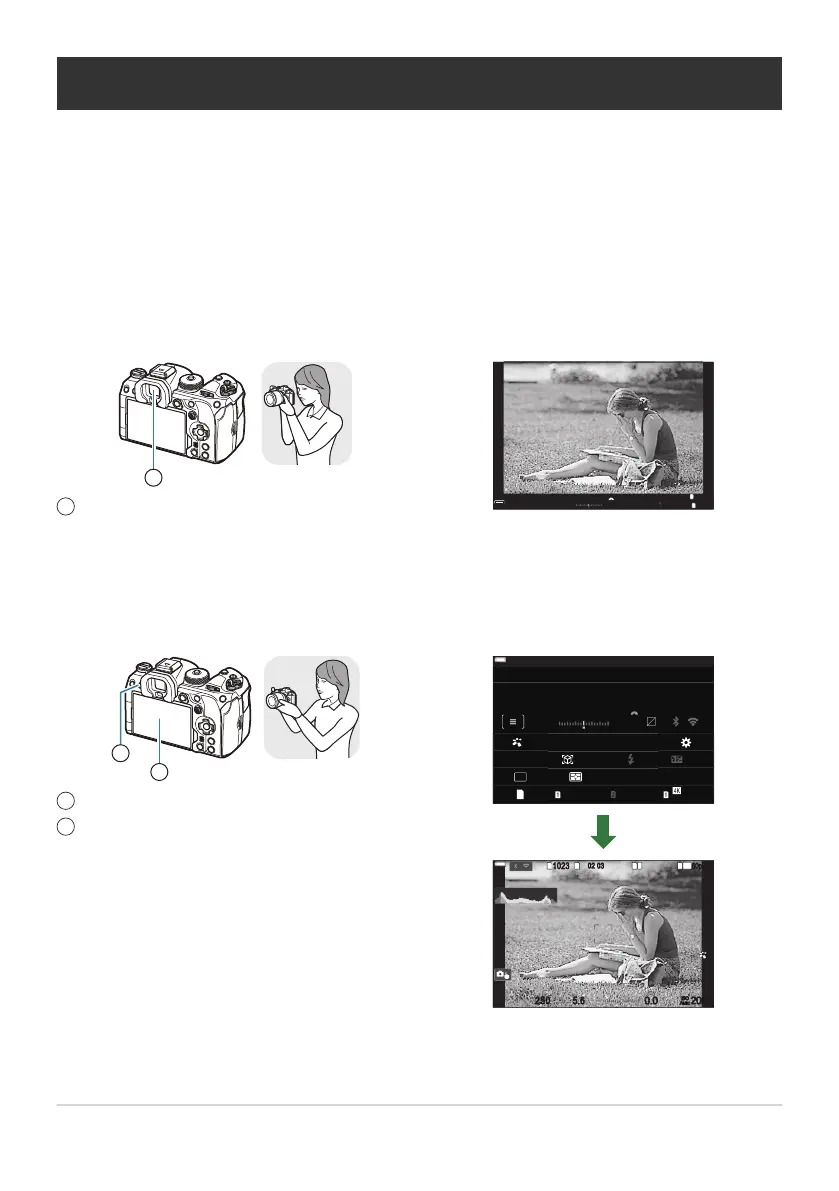
Switching between displays
The camera uses an eye sensor to automatically switch between the viewfinder and monitor displays.
The viewfinder and monitor display (super control panel/live view) also show information on camera
settings. Options are available for controlling display switching and choosing the information shown.
The camera monitor displays the super control panel (P.89) by default.
Framing photos in the viewfinder
The viewfinder turns on automatically when you bring it to your eye. When the viewfinder is lit up, the
monitor turns off.
Framing photos in the monitor
The monitor shows the super control panel. It changes to live view when you press the U (LV)
button.
47
Switching between displays


 To Next Page
 Loading...



