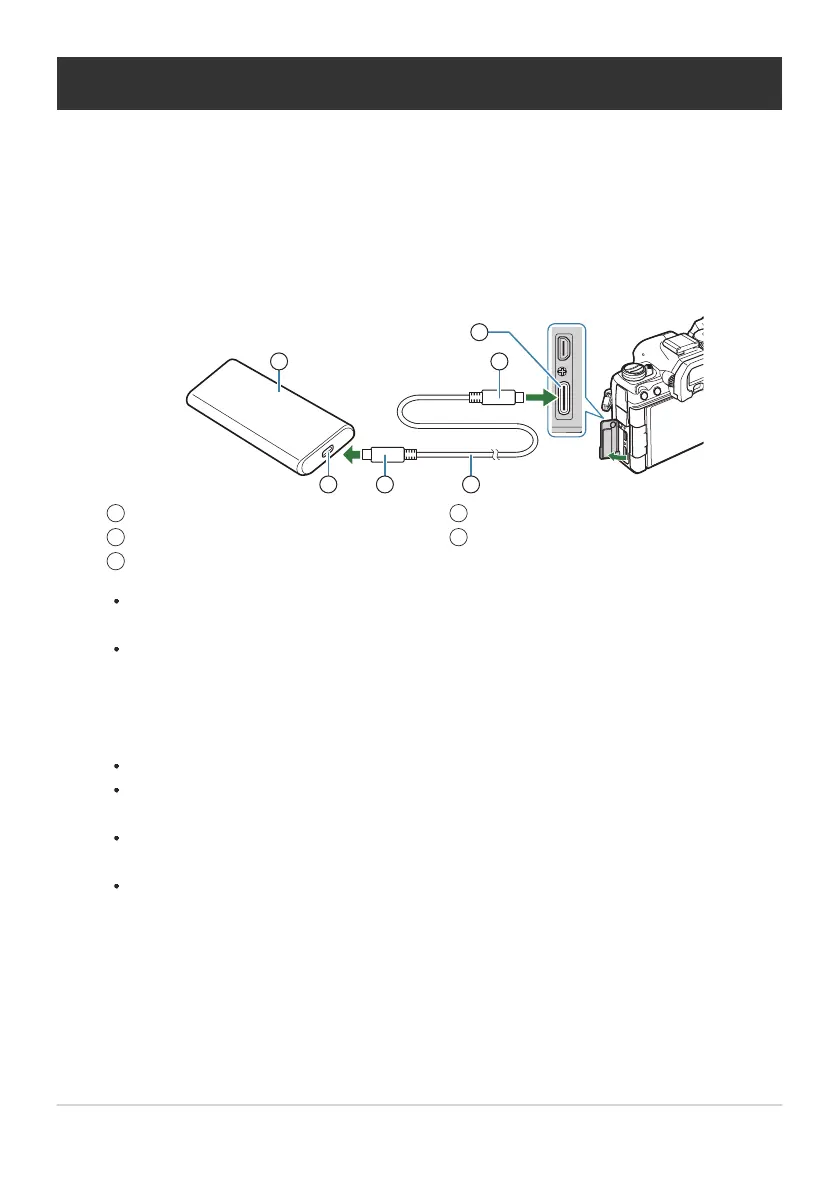
Mobile battery or other USB devices
USB port
Type C USB connector
1
2
3
USB cable
USB connector
4
5
Powering the Camera via USB (USB PD)
Mobile batteries or USB AC adapters conforming to the USB Power Delivery (USB PD) standard can be
used to power the camera. The device must:
Standard: Conform to the USB Power Delivery (USB PD) standard
Output: Be rated for an output of 27 W (9V 3A, 15V 2A, or 15V 3A) or more
After confirming that the camera is off, use the USB cable to connect it to the device.
The method used for connection varies from device to device. See the documentation
provided with the device for details.
You may be unable to use USB Power Delivery (USB PD) with some USB devices. See the
manual supplied with the USB device.
Turn the camera on.
The camera will draw power from the connected USB device.
If the camera displays a message prompting you to identify the device to which the USB
cable is connected, select [USB PD].
If the batteries are very low, the display will remain blank when the camera is connected to
the USB device. Be sure the batteries are charged.
USBf is displayed while the camera draws power from the USB device.
468
Powering the Camera via USB (USB PD)
1.
2.


 To Next Page
 Loading...




