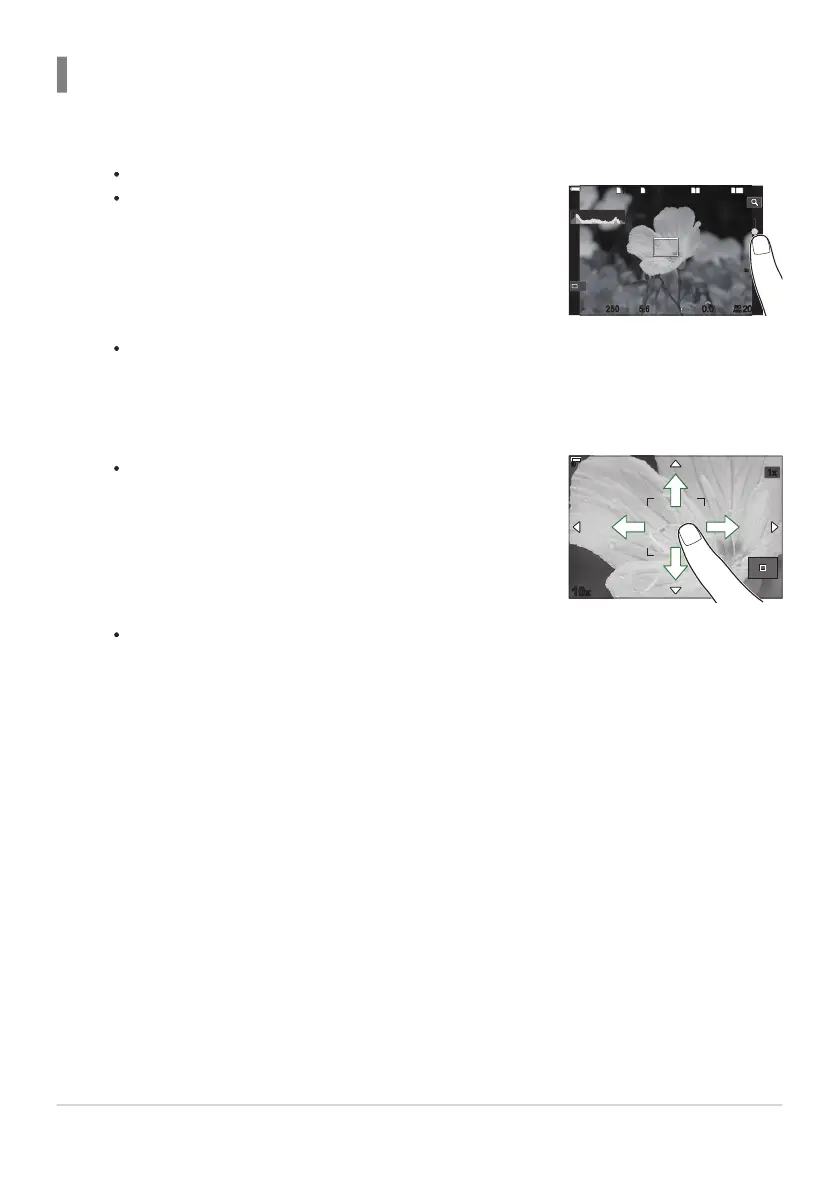
Use the slider to choose the size of the frame.
1
10231023
P
1
/
250
P
1
/
F
250 5.65.6
1
1
[
1
:
02
:
03
][
1
:
02
:
03
]
FF
60p60p L
-
8L
-
8
200200
L
1
4K
ISO
Auto
ISO
Auto
F
00
+
-
0.00.0
100
%
100
%
Off
14
10
7
5
14
10
7
5
3x
3x
Use your finger to scroll the display when the picture is
zoomed in.
Previewing the subject (G)
Tap the subject in the display.
An AF target will be displayed.
Tap X to turn off the display of the AF target.
Use the slider to adjust the size of the AF target, and then tap a to zoom in at the frame
position.
Tap Z to cancel the zoom display.
The situations in which touch screen operations are not available include the following.
When buttons or dials are in use
You can disable the touch screen operation. g “Disabling Touch Controls (Touchscreen Settings)”
(P.399)
55
Shooting still pictures
1.
2.
C
-
B


 To Next Page
 Loading...




