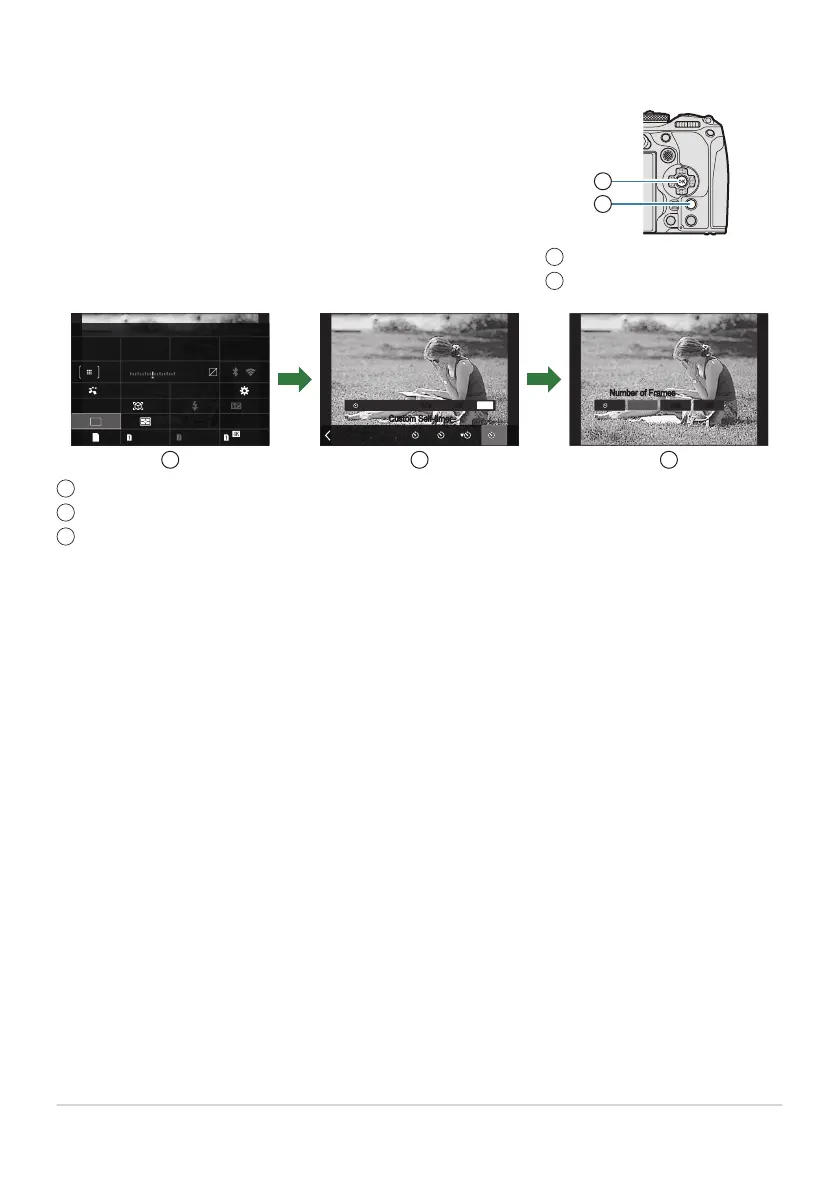
Pressing the OK button or tapping the item in Step 2 displays
options for the highlighted setting.
You can also configure items by tapping the setting values directly
in the display.
In some cases, additional options can be configured.
OK button
INFO button
1
2
Additional Options
Single
Custom Self-timer
Number of Frames
1023 1:02:03
S-IS Auto
±
0.3
0.0
5.6 200250P
Small
S-AF
4 : 3
1/
Auto
ISO
60p L
-
8
Off
±
3
0
+
-
F
WB Auto
0
L
F
L
F
Off0.5s1s x3
INFO
Off0.5s1s x3
C
2s 2s12s
SH2
ProCap
SH1
ProCap
ProCap
2s 2s12s
SH2
ProCap
SH1
ProCap
ProCap
C
1s1s 0.5s0.5s
OffOff
x3x3
OK
1 2 3
INFO
LV Super Control Panel/Super Control Panel display
Selection menu display
Detailed setting display
92
Setting with Super Control Panel/LV Super
Control Panel
1
2
3


 To Next Page
 Loading...




