Paper Feed Roller
SM 17 D3ER/D3EQ
Paper Feed Unit
PB1120/PB1110
2.9 PAPER FEED ROLLER
Before replacing the paper feed roller, reset the PM counter.
1. Turn the power ON and enter the SP mode.
2. Execute the following SP corresponding to the part to be replaced to reset the PM
counter.
- SP7-804-051 (Reset PM Counter: Feed Bank1)
- SP7-804-053 (Reset PM Counter: Feed Bank2)
- SP7-804-055 (Reset PM Counter: Feed Bank3)
3. Turn the power OFF.
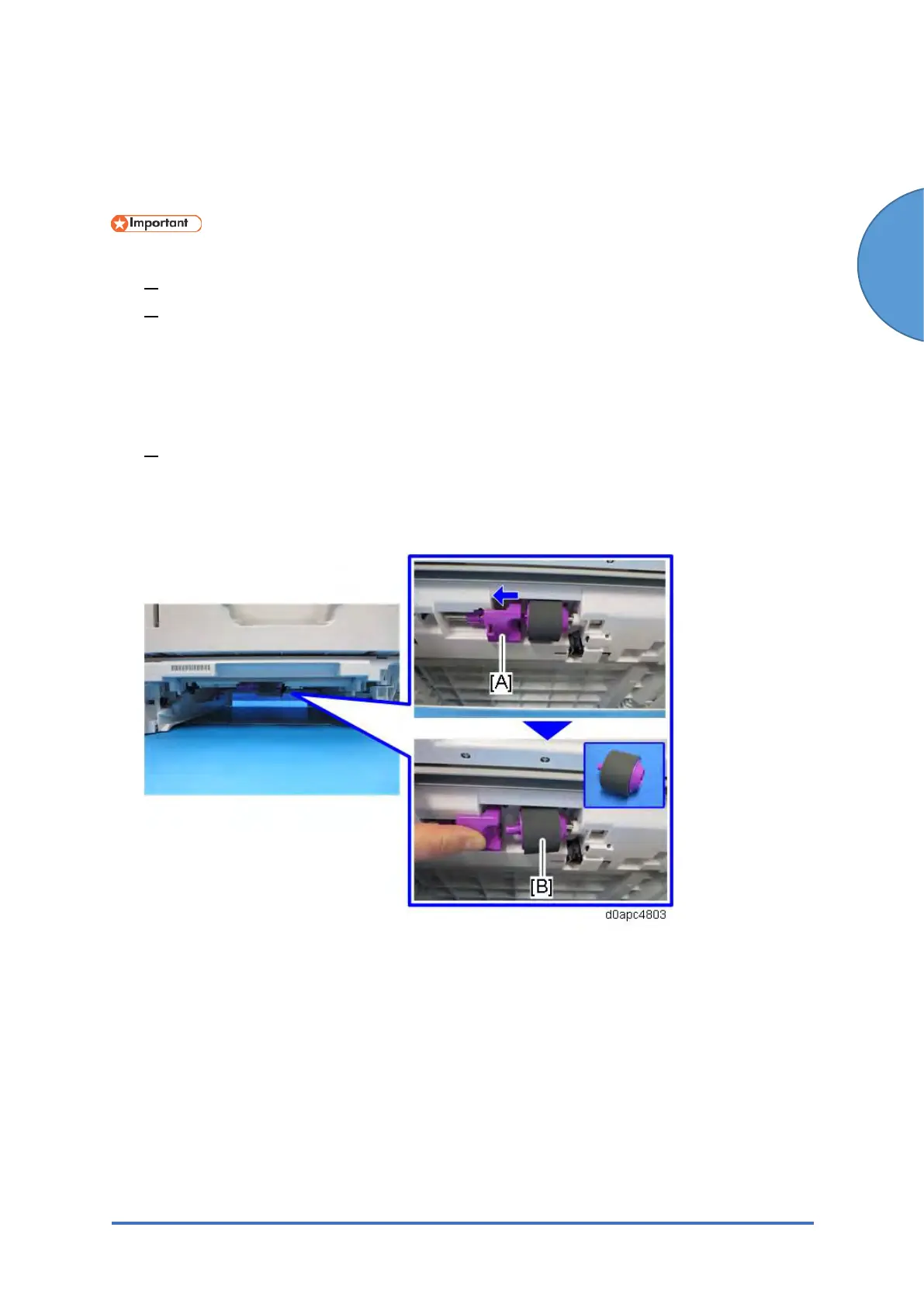
1. Remove the paper cassette.
2. Slide the lever [A] to the left as shown below to remove the paper feed roller [B].



 To Next Page