Electrical Components
D0AP/D0C4/D0C5/D0C6/M0BQ/M0D1 4-162 SM
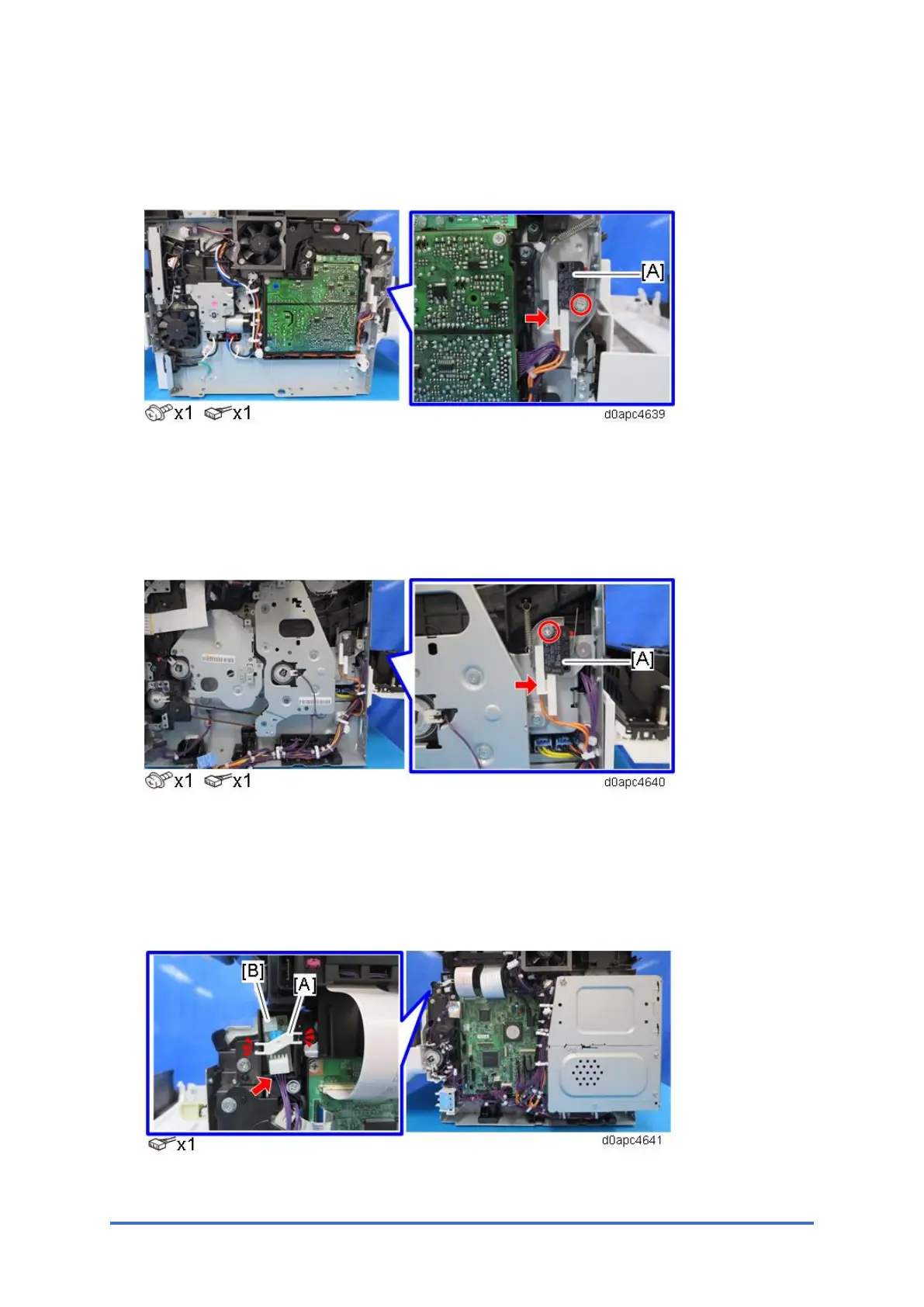
4.18.14 FRONT INTERLOCK SWITCH (SW1)
1. Remove the left cover. (Left Cover (Printer), Left Cover (MF))
2. Remove the front interlock switch (SW1) [A].
4.18.15 REAR INTERLOCK SWITCH (SW2)
1. MF model: Remove the SCB with bracket. (SCB with the Controller Box (MF Model))
Printer model: Remove the controller board. (Controller Board (Printer Model))
2. Remove the rear interlock switch (SW2) [A].
4.18.16 TEMPERATURE/HUMIDITY SENSOR (S11)
1. Remove the right cover. (Right Cover (Printer), Right Cover (MF))
2. Release the two hooks to remove the cover [A], and then remove the temperature/humidity
sensor (S11) [B].



 To Next Page