Fans/ Filters
SM 4-167 D0AP/D0C4/D0C5/D0C6/M0BQ/M0D1
&
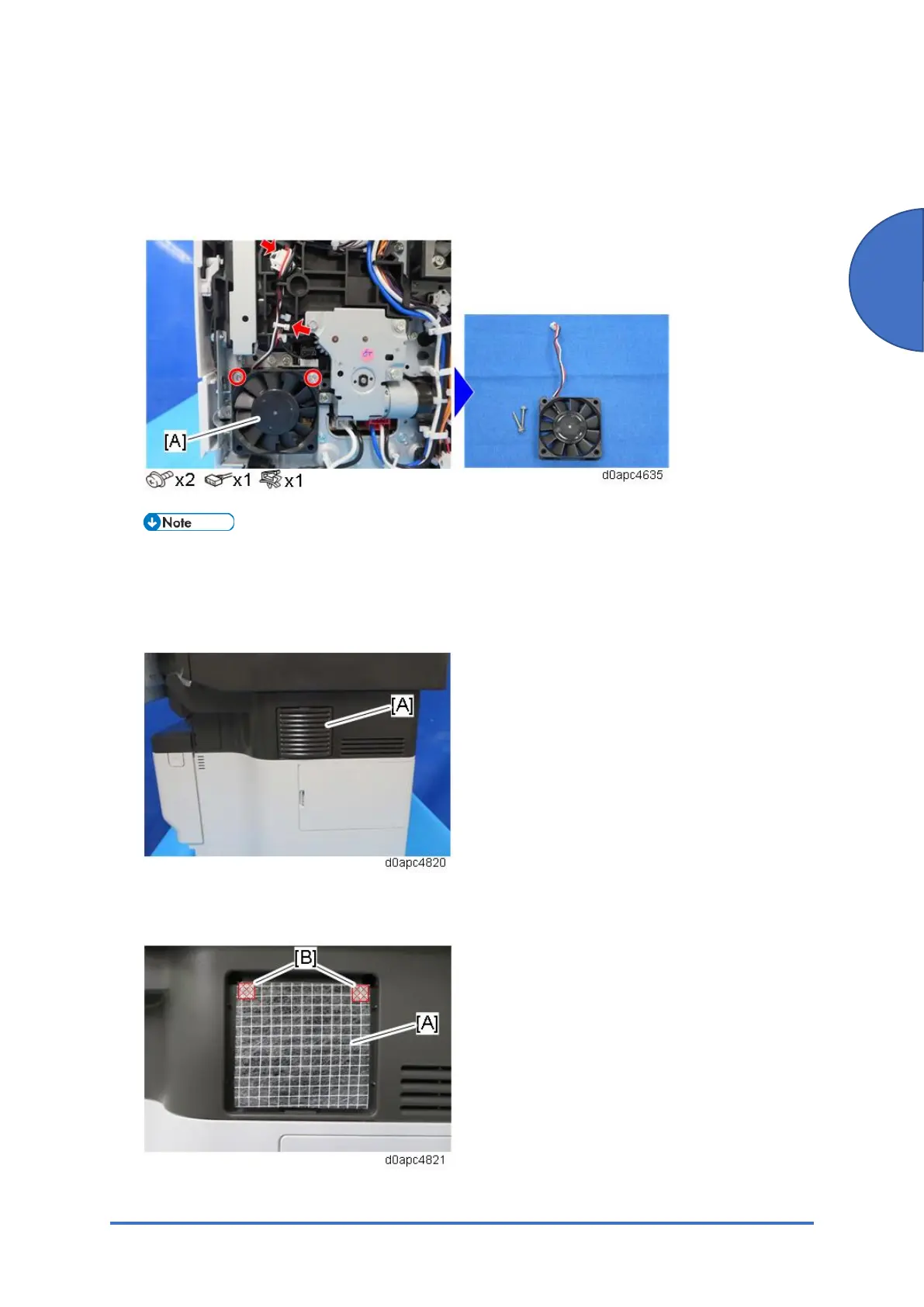
4.19.3 PSU COOLING FAN (FAN3)
1. Remove the left cover. (Left Cover (Printer), Left Cover (MF))
2. Remove the PSU cooling fan (FAN3) [A].
Fasten the cooling fan with its decal facing the inside of the machine.
4.19.4 AIR FILTERS
1. Remove the filter cover (right) [A].
2. Remove the air filter (right) [A].
The filter is attached with double-sided tapes [B].


 To Next Page