Scanner (MF Model Only)
SM 4-69 D0AP/D0C4/D0C5/D0C6/M0BQ/M0D1
&
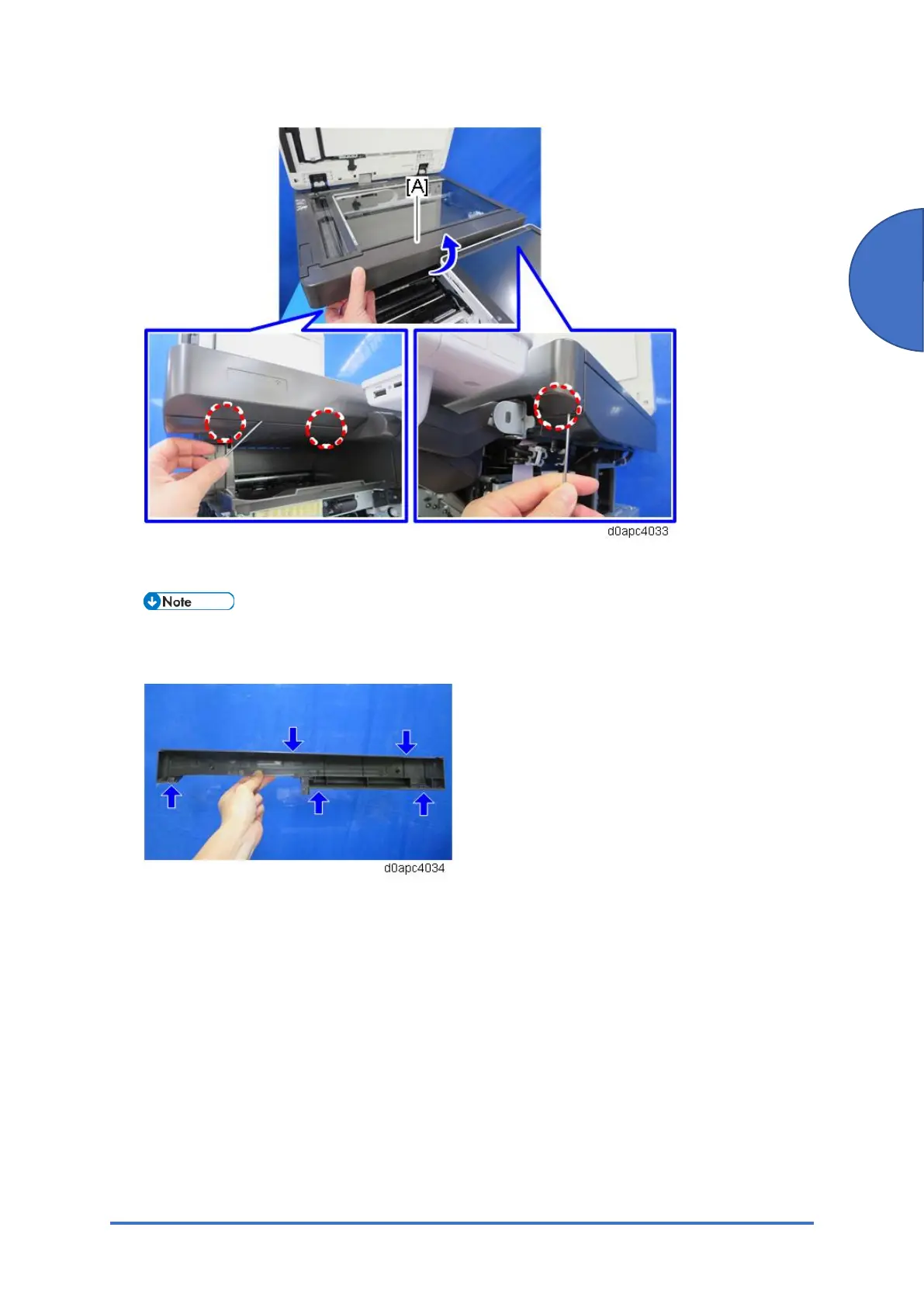
There are some hooks inside the scanner front cover. Before removing the cover, confirm
the positions of the hooks in the photo below.
4.9.2 SCANNER UNIT (WITH SPDF)
1. Remove the right cover. (Right Cover (MF))
2. Remove the left cover. (Left Cover (MF))
3. Remove the operation panel unit. (Operation Panel Unit)



 To Next Page