SPDF (MF Model Only)
SM 4-61 D0AP/D0C4/D0C5/D0C6/M0BQ/M0D1
&
4.8.8 SPDF FRONT COVER
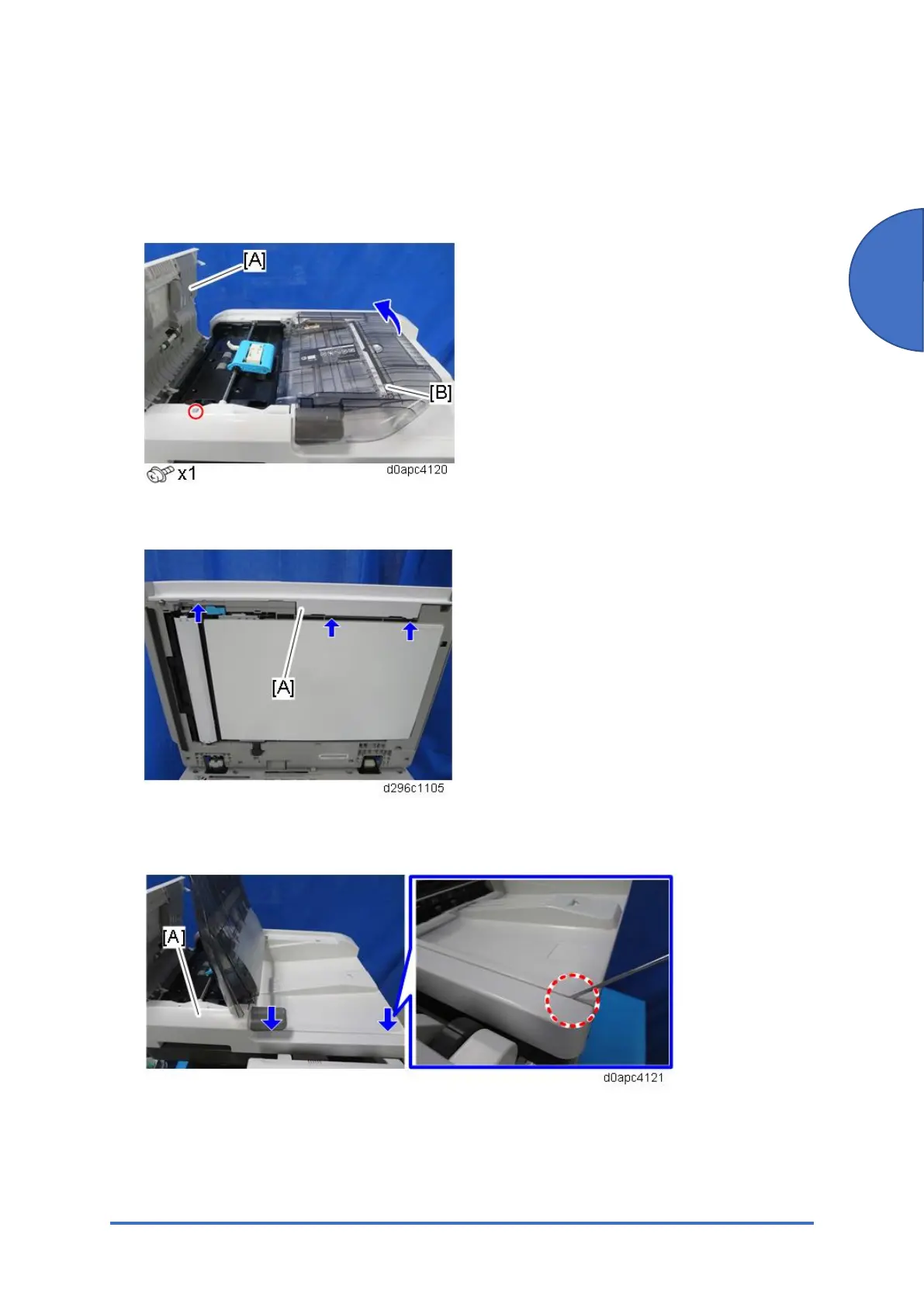
1. Open the SPDF top cover [A].
2. Remove the screw, and then raise the original tray [B].
3. Open the SPDF, and then release the three tabs of the SPDF front cover [A].
4. Close the SPDF slightly, and then remove the SPDF front cover [A] while releasing the two
tabs with a thin screwdriver.



 To Next Page