PCDU
D0AP/D0C4/D0C5/D0C6/M0BQ/M0D1 4-86 SM
4.11 PCDU
4.11.1 PCDU
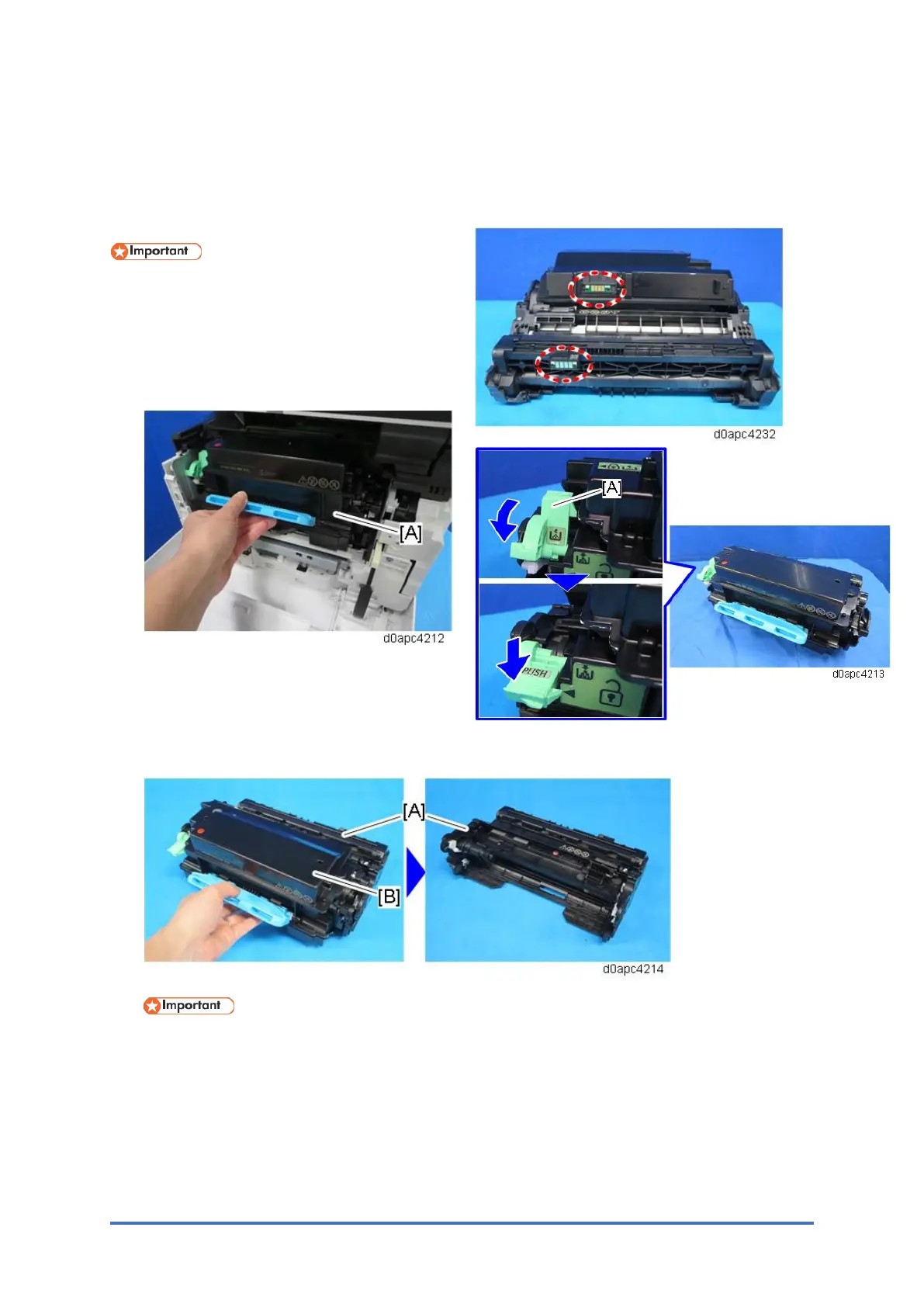
Do not touch the ID chip with bare hands.
1. Open the front cover by pressing the front
cover button.
2. Hold the grip to pull out the PCDU with the
toner cartridge [A].
3. Turn the lock lever [A], and
then press down until it is
horizontal.
4. Remove the toner cartridge [B] from the PCDU [A].
Never disassemble a PCDU. Disassembling a PCDU could cause the focus of the LED to
shift, resulting in poor images.
4.11.2 ID CHIP CONNECTORS
The two ID chip connectors (D0A42499) are located on the marked areas shown below.
The connector with cover, located on the front side, is for the toner. The other located on
the inner side is for the PCDU.
ev. 03/22/2020



 To Next Page