Exterior Covers (Printer Model)
D0AP/D0C4/D0C5/D0C6/M0BQ/M0D1 4-32 SM
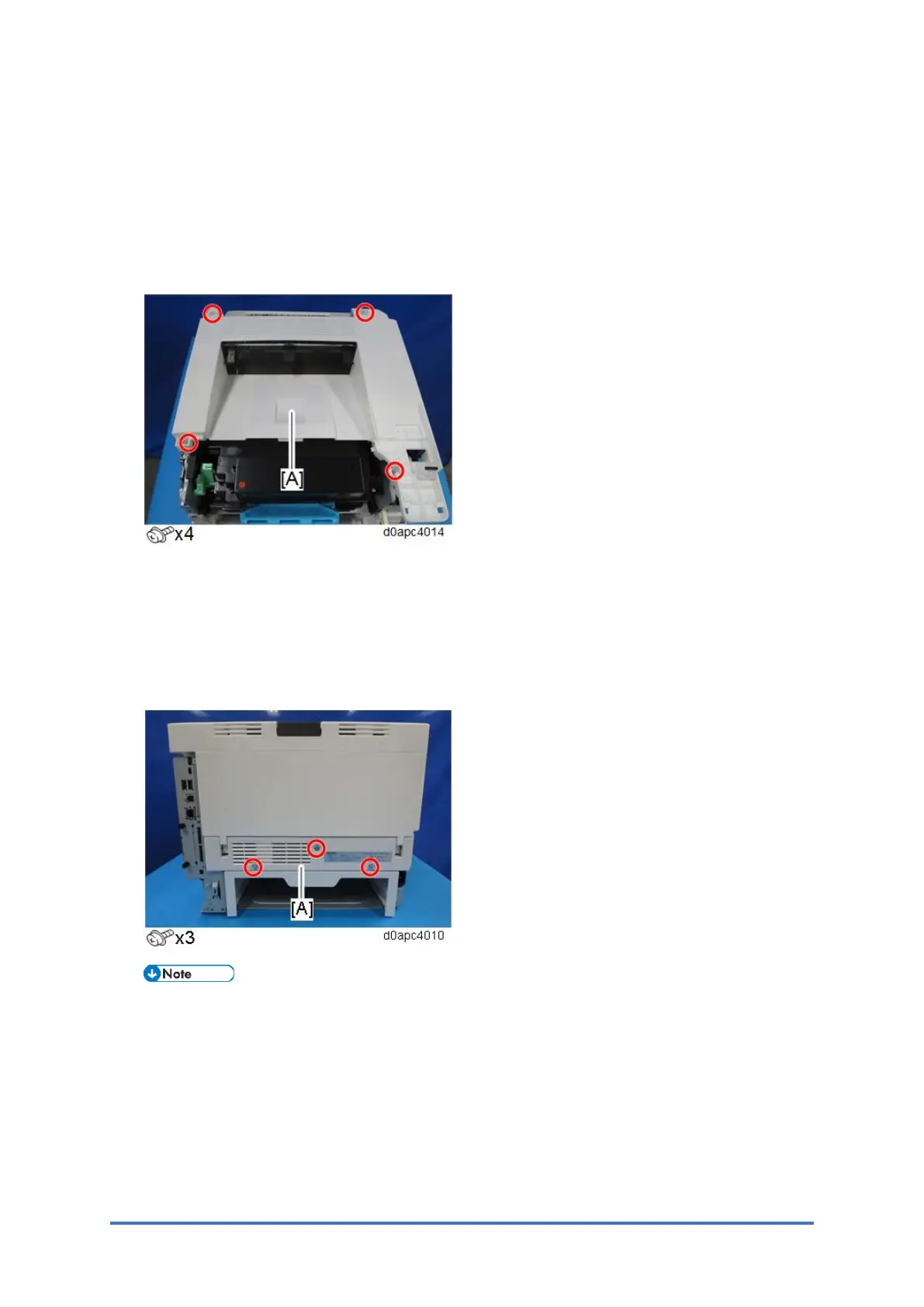
4.5.5 UPPER COVER (PRINTER)
1. Remove the right cover. (Right Cover (Printer))
2. Remove the left cover. (Left Cover (Printer))
3. Remove the operation panel. (Operation Panel (Printer))
4. Remove the upper cover [A].
4.5.6 REAR LOWER COVER (PRINTER)
1. Remove the right cover. (Right Cover (Printer))
2. Remove the left cover. (Left Cover (Printer))
3. Remove the rear lower cover [A].
Open the rear cover slightly and remove the rear lower cover.



 To Next Page