Paper Exit/ Duplex
D0AP/D0C4/D0C5/D0C6/M0BQ/M0D1 4-120 SM
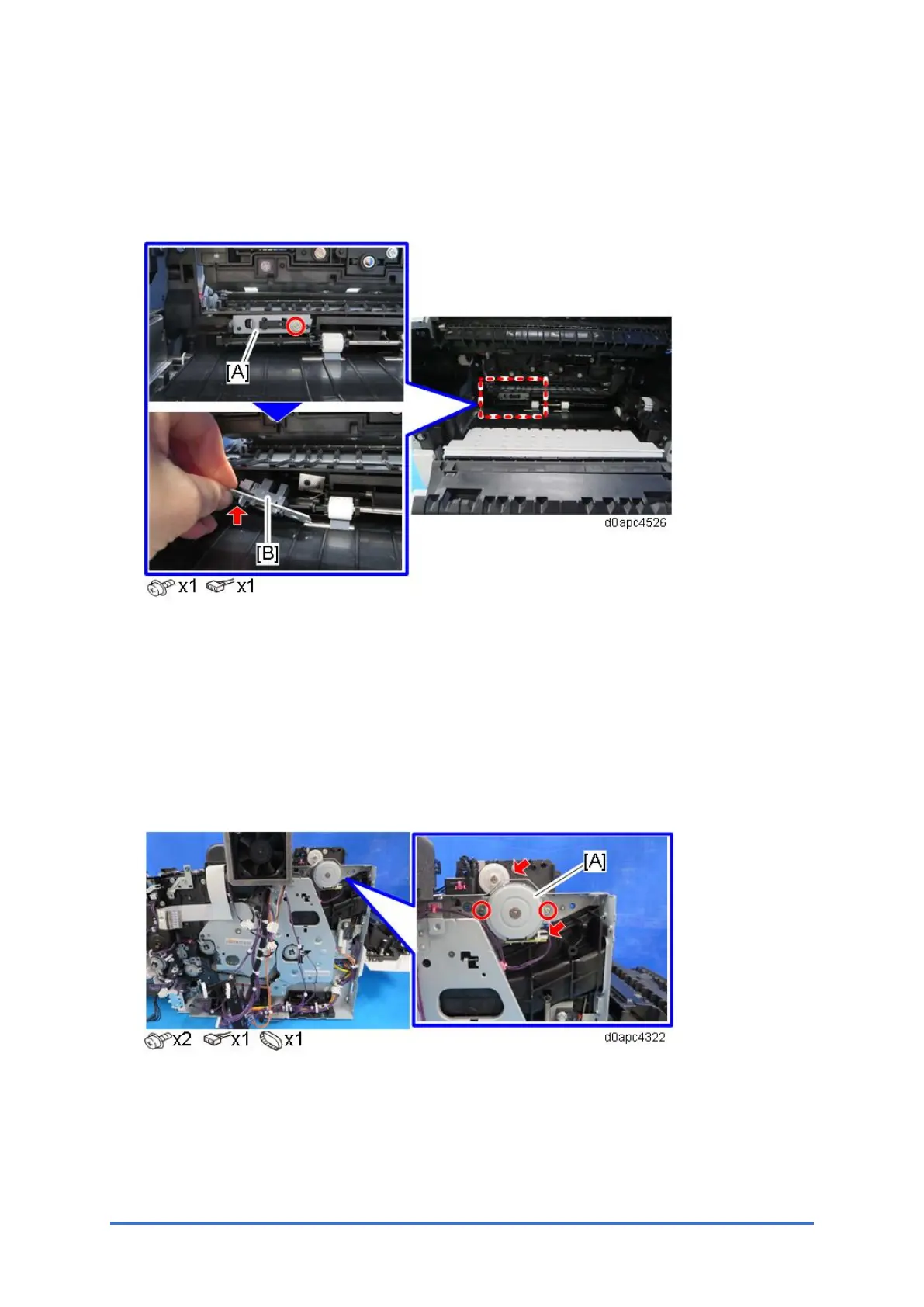
4.16.3 DUPLEX ENTRANCE SENSOR (S8)
1. Remove the Fusing unit. (Fusing Unit)
2. Remove the bracket [A], and then remove the duplex entrance sensor (S8) [B].
4.16.4 EXIT/REVERSE MOTOR (M1)
1. Remove the upper cover. (Printer models: Upper Cover (Printer), MF models: Upper
Cover (MF))
2. MF model: Remove the SCB with bracket. (SCB with the Controller Box (MF Model))
Printer model: Remove the controller board. (Controller Board (Printer Model))
3. Remove the exit/reverse motor (M1) [A].



 To Next Page