Exterior Covers (MF Model)
SM 4-39 D0AP/D0C4/D0C5/D0C6/M0BQ/M0D1
&
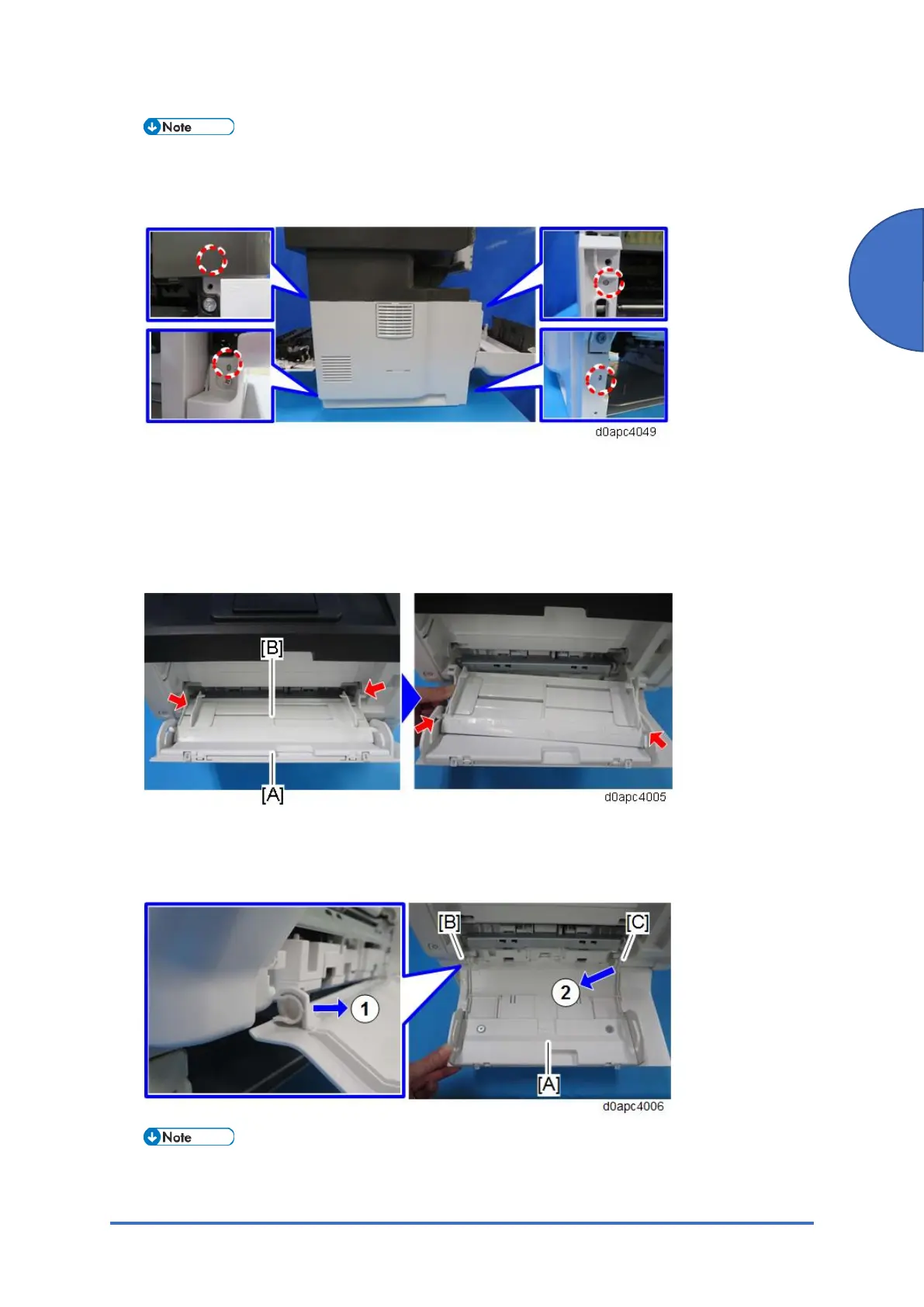
The left cover is held in position by bosses on the frame of the main machine, so the left
cover must be disconnected from these bosses before removal. The rear upper boss is not
visible from outside so confirm its location in the photo below.
4.6.3 FRONT COVER (MF)
1. Remove the right cover. (Right Cover (MF))
2. Close the front cover, and then open the bypass tray [A].
3. Release the four hinges to detach the paper guide plate [B].
4. Open the bypass tray about 90 degrees and remove the bypass tray [A].
Release the left hinge [B] first (which is C-cut) by pulling forward, and then release the right
hinge [C] by pulling obliquely toward the left, front.
When reinstalling the bypass tray, first set the right hinge with the bypass tray wide open.



 To Next Page